gamingwin2023
Members
-
Joined
-
Last visited
-
I mean its about 10-20MB/s for a 4k plex stream, no transcode, and then around 10-15MB/s for the deluge docker. So worst case its around 35MB/s, which I wouldn't think would fully saturate the drive. TBH just kinda spitballing here.
-
Normally its 1-2 streams and around 15-20MB/s file downloads.
-
I have been running into r/w saturation while downloading to the array and playing back media on plex. It gets to the point where I cannot stream anything on plex. My thought process was that if I split the data across the three active drives, that reading the data would be faster than reading the data off of a single drive. Diagnostics attached below, thanks for your help Trurl! deathstar-diagnostics-20240110-1520.zip
-
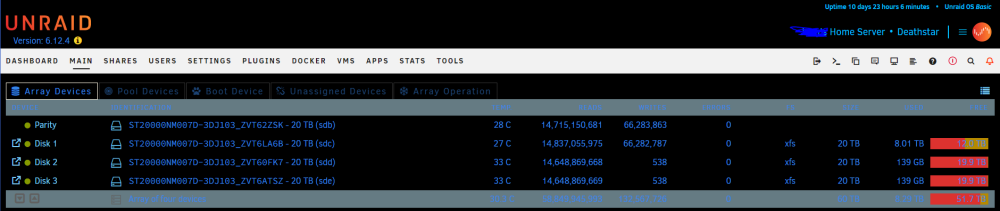
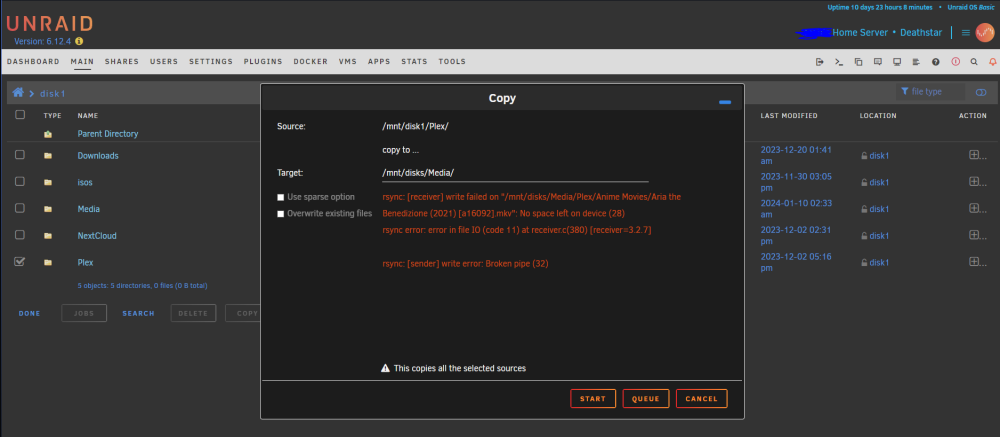
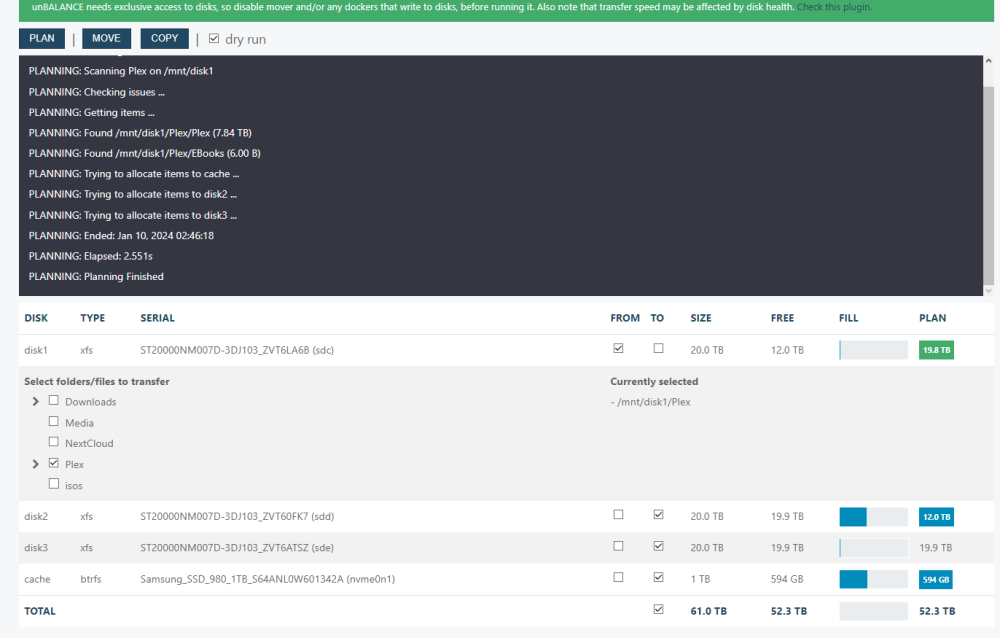
New Unraid user here. I started my server back in December and have been storing the media for Plex in a share. However, when first offloading to the share from an external drive, I guess in the file manager I accidentally navigated through disk1 to get to it. I have read up on how to balance the data, and unbalance came up. The thing is, that when I select the source folder on disk1, I can spread the data to every drive on the array except for disk1. My array is a RAID 5 with 4x20TB and a 1TB SSD cache. Here are the screenshots, and I am ready to be humbled.