ClemTiger0408
Members
-
Joined
-
Last visited
Everything posted by ClemTiger0408
-
Occasionally, Unraid becomes unresponsive overnight always between 3-4am. This doesn't happen on a regular frequency. It could be once a week or once in a month or two. But it always happens between 3-4am. Last night, for example, it was at 3:17am. I have attached diagnostics and logs. I have Mover scheduled to run at 3:40am but as I stated, last night Unraid went unresponsive at 3:17am so before that. I get a notification that my cameras are offline (using Scrypted into Apple HomeKit) and that's how I know when it goes unresponsive. My theories of culprits are Scrypted or Frigate but I haven't been able to prove that in their logs (or the syslog attached). I really don't want to have to disable them to figure it out since I rely on those cameras for security and I don't know what day the crash might happen (it could be months). Any thoughts? tower-diagnostics-20240812-0859.zip syslog copy
-
About 3 weeks ago I upgraded almost all (everything except storage drives) of the hardware in my Unraid server. Since then I have had problems with Unraid occasionally becoming completely unresponsive. My router still shows it as connected but I cannot connect to it nor to any of the docker apps I have running. A hard reset usually resolves the issue. On the old hardware, I have ran Unraid for years without this issue and the hardware upgrade doubled my RAM to 8GB. I ran a memtest on the RAM yesterday (8 cycles, no errors). Initially, it seemed like this was happening when Plex was transcoding something to an external user. I had changed a Plex setting to transcode to RAM because I read that was a smart idea but maybe not. Last night, my server appears to have gone offline (based on camera notifications) for like 20 minutes but recovered itself. I was able to get the syslog (attached). So that occurred Jan 10 around 02:00:00. Looking at the syslog, clearly it looks like Frigate may have been the culprit here but I'm not sure why. Can anyone please help diagnose what may be causing this issue? syslog.txt tower-diagnostics-20240110-0845.zip
-
I apologize that I didn't post what you are looking for. I downloaded the diagnostics and it's dozens of files. Do you want me to post all of them or specific ones?
-
Believe me. I am now very aware of this mistake. I did the wrong research ahead of time. libvirt.txt
-
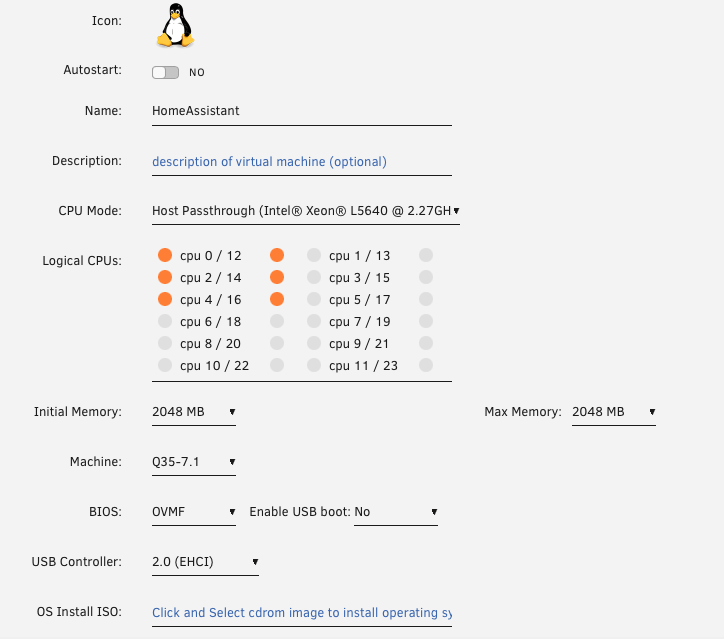
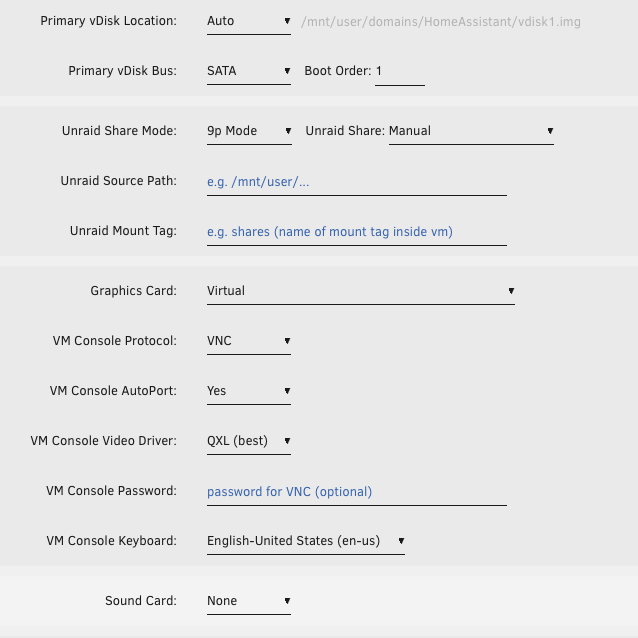
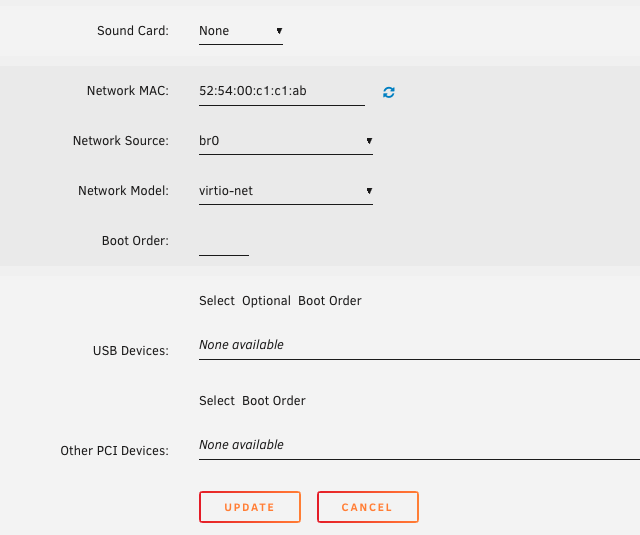
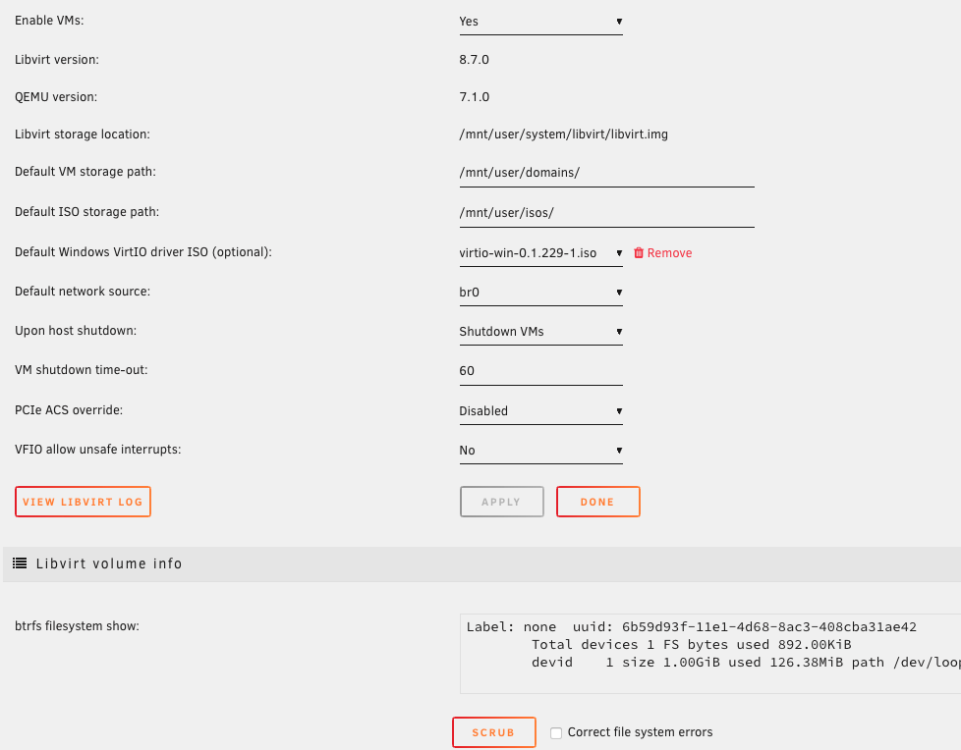
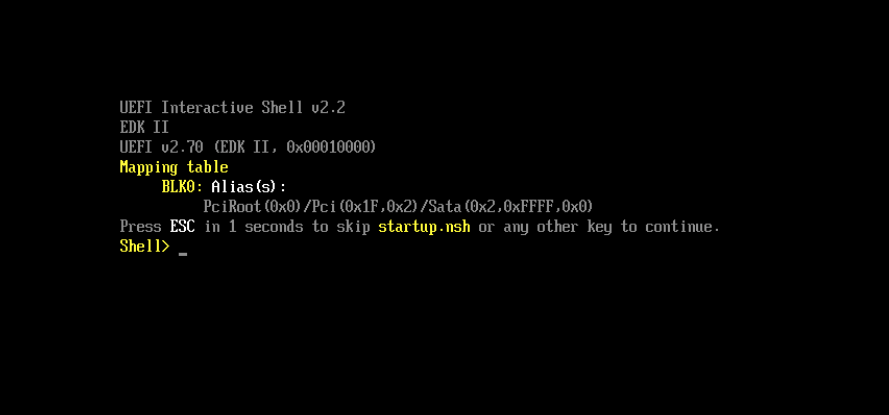
I need help, please. I have screwed up my Linux VM install for Home Assistant OS. I'll admit upfront that I am just technical enough that I was able to follow guides and get this running. I (erroneously) thought that my HA VM was running on the array and not on the cache. So using Krusader I copied everything in the /user/domains to /cache/domains. The same file was already in /cache/domains but I allowed Krusader to overwrite the file in /cache/domains. When it was finished, the file looked fine. So I went to the VMs tab and changed the Primary vDisk Location to Cache and manually pointed to the file in /cache/domains. That's when all hell broke loose. After that, HA OS will not start. I attached HAOS Logs.rtf to this post for what the logs look like in the VM. If I go to the VM Manager and stop it, when I go to restart I get the error "Libvirt service failed to start" in the VM tab. There are no logs in the Libvirt, it's just blank. I tried creating a new VM and its running into the same issues. I have attached screen shots of my current settings in hopes someone can please help me determine what I have done wrong. Screen shot 1-3 are the VM settings in the VM tab. #4 is the VM Manager settings. #5 is the Libvirt log in VM Manager Settings. #6 is what the console looks like when the VM is "running". HAOS Logs.rtf