D21LL1
Members
-
Joined
-
Last visited
Everything posted by D21LL1
-
Hallo zusammen, ich habe mehrere VMs am laufen die ich mittels noVNC Administriere, dort funktioniert die Zwischenablage Tadellos. Vor einiger Zeit hatte ich dieses Problem bereits welches ich aber durch viel rumprobieren gelöst habe. Blöderweise habe ich dies nicht dokumentiert. Nun habe ich eine neue Linux Mint VM am laufen, per noVNC im Browser wie alle anderen auch am laufen, stelle aber fest das die Zwischenablage nicht funktioniert. Die QEMU-Guest-Tools habe ich vorsichtshalber mal installiert, behebt das Problem leider nicht. Hat jemand ein Tipp für mich um das Problem mit der Zwischenablage elegant zu lösen? Vielen Dank!
-
Thanks! Thats was the solution! My bad and a great tip! Danke auch an dich Jochen! Guten Rutsch zusammen!
-
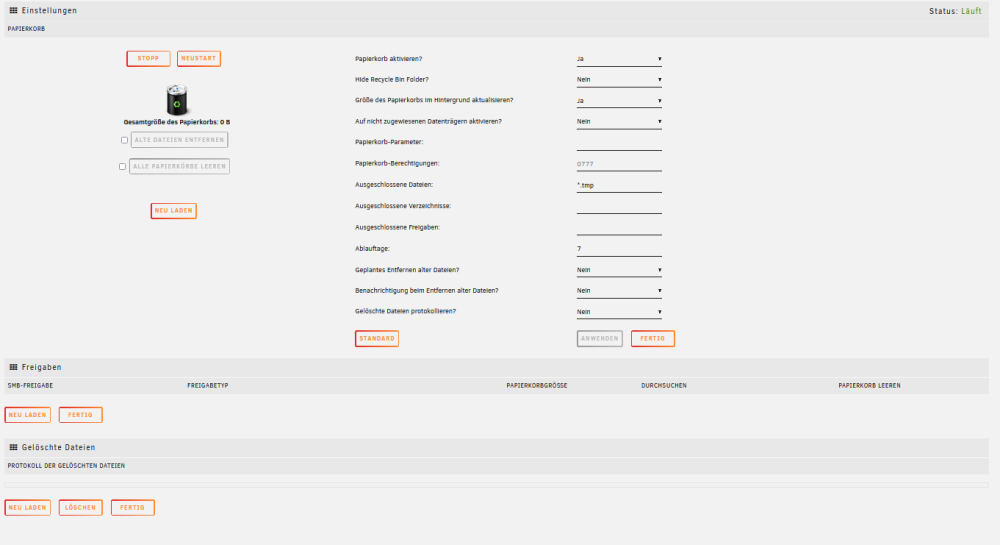
Guten Morgen zusammen, nach einigen Tagen Testen von Unraid, möchte ich nun einen Papierkorb etablieren. Dazu habe ich die App: recycle bin installiert und wie folgt konfiguriert: Mein Problem ist schon dort zu sehen: mir wird keine einzige Freigabe angezeigt welche für die App verfügbar wird. Das Löschen einer Testdatei hat auch keinen Ordner(Papierkorb) im root des Shares erzeugen lassen. Muss ich in den Shares noch etwas spezielles einstellen? Vielen Dank!