





john_bo_n3
Members
-
Joined
-
Last visited
-
Hello Jorge, Thank you for reply! From what I see on 30 November 2025 LTS 6.18 was released, Which means maybe we have to wait only couple of months for final release from Unraid? If yes, this a relieve! In this case I will just finally purchase a new GPU and seat tight until then.
-
Hello Dear Mods, I’m wondering if there’s any information or timeline regarding newer Linux kernel integration in Unraid. This has become increasingly important in 2025, especially with the rapid growth of AI, IT Iis Becoming not just mainstream but necessary in live. Many users, including myself, want to run local Ollama or other AI models using the latest GPUs to avoid privacy issues with subscriptions. However, Unraid’s current kernel support feels quite outdated — it only fully supports older GPUs that are now in their end-of-sale stage or no longer available on the market. Meanwhile, newer GPUs that would offer significant performance improvements often encounter driver or compatibility issues. This is becoming a real concern for the community, as people either refrain from buying new GPUs or spend weeks troubleshooting kernel-related problems. Could you please share if there are any plans or updates on a newer kernel integration to improve GPU and AI compatibility? Thank you for reading this. I really appreciate your hard work guys, but we really need this! and hope we’ll see some good news on this topic soon..
-
Hello Mates, I've qite new to unraid, but I already set up couple of apps successfully in my unraid server, however now I face with issue I could not solve alone, I face with internet connection issues in kasm container. Unfortunately there is no much kasm community or support to get help, this is why I write here. I have kasm exposed to internet via cloudflare tunnels to my domain for secure remote connection. I can access kasm workplaces, can login to them, but I have no any internet connection in any container. I figured out that If I use bridge network type, I have my problem solved, however I do not want to use my unraid server IP, I want to use custom IP for it. I found people suffering with the same problem here and here and unfortunately there is no clear instruction how to solve it. I'm not sure if I can create separated network with different ip than my unraid sitting on with bridged network to get it work, or what could be the solution for it?
-
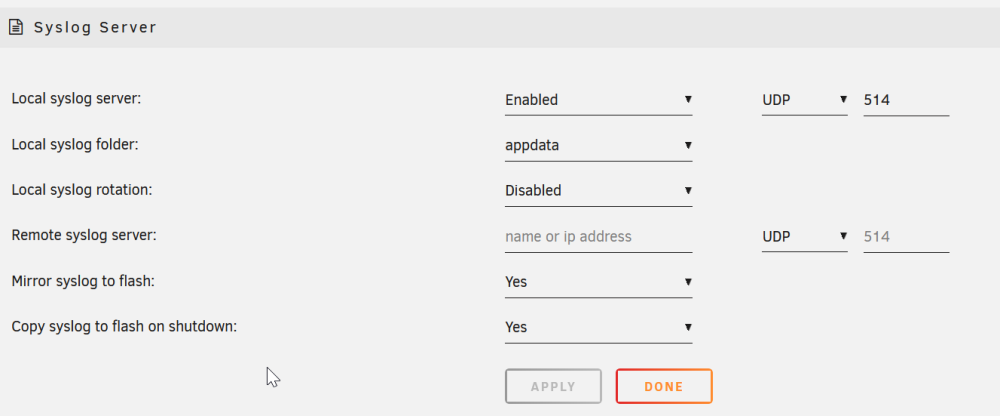
my bad, now I get the idea how it should be, now I set both, server and FlashDrive, BTW, for better user experience, maybe flag the server IP address field, as must have field, so other users would not miss-configure it as I'm.🙏
-
Well, I believed it will be stored after reboot, if I set syslog to enable, but now, I set mirroring to usb, lets see in couple of days, what it will capture.
-
I've enabled it, and server freezed out after 2 days, please find attached logs, however after I could not reach the server I physically restarted it, and as can I see logs are containing data only after restart, but correct me if I'm wrong. jonsbo-syslog-20240219-1416.zip jonsbo-diagnostics-20240219-1512.zip
-
I have no idea what happens, but every couple of days, my Unraid server keeps freezing and I cannot login to it and I have to hard reboot. It is newly build server from new parts. diagnostics and logs are attached, please help jonsbo-diagnostics-20240217-0930.zip jonsbo-syslog-20240217-0829(1).zip
