






oliviacarmo
Members
-
Joined
-
Last visited
Everything posted by oliviacarmo
-
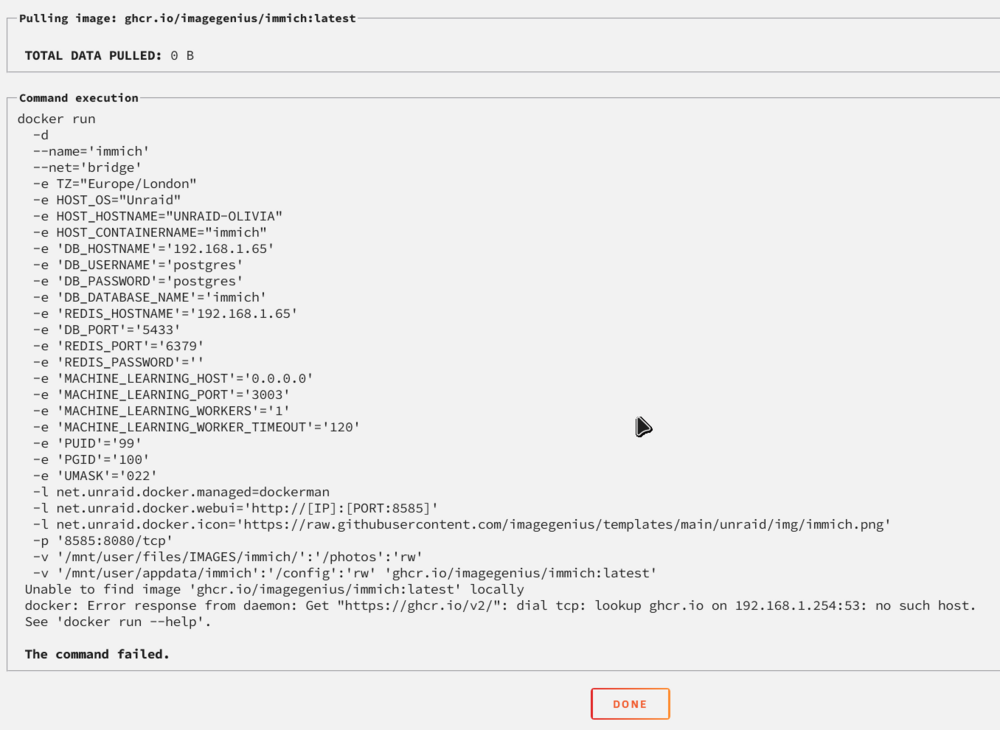
I get this error when trying to download certain apps like Immich for example: Unable to find image 'ghcr.io/imagegenius/immich:latest' locally docker: Error response from daemon: Get "https://ghcr.io/v2/": dial tcp: lookup ghcr.io on 192.168.1.254:53: no such host. And whenever I try to update a container it says it succeeds but afterwards the "Apply Update" button is still showing.
-
I decided to go back to the original boot drive and when I buy a key, I will move the boot drive. Thank you very much for your help anyway
-
Docker containers appear to be all gone along with the app data
-
Will I have to do a parity sync again? Also what about all my docker containers?
-
How can I do that?
-
I am still on the trial and I moved boot drives. Can't start the array because Registration key / USB Flash GUID mismatch. When I try to replace the key I get this error: Error: {"message":"Request failed with status code 403","data":{"error":"KeyFile is not registered with Lime Technology - please contact support

