





jfoley22
Members
-
Joined
-
Last visited
-
Actually finally got it working by deleting the network.cfg and rules files on the USB and booting again.
-
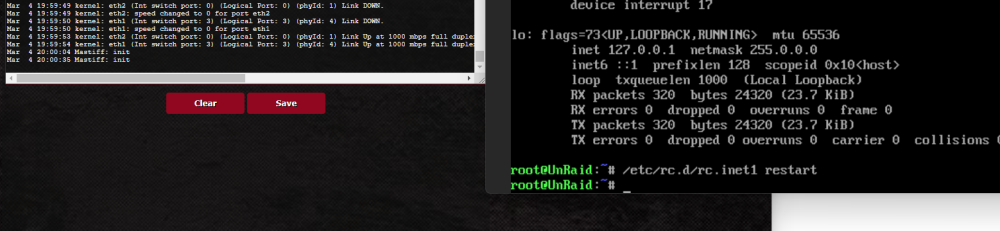
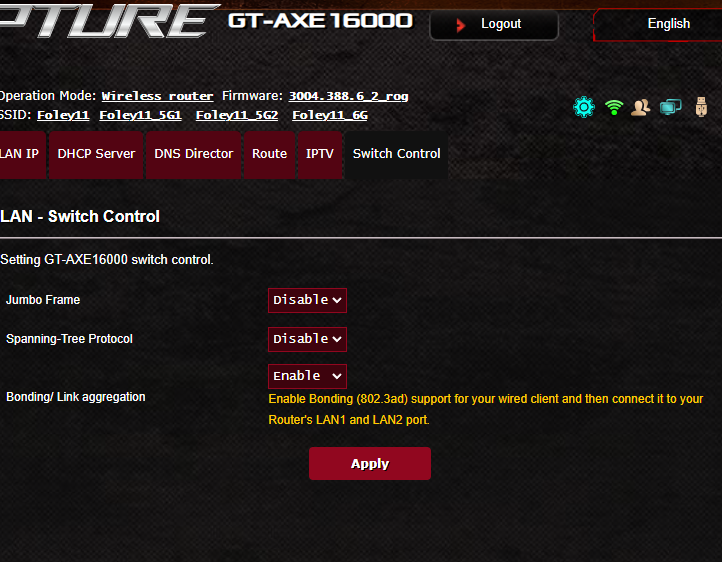
I did some additional testing. I added a 2nd ethernet cable and moved both to the 1gb ports on the server and ports 1&2 on the Router (The router says ports 1&2 support 802.3ad). The screen on the left is the logs on my router, the screen on the right is the restart network command I ran. You can clearly see the links go down and then come back up. However, I am still not pulling DHCP. unraid-diagnostics-20240304-1704.zip
-
I have previously tried using the 1gb port with the same results. I also tried running the cable to a switch, rather than going directly into my Asus Router. I do see my router supports 802.3ad but only on switch ports 1&2. Those particular ports are only 1gb. I still feel like the "bond" is causing issues with the Asus router in negotiating. I am not familiar with Linux networking, but couldn't I just disable the bond? I will say, I tried setting bond="no" and that didn't help but not sure if that is the correct way. The only way I can administrate UnRaid is booting in the command line. Last night, I reinstalled TrueNas and the network was fine. Same exact setup, using port #2 on the quad port 10gb Broadcom onboard NIC in the server. I really want to try out UnRaid but not sure it is going to work out.
-
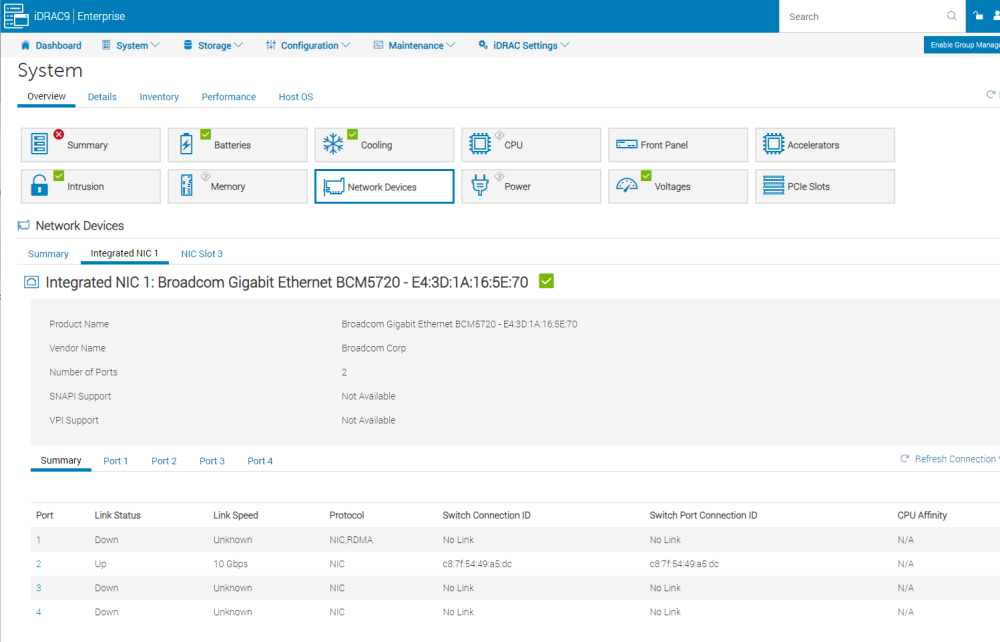
Interesting, according to the iDrac, the hardware seems to think there is a link? I pulled a fresh diagnostics. Is it saying the same? I have used this same server, router/switch, cable with a previous install of TrueNas. I have swapped cables and tried all the ports on the 2 NIC's. Could it be something with the bond? I am not sure my router/switch supports 802.3ad unraid-diagnostics-20240303-1412.zip
-
Hello All, I am just getting started with UnRaid and off to a rough start. I am attempting to install UnRaid on a Dell R740XD server. The server had a 4 port onboard NIC and a 2 port PCIE NIC. My install is unable to get network connectivity (DCHP or Static IP). I have tried about all the ports in the server. I have verified the cable is good. The router / DHCP server is an Asus AXE-16000. The NIC's are Broadcomm. Attached are the diagnostics. I have modified the network.cfg a lot of times, trying different combinations without any luck. tower-diagnostics-20240302-1126.zip

