TrvlMike
Members
-
Joined
-
Last visited
-
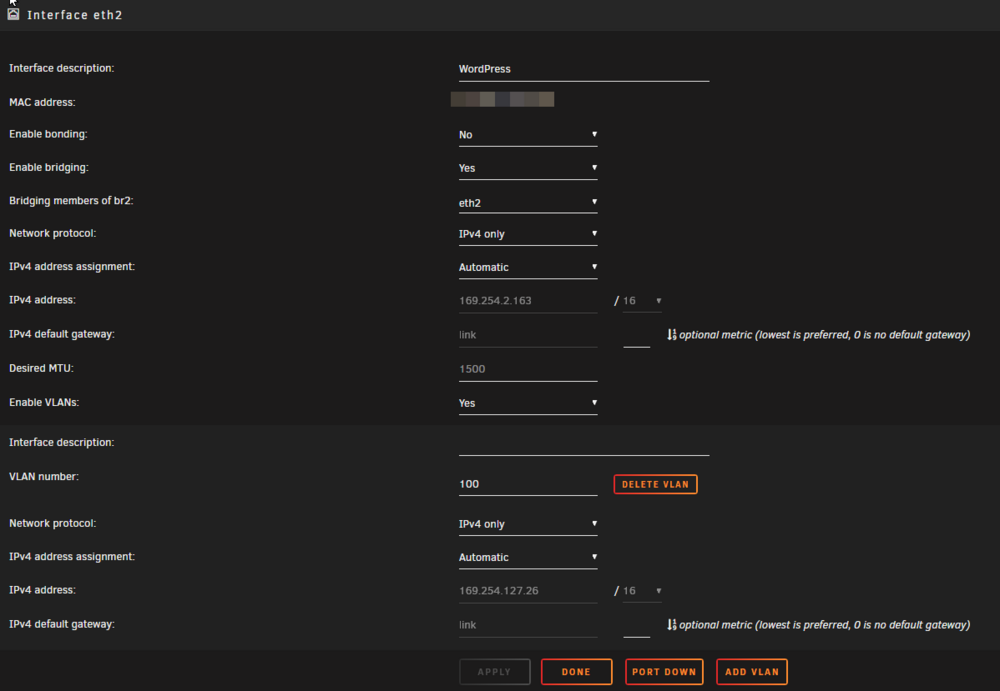
@Vr2IoThank you for taking a look at this. That makes sense. I removed the VLAN option on Unraid. Unfortunately, it's still having trouble. I did bring the port down and up again too.
-
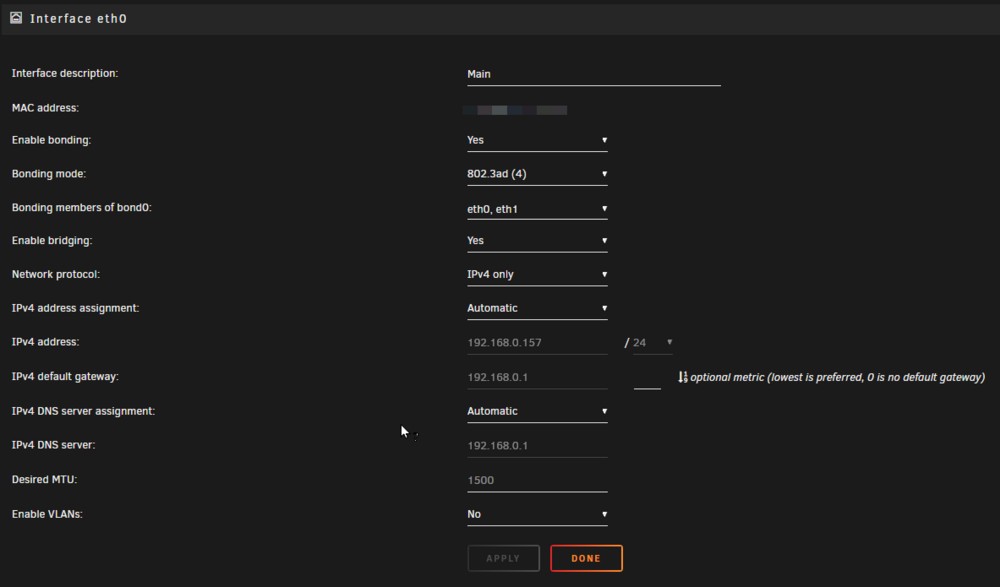
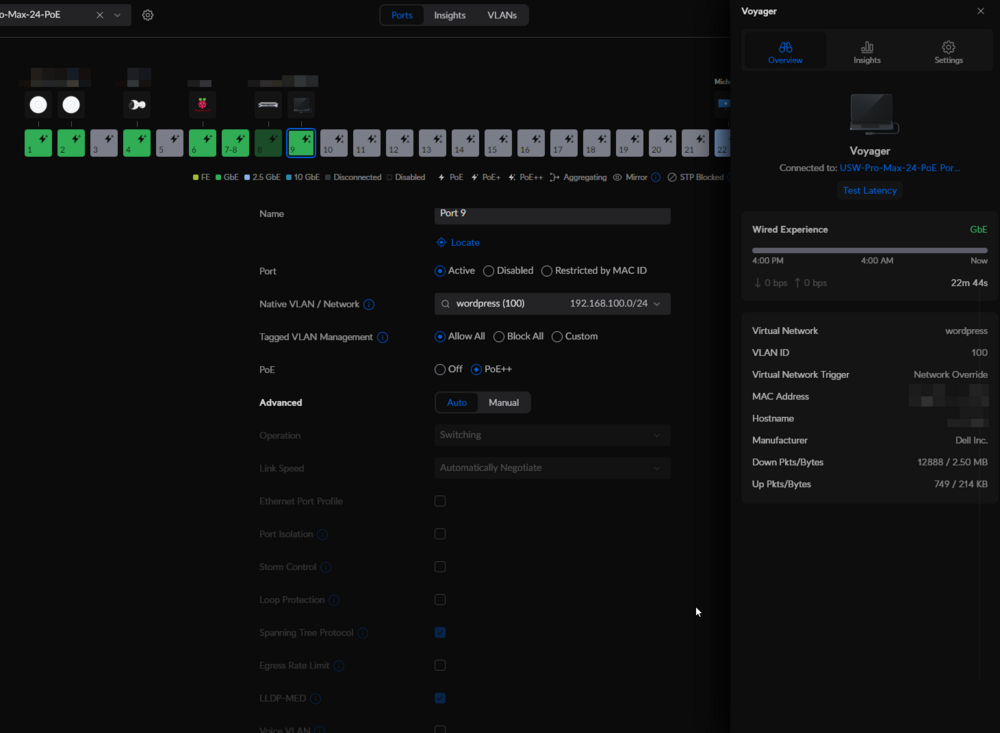
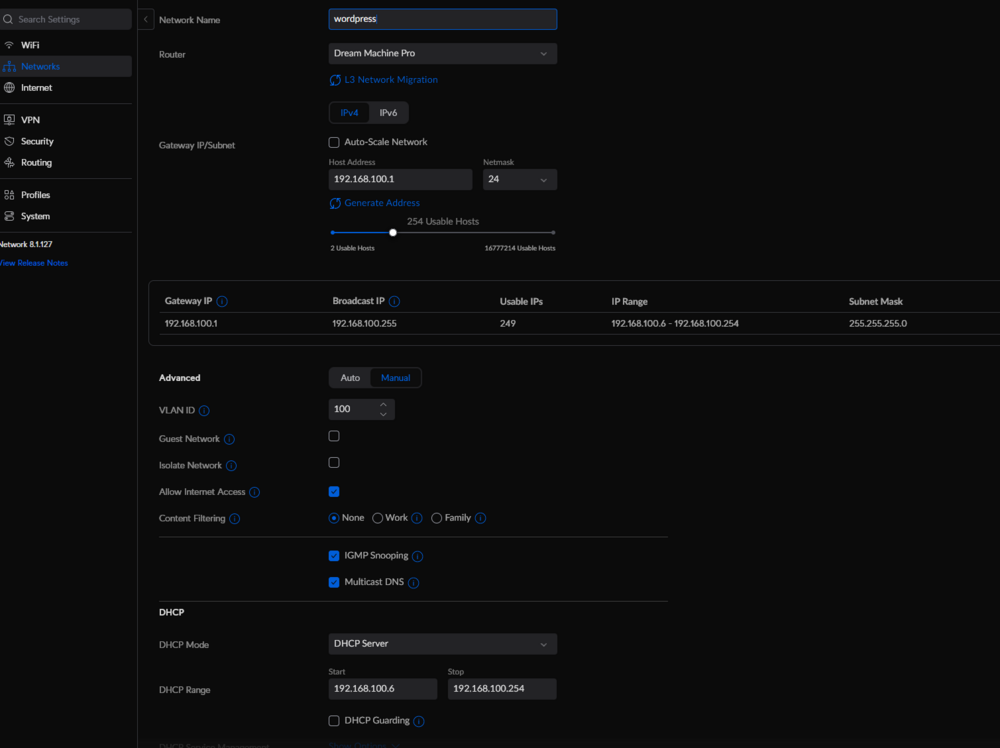
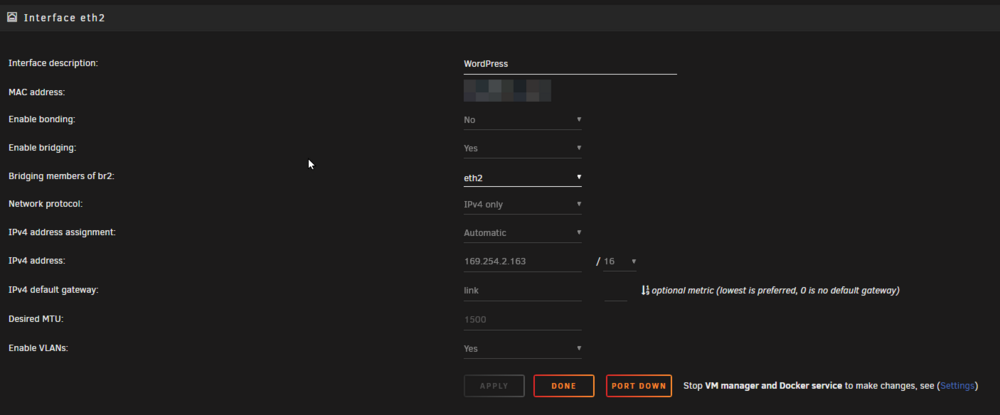
Hi everyone! I've been struggling to get this to work for a while and would appreciate any help! I don't quite know the best way to explain this but I'll try. The goal here is to have a VM using VLAN and on a separate eth port. This specific VM will be hosting a few small WordPress sites and would like to keep it separate from the rest of the network. My setup: UniFi Network Dream Machine Pro USW-Pro-Max-24-PoE Dell PowerEdge R530 Unraid 6.12.10 A Debian VM This is my main interface. Ideally this will stay untouched and not part of the VLAN. I'd like to use eth2 dedicated to the VM and to use VLAN tagging. Here's what I have on Unraid. You'll see that for some reason it's getting APIPA address. I can't seem to get it to get an IP from the VLAN. I have eth2 connected to Port 9 on the switch and I have these settings: My network settings on UniFi for this VLAN is below