





radskin
Members
-
Joined
-
Last visited
-
Yes.
-
My last configuration in BIOS solve the problem. Now I can see the NVMe Disk.
-
I only have this option in BIOS. I think AHCI is a standard configuration, then I have Raid configuration.
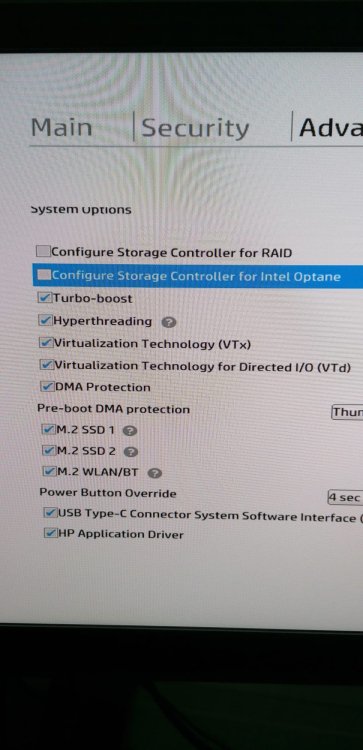
-
Hi, here is my new diagnostics file. tower-diagnostics-20240311-1044.zip
-
I have deleted the vfio-pci.cfg, but I don't have that option in BIOS (RAID controller to AHCI).
-
Hi, here is my diagnostics file. thanks for the help. tower-diagnostics-20240310-1402.zip
-
I recently bought an HP Elitedesk 800 G6 with an NVMe drive to use with Unraid. Since the drive has Windows 11 installed, I know that the computer and the drive are working. However, when I run Unraid, the NVMe drive doesn't appear, and I can't add it as a disk. Do I need to make any changes in the BIOS or somehow add the drive to Unraid via terminal? If I use some USB drives, I can use it as disks at unraid.

