





KosmicKitsune
Members
-
Joined
-
Last visited
-
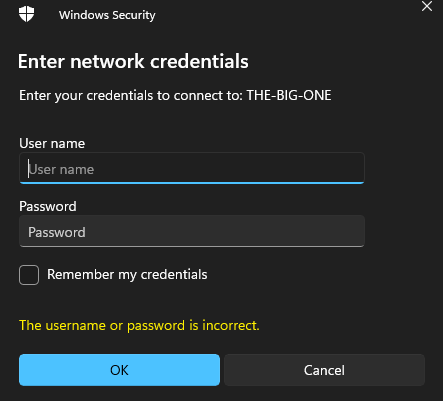
Good afternoon, recently some power outages caused the flashdrive my unraid was running on to go on the fritz. I managed to repair it in Windows but now I cannot view my shares. I get this prompt every time now and my login credentials don't work. I was not having this issue before the flashdrive failed and I'm not sure what changed. Does anyone have any ideas? I've tried resetting the SMB permissions and rebooting the NAS several times.
-
Hey there, it was a really dumb thing and Windows has networks set to public by default. I changed it to private and everything started working right away. Apologies about that.
-
The only share I have exported is already set to public, Windows is requiring a username and password to access.
-
Good morning, I am experiencing an issue where my PC cannot access the exported shares anymore. I recently had to reinstall windows for unrelated reasons. I was able to connect just fine before but after the reset it no longer works. I've followed guides for installing SMB 1.0 but to no avail on solving the issue. Does anyone have any suggestions? I've included my diagnostics in case it's of any help. the-big-one-diagnostics-20240312-0606.zip
