Skip to content
View in the app

A better way to browse. Learn more.

Unraid

A full-screen app on your home screen with push notifications, badges and more.

To install this app on iOS and iPadOS
  1. Tap the Share icon in Safari
  2. Scroll the menu and tap Add to Home Screen.
  3. Tap Add in the top-right corner.
To install this app on Android
  1. Tap the 3-dot menu (⋮) in the top-right corner of the browser.
  2. Tap Add to Home screen or Install app.
  3. Confirm by tapping Install.

gurubyte

Members
  • Joined

  • Last visited

Everything posted by gurubyte

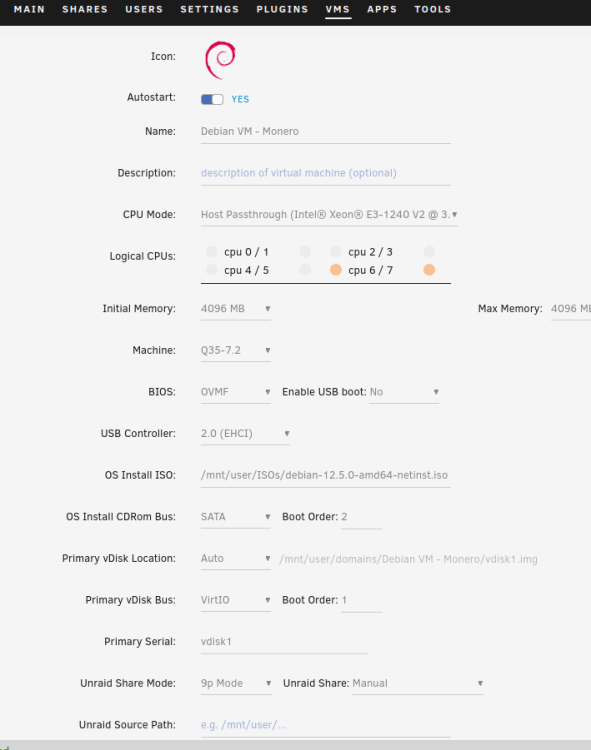
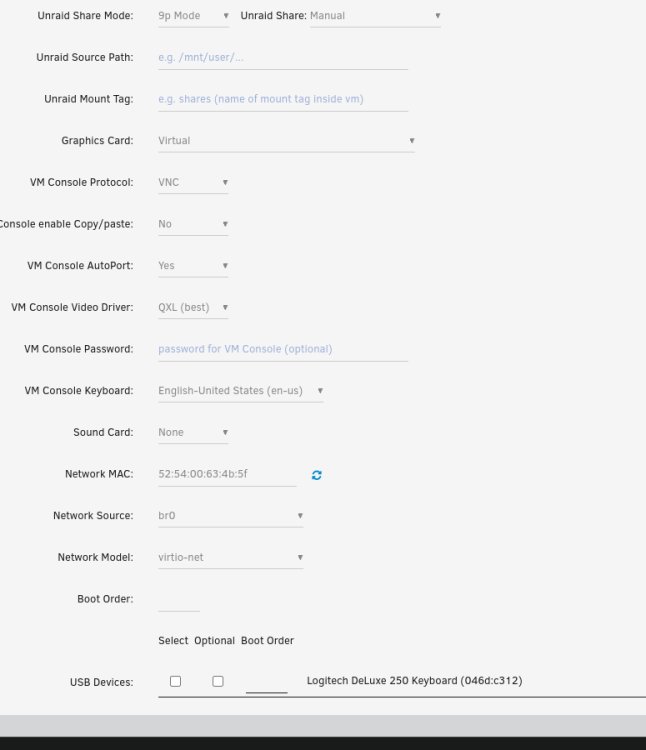
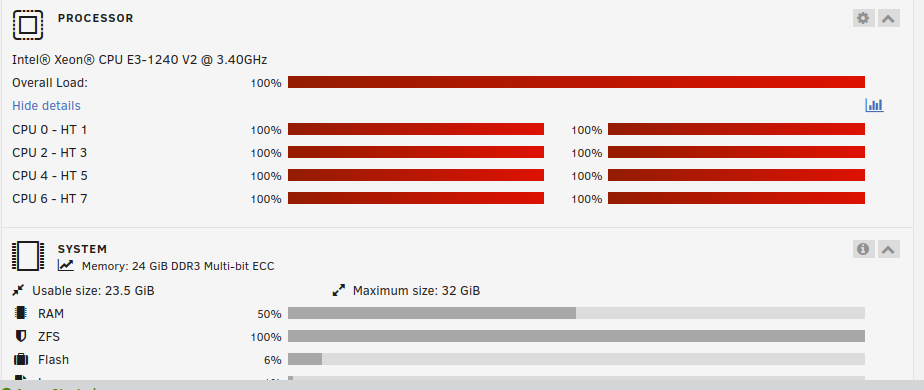
  1. I am running Monero blockchain on Debian 12 VM on SSD. I gave it only 2 threads but unRAID OS machine is using ALL threads. Why is this happening? It should only use thread 6 and 7 fully, not ALL 8 threads.
  2. Hey, I checked health of disks and 2 of my HDDs have SMART errors. The thing is that Disk 1 is basically new. I bought it new and it is used less than 2yrs. Thats so weird to me 2nd is bit older, it is at least 5yrs old, so I understand that it can have SMART errors. Are those bad signs? Should I replace them? I added 2 screenshots: 1st SS is Disk 1 ("new" one), and 2 SS is Disk 2.


Account

Navigation

Search

Search

Configure browser push notifications

Chrome (Android)
  1. Tap the lock icon next to the address bar.
  2. Tap Permissions → Notifications.
  3. Adjust your preference.
Chrome (Desktop)
  1. Click the padlock icon in the address bar.
  2. Select Site settings.
  3. Find Notifications and adjust your preference.