xmgx01
Members
-
Joined
-
Last visited
Everything posted by xmgx01
-
OK - I did this. It worked perfectly, no issues. zpool imported fine in GUI, datasets showed up as shares automatically, etc. Just had to export and assign r/w permissions and it was working in no time. Thanks!
-
There is this, but I haven't had the nerve to try it yet...
-
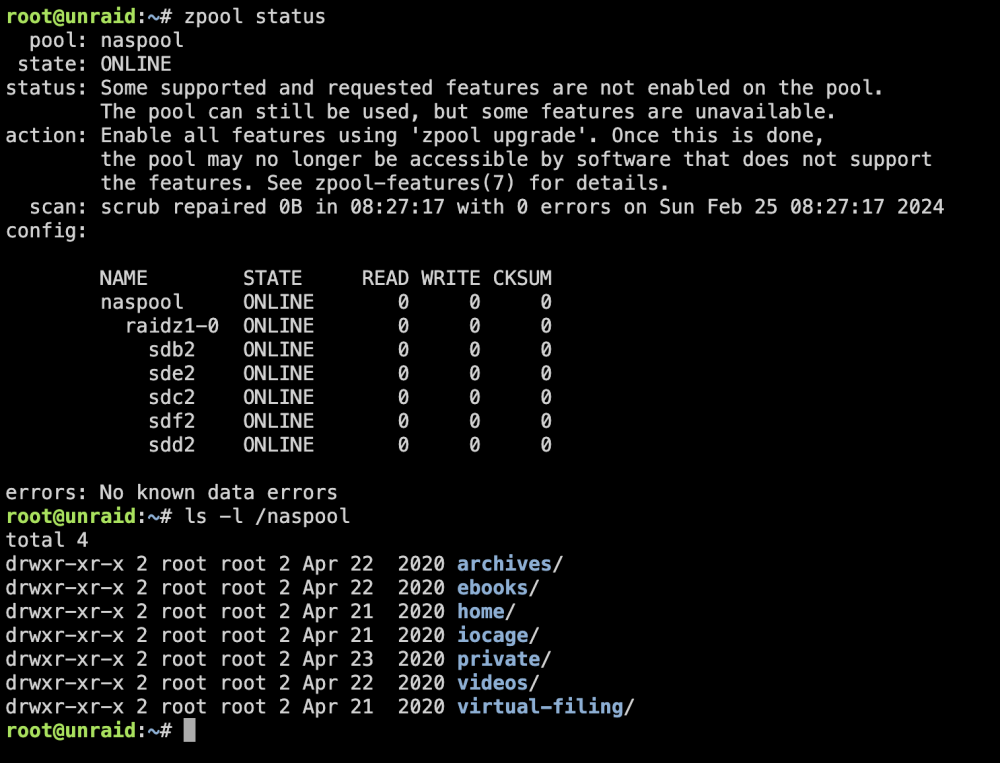
Hi! I've been doing a ton of reading over the past few days and was able to import my TrueNAS created zfs pool on 6.12.8 just fine via the command line. All of my data is viewable from command line under /naspool ... but unfortunately I'm a "zfs on partition 2" guy and I haven't had the nerve yet to go and edit my partition tables with fdisk. My question is -- any way to actually use this pool? It's definitely mounted / healthy and data all there, but there's no trace of it in the WebUI. I've tried creating a pool in the WebUI with the same name, assigning the devices, choosing "auto" for the filesystem, but it always just gives me the unsupported errors - certainly due to the partitioning. Is there some way to use it without repartitioning - since it does seem to be mounted and accessible... I just can't figure out how to actually create any shares from it, etc. Thanks!