





wangke
Members
-
Joined
-
Last visited
Everything posted by wangke
-
Thanks, I see this netfilter error and kernel panic is a known issue and ongoing bug. https://docs.unraid.net/unraid-os/release-notes/6.12.4/ https://bugzilla.kernel.org/show_bug.cgi?id=217777
-
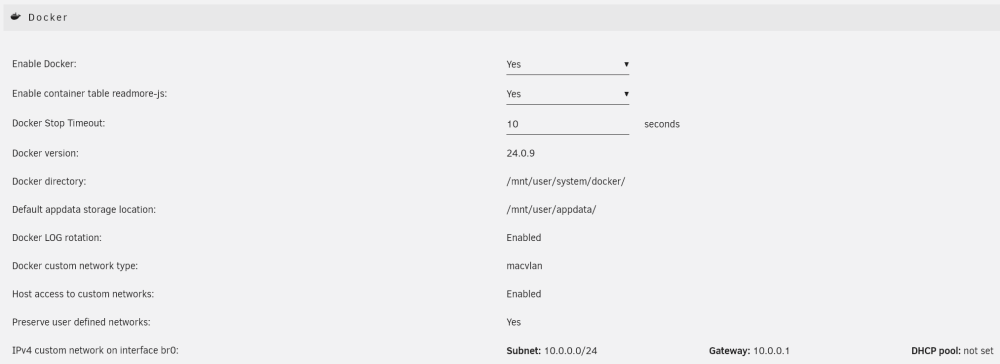
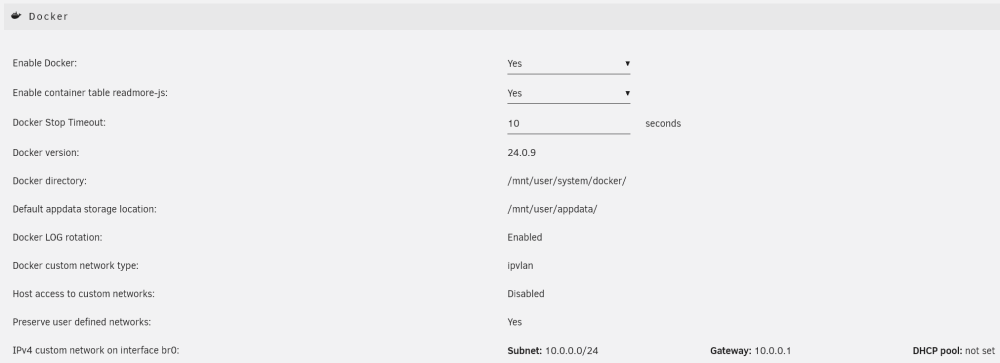
Here are my current docker settings and previous docker settings. The differences are `Docker custom network type` and `Host access to custom networks`. I'm not sure how to disable bridging on eth0, also I have 3 ethernet ports, I assume I need to disable on all of them?
-
10 hours later, no more kernal panic or netfilter errors. But still hope macvlan can work as expected without errors.
-
I've temporarily switched to ipvlan, will see if it will kernel panic again.
-
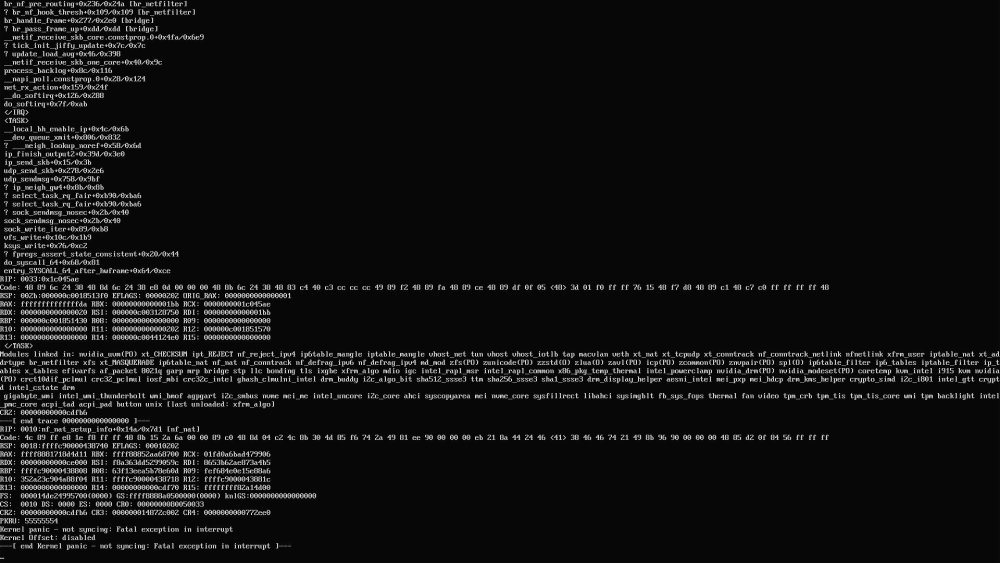
It just happened again. I'm getting a lot of errors from netfilter, I suspect it's caused by docker and macvlan. Not sure if it's the same issue as this one. syslog
-
Found the log in usb drive logs folder, will upload the log once unraid is not accessible again.
-
Yes, it's ES model of 11900t, I've been running pve with dsm and ubuntu for a few years, just recently switched to baremetal unraid.
-
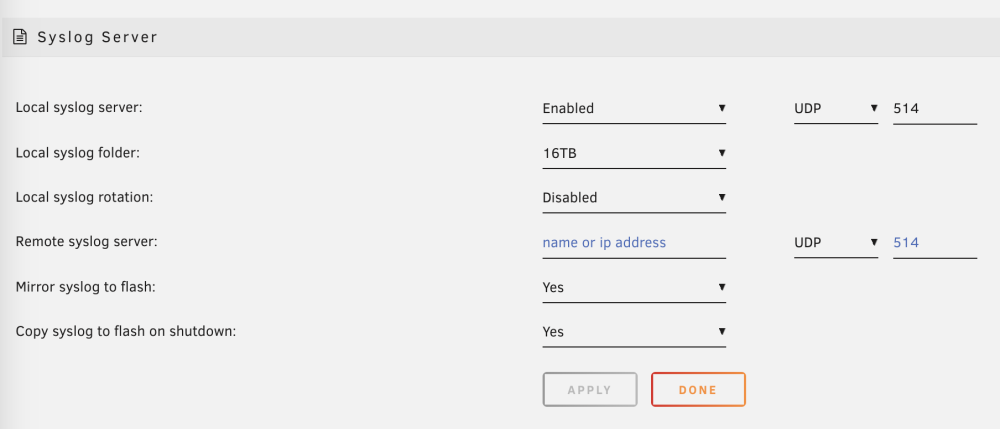
Unraid can boot normally, but after a few hours of array and docker start up, the whole system becomes unavailable. Can not access web ui, ssh, smb shares, any docker services. Syslog server is on but also not accessible, mirror log to usb is on, but I seems can't find the log. gallifrey-diagnostics-20240323-1110.zip


