





meinereiner
Members
-
Joined
-
Last visited
Everything posted by meinereiner
-
And Removing the partition fixed it:

-
Probably a good idea to remove the Partition to clear all the hidden Share Links. Meanwhile killing a chicken and painting a Pentagram with Chickenblood so Cthulhu may help to not loose Main Array Data while removing Partitions 🤣 Thx for your Time, have nice Sunday
-
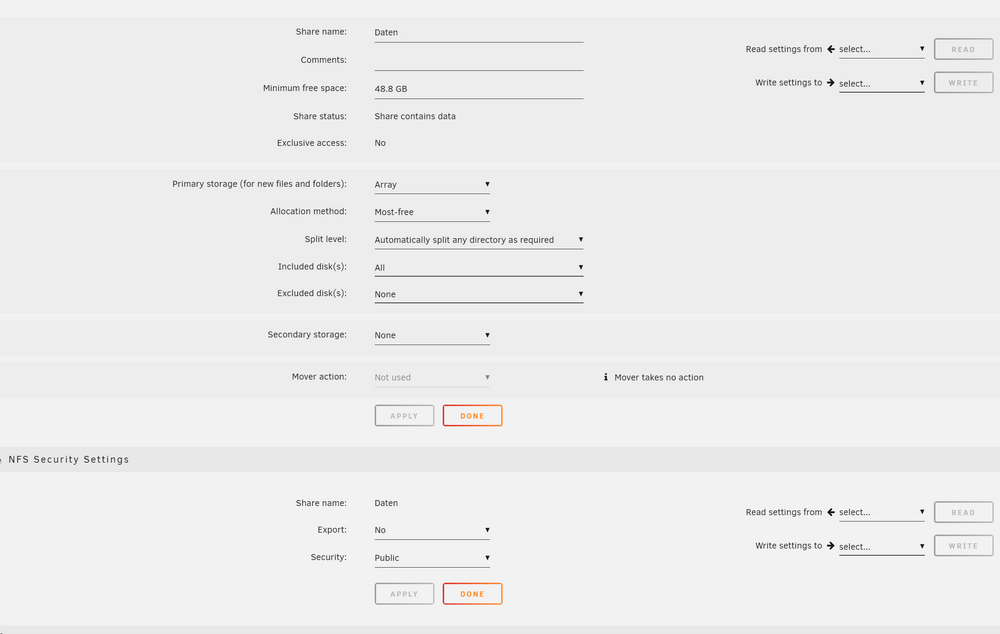
The Config shows correct. But it clearly isnt, as told and shownand how ? the Config shows correct.
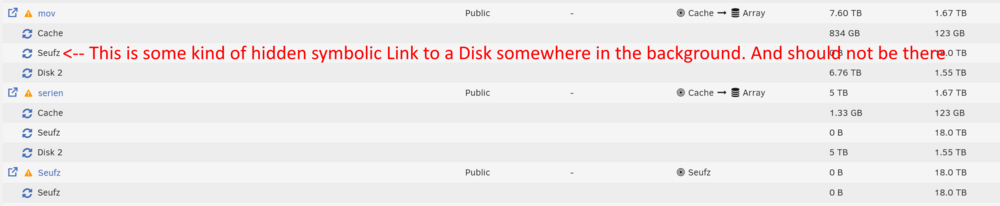
 Problem 2 I started the Array with Disk 1 unassigned. So Disk 1 was emulated. To make sure the Rebuild goes in the right direction, i removed the Partition from the now unassigned Device. Stopped the Array Assigned Disk 1 again. Started the Array and let the Rebuild do its thing. No Formatting.... It was Partition Removing.... my Fault, sry2 problems, which i actually think are bugs are happening. Problem 1: I removed a Disk from the main Array (here where 3 disks) to an new Pool BUT Unraid still thinks that this third Disk belongs to the Main Array Here they are marked as "unprotected" which shouldnt be possible. But it shows, because through some hidden Backlinks Unraid thinks the single unprotected Disk still belongs to the Main Array. And Data also shows on the SMB Share. which shouldnt be possible,


 So it is expected behaviour that a Disk stays attached via hidden Links to a pool in the background, when its removed or unasigned or moved to an other/new pool. And SMB shares access a Disk from an Pool it is not allowed to. Im speechless, but OK now i know.I formatted an unassigned device.Hi ! Im not sure if this is a Bug, or something else.... I have a main data pool with 3 disks. Parity - 18 TB WD Disk1 - 18 TB WD Disk2 - 18 TB WD Because of a weird error, Disk1 got marked red and its contend emulated. Didnt think too much about it, started the Pool with the failed Disk1 unassigned. Formated Disk1 Reassigned Disk1 to Pool Started Parity Sync BUT Disk1 stayed somehow attached to the Pool. So i formated it for real and wrote it to the Parity Disk Whole Disk Data Lost. FURTHER Its reproducable. I now removed Disk1 again, moved it to its own separate Pool. But still if i copy Data to the Shares attached to the Pool, the Data is written to this Disk1, which isnt even attached to the Main Pool which contains the shares. If i would Format it now again, it will probably delete Data again !? Thanks in advance for guidance ! schneuz-diagnostics-20240914-2113.zip


