lofty97
Members
-
Joined
-
Last visited
Everything posted by lofty97
-
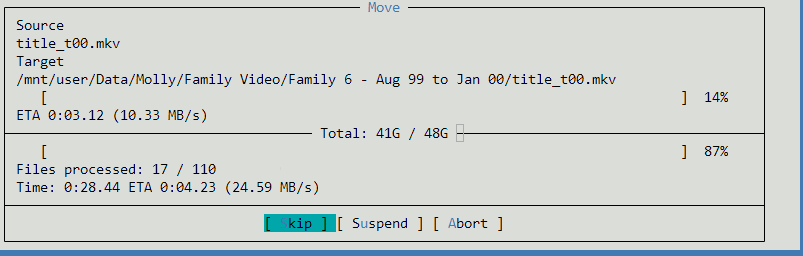
When I first set up Unraid I created one share and put all of my files on there. I recently learnt it would be better for me to have my personal files on one share and media files on another, for when it comes to making backups of my personal files, I don't want to also back up terabytes of media. So I try to move files from one share to the other and it begins a 5 day copy process. I try Krusader, still wants to copy. I try MC, still copying. On my backup Unraid server I tried moving files from one share to another and it was instantaneous. The only difference I can think of between the machines is on the backup the drives are formatted to XFS and on the main, ZFS. I am doing /mnt/user/Share1 to /mnt/user/Share2 and both shares are set to allow all disks. I have done as much research as I can to find the answer and I still can't. Now since my Personal files amount to <3TB I decided it was a better idea to move those to another share and rename the share rather than to try and move over 20TB of media to another share, but just wish the instantaneous move would work. Any thoughts on this would be greatly appreciated. P.S. Please see attached image. Copy is painfully slow when I have Seagate Exos drives capable of 230MB/S. Very confused.