br47
Members
-
Joined
-
Last visited
Everything posted by br47
-
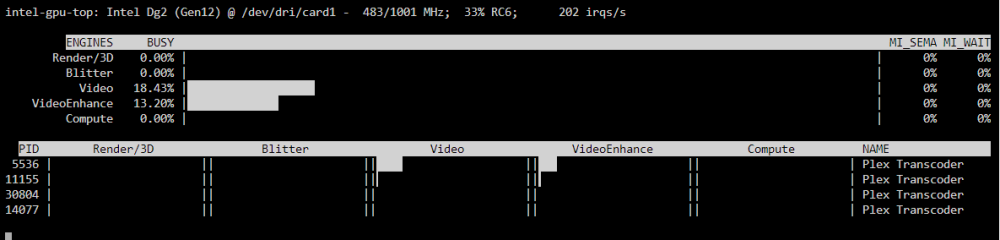
Dummy plug fixed it!
-
Thanks, I went ahead and ordered an HDMI and VGA dummy just to see if that helps. I'll also try removing /render128 My hope is that with the VGA dummy, the onboard GPU shows up in the dashboard. It's weird that it shows in devices, but not there. I'll also try rolling back to the kernel you are using (I'm using the latest one which is one revision newer). Trial and error I guess! R730xd's seem to be a bit finicky, but I have 60TB of SSD's, dual Xeon processors and 365GB of DDR4 RAM and it would be a waste not to take advantage of it. I was using ESXi with VM's, but I really wanted to switch to Unraid and run a GPU passthrough for encoding.
-
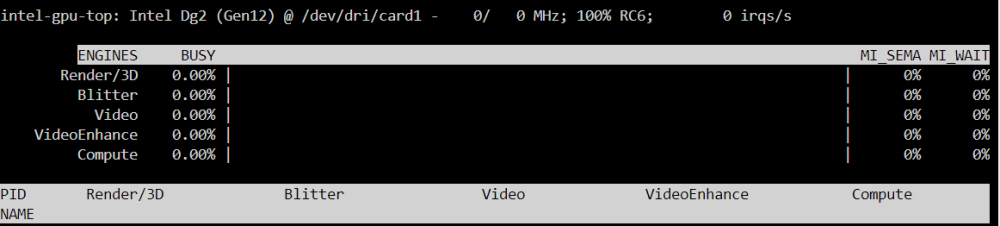
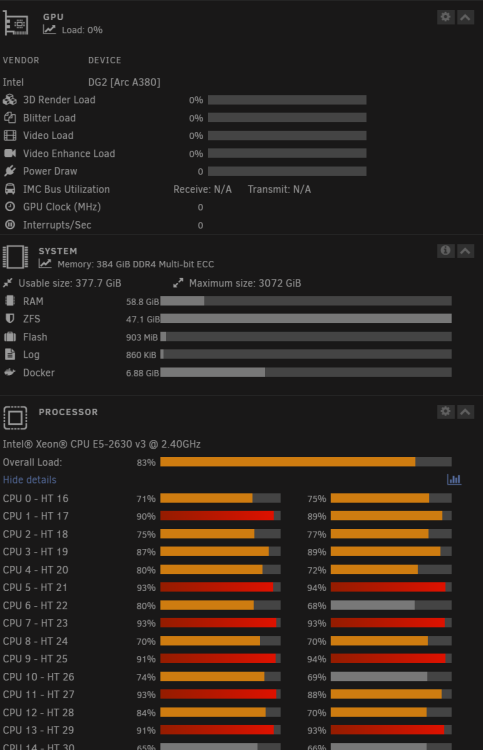
I've just spun up Unraid on an r730xd and ordered an a380 and I'm having a ton of issue. I can see the card, I can select it for transcoding in Plex, I can see it on the dashboard as a GPU, but for the life of me, I can't get it to transcode anything. It just idles at 0% across the board and pegs my CPU's. I've tried everything: 1. Updated the kernel to 6.9 2. Installed Intel-GPU-Top 3. Updated GPU-Stat to show new DG2 GPU 4. Deleted all codecs from Plex Appdata folder 5. Added /dev/dri/renderD128 as a new device 6. Changed Transcode Device to DG2 7. Tried plugging in a monitor while the server is running 8. Tried disabling the onboard gpu (igpu does not show up on dashboard but shows in system devices) You think I need a dummy VGA for the onboard gpu? I'm out of options here! I need a card for transcoding badly since my family use this server remotely and it's buffering like crazy for them.