






opticlusion
Members
-
Joined
-
Last visited
-
opticlusion changed their profile photo
-
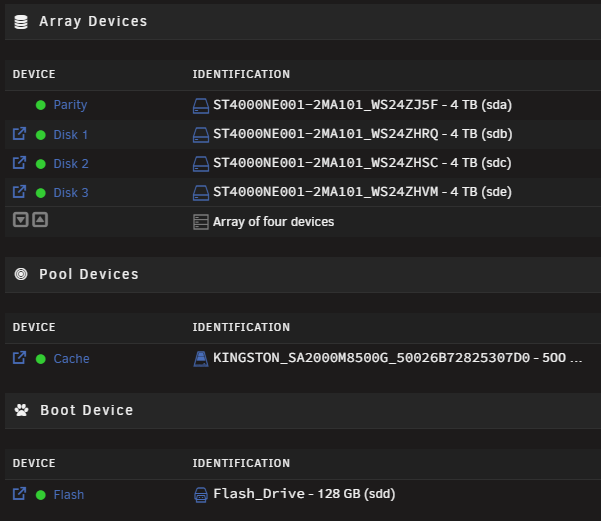
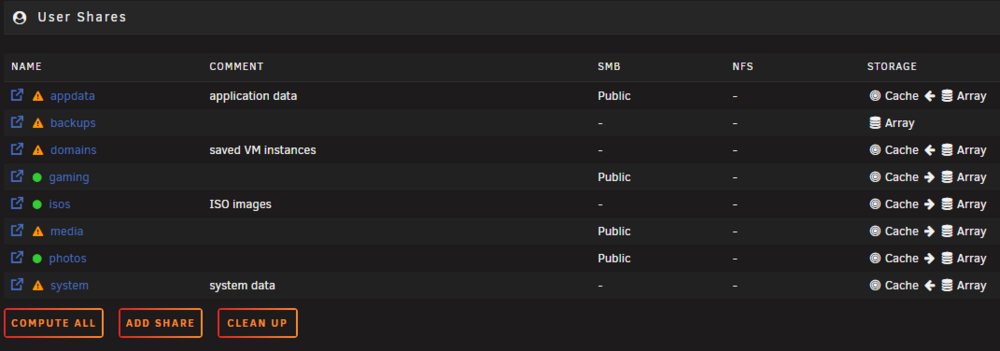
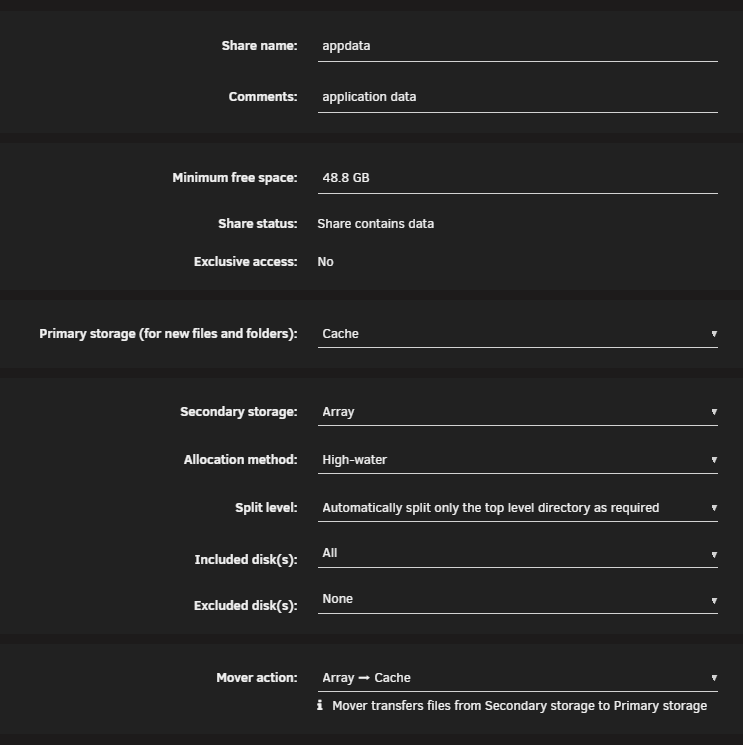
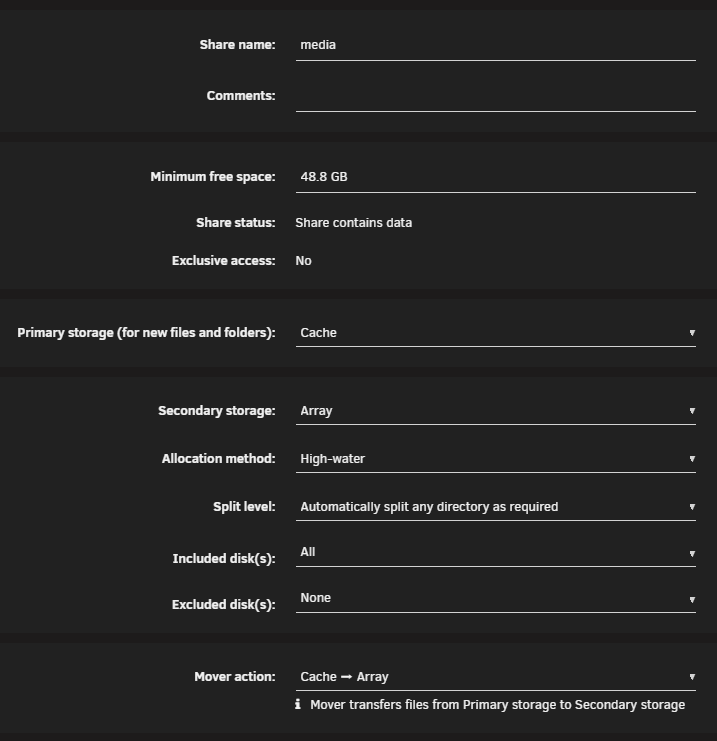
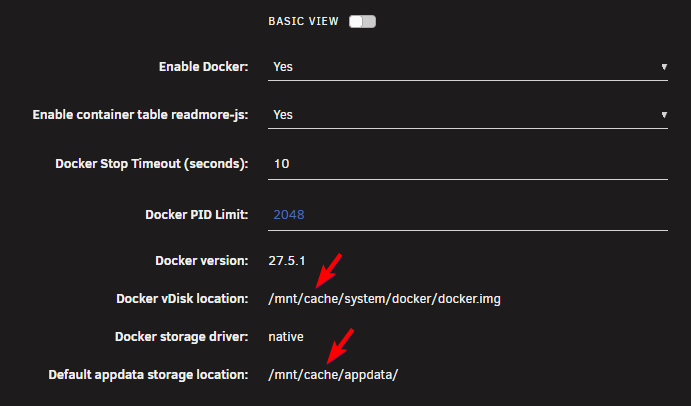
Hey everyone, I've got Unraid running and everything seems be running great. However, I'm hoping someone can check my config and confirm a couple of things re. storage. Attached are some images of my setup to help visualise how things are configured. The appdata share is configured to use Primary Storage as Cache. Is this correct as per image attached? I have a media share, and the Primary Storage is also set to Cache - but I feel like this should be Array, as it's where all my data is sitting. Is this correct? In relation to Docker I discovered recently that Docker was configured to user /mnt/user/system/docker/docker.img and /mnt/user/appdata/ - both of which I beleive point to the array, which could result in poor performance. I've since change this to use /mnt/cache/system/docker/docker.img and /mnt/cache/appdata/ - which I beleive should now point to the cache drive? Does this sound correct? I'm sorry if all this sounds a bit confusing but to be honest, I've not found it easy to understand how Unraid handles shares/cache/array etc. I've tried reading through some of the help docs, watching Youtube vids, and even asked ChatGPT - but nothing has really nailed it for me. I've considered paying for Unraid support just to get the answers, but I figured I'd try the forums first and see how we go. Any help would be greatly appreciated. Thanks very much!
-
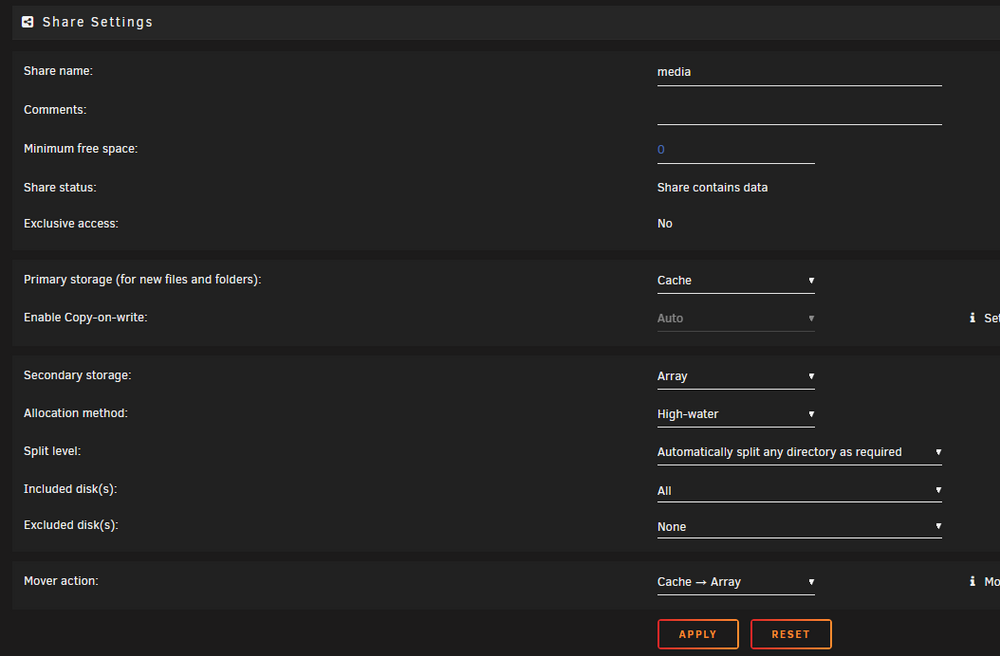
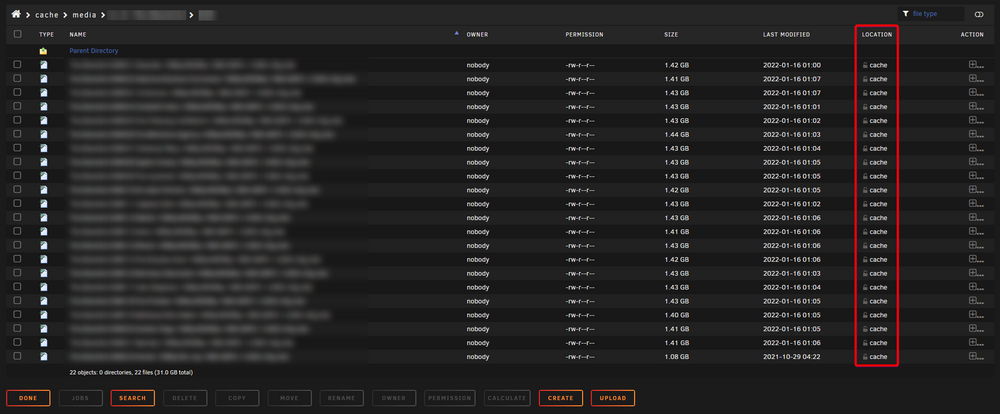
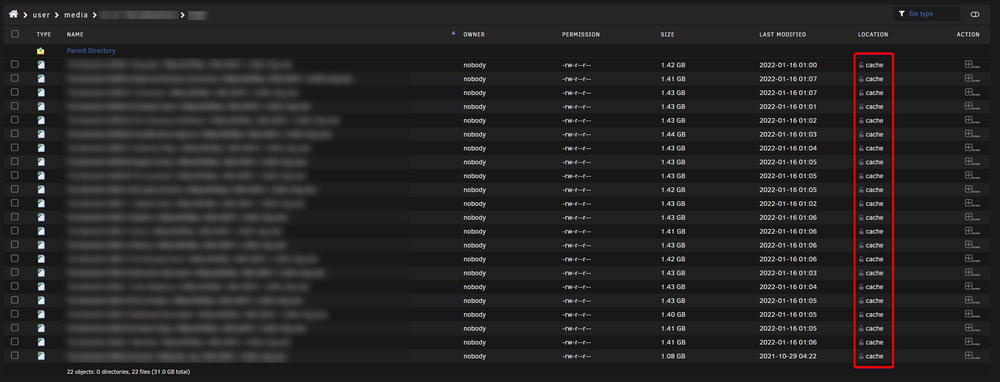
It appears that I've got it working now. Thanks for your help. As above, setting the primary storage to Cache, secondary to Array, and Mover action: Cache -> Array has resolved it. In File Manager, I can see the Location change from Cache to a specific disk as the Mover is working through everything.
-
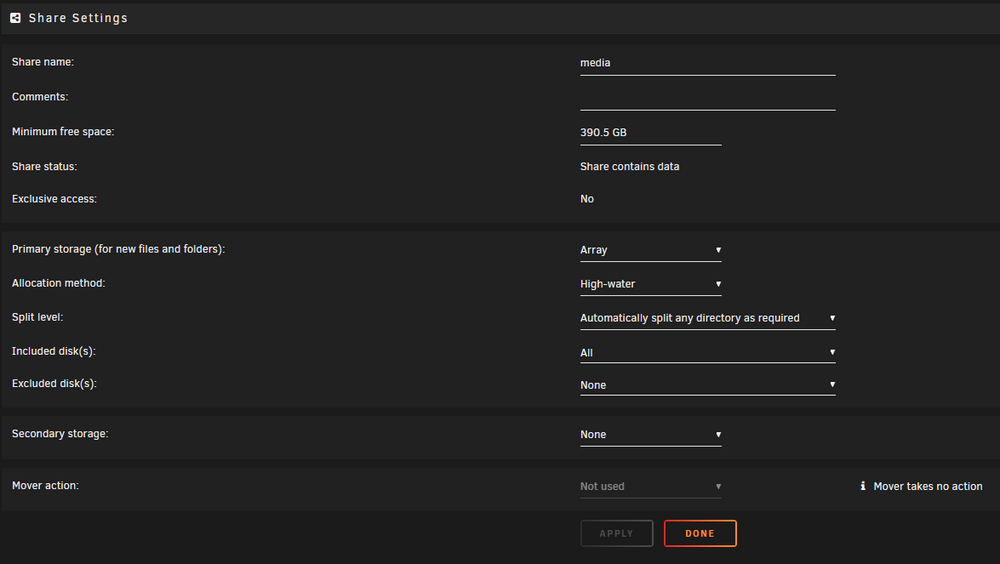
I've set the share up as follows -- the primary storage is the array, which I've always assumed was the "pool" - you can select one or many disks within that pool, or choose all, which I have. Do I need to change it to the following instead - whereby the primary storage becomes Cache, with the secondary being the Array? The mover is set to Cache -> Array.
-
I've spent hours trying to figure this out - I've read countless other forum posts, reddit, random youtube vids etc. I can't find a solution as to why these files, and many more (approx. 400gb worth in total) are still sitting in the cache. This is looking in /cache/media -> This is /user/media/ -> When browsing /user/media/ many files appear to be on the array (Disk 1, 2, or 3) but only files that I specifically copied across when migrating to Unraid. Everything I've copied to it or downloaded directly via Unraid since remains in cache and won't move to the array. So if that cache drive kicks the bucket, all the data is gone. I feel like I'm missing something so simple here but I can't for the life of me figure it out.
-
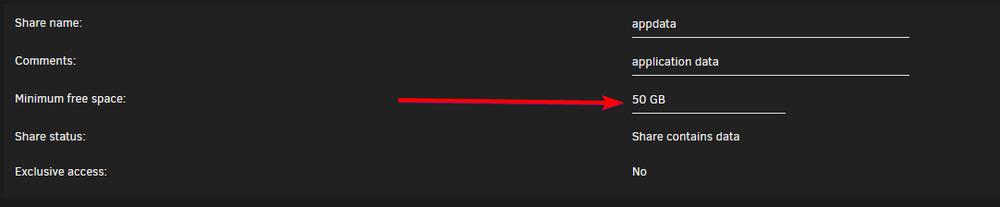
I'm guessing you're referring to the Minimum Free Space setting? This was set to 400 GB. I've changed it to 50 GB based on the description. I could probably go even lower if needed. I've gone through each one and can't find it. I'll keep looking, though. Thanks a lot!
-
Diags attached. Thank you! tower-diagnostics-20240915-1954.zip
-
I should also note... although it appears to be working, it is extremely slow!!!
-
I started getting messages that cache was full. I found that the "appdata" share was taking up approx. 90+ percent of that. I also found the appdata was Mover Action was set to Array -> Cache. I switched this to Cache -> Array and kicked off the mover and it appears to moving data now. Is this the correct way to set it up? Thanks!
-
Came here looking for this exact information. It would be good if the website was updated to reflect the actual currency you'll be charged in. No mentioned of it anywhere from what I've been able to see... not even in the FAQs. $249 sounds great... but when you convert that to AUD (my local currency) it's closer to $400!
-
Hi everyone! I've been planning my first Unraid build (migrating from a 10-year-old QNAP NAS). I've got a Ryzen 5 3600X, 32gb Ram, and an MSI B450 mainboard. I'd like to run 4 x 4TB drives as the main storage drives, and a spare 4Tb for parity to get started. Unfortunately, the B450 only has 4 x SATA ports, so I'm short. Would I be better off replacing the mainboard with something that has 6 x SATA ports, or just buying a SATA expansion card? Not really sure what path to go down, but I'm leaning towards a new board just because it's one less piece of hardware to support (it's a little more simple to get started, I suppose). Would love to hear thoughts/options/opinions though. Thanks very much!


