DeDude
Members
-
Joined
-
Last visited
Everything posted by DeDude
-
Hi @JonathanM, thanks for explanation. Well i dont really often check hardware serial numbers, but seems like a cheap HDD manufacturer would/could do this. I saw a way how to manipulate the HW ID on OS-level (like man in the middle), could this be a solution? Also it would be completely normal to use the Vol ID. This ID would not change in a lifecycle of a running NAS (besides formatting the whole drive), but can be easily manipulated.. BR Simon
-
Wow. Both drives are working in freakin Windows. Thats a statement. I dont know why Unraid is using Anti-Cheat/DRM techniques to identify a HDD - just do it with the volume ID maybe? Or would that be too easy? Gees, i dont wanna buy a new HDD just for this :'D
-
Do you have any idea how to undo this? RAID is completely disabled btw. I bought these two OS HDDs from a used NAS. Already formatted them dozens of times. Nothing helps
-
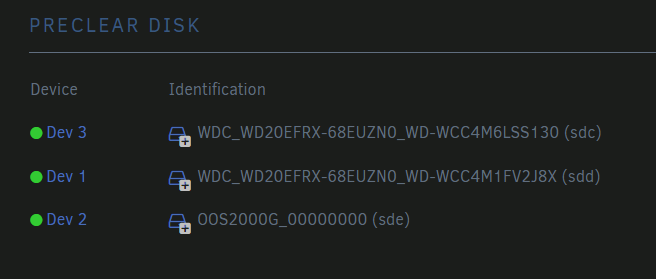
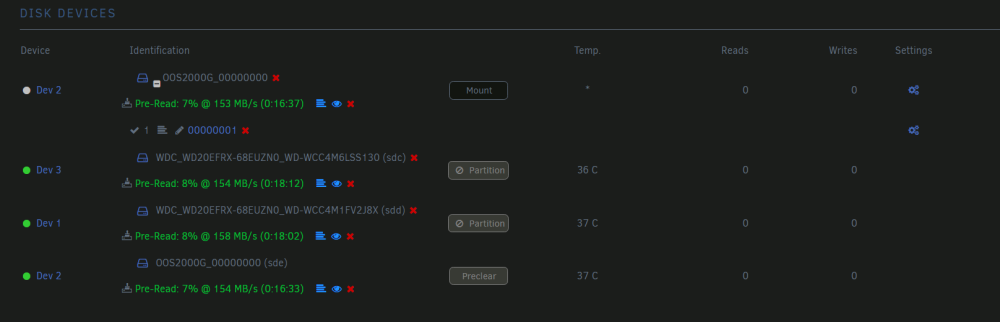
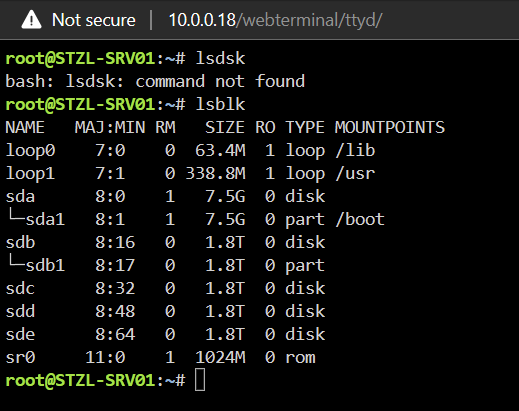
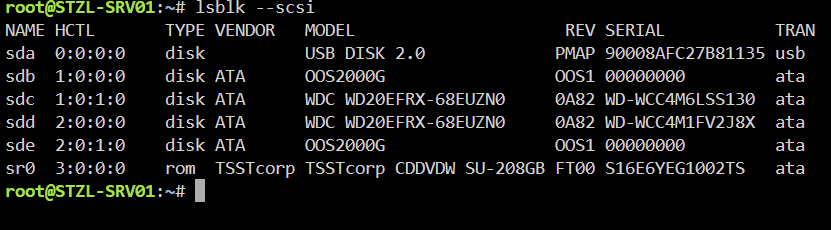
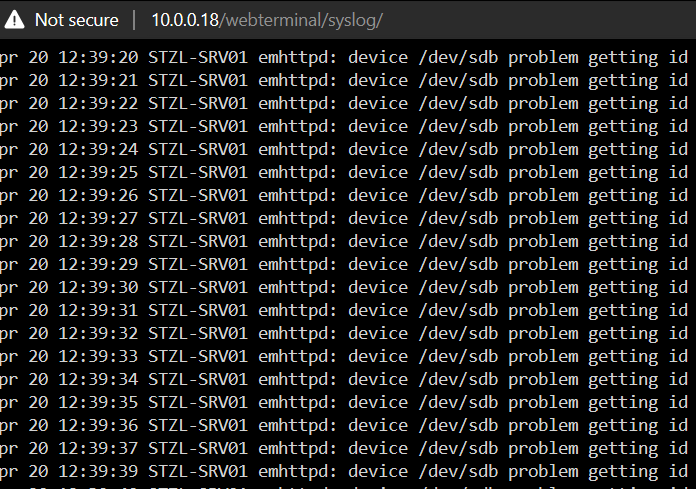
Hi guys, trying to switch from Proxmox to Unraid atm. Nearly everything works like a charm but i have small but annoying problem with my HDDs. I got 4x 2TB SATA HDDs, they are connected via a Fujitsu Primergy RX1330 M1 (quite old hardware i know) 2x WD HDDs (working atm.) & 2x OS (ST2000DM001) HDDs (and with probably same Serial/IDs?) OS is like Seagate (idk where i go these disk, they are only labeled with "OS" and not Seagate) Now the problem: I cant add the Seagate disks properly (WD is working). I can only select one SG disks the other is mounted/connected and working but not displayed for dropdown selection in array GUI. Most of the time its displayed like this. Sometimes i can also see the 4th disk like this: Log entries say: emhttpd: device /dev/sdb problem getting id i already tried changing the UUID but it did not worked either also tried chaning the SATA ports, but same problem (already thought its sata controllers fault) Terminal output of lsdsk: sda1 is USB stick (boot) sdb is already formatted. In the 2nd screenshot we can see that the OS HDDs arent really getting detected right by Unraid (Serial 00000000? Wtf? ) Is there any way i can change the Serialnr via terminal? Will prooobably work then right? Edit: Question: How is Unraid identifying disks? Really by the Serial? That cant be right or? I know a lot manufacturers who aren´t putting all "meta" data on their chips (yes budget ones i know) Have a awesome weekend & best regards Simon