ragequitninja
Members
-
Joined
-
Last visited
Everything posted by ragequitninja
-
Ah okay, thank you
-
Apologies, the diagnostics is attached in this post n1-diagnostics-20240530-1250.zip
-
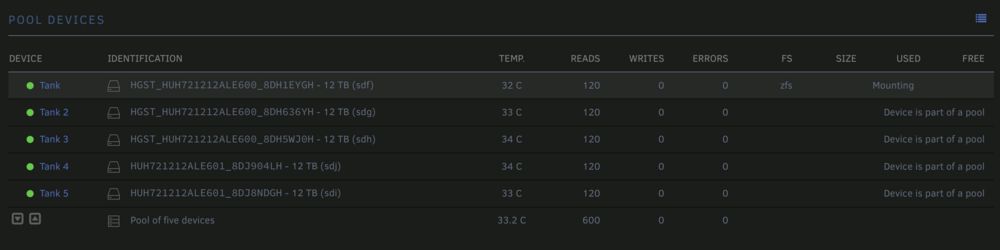
Hello, I have an existing ZFS pool as below and when I start the storage in the GUI it successfully imports and mounts the pool (as confirmed via the SSH console) however the GUI is constantly in the "mount disks" state and as such some GUI features like shares don't show properly. My pool does have a SLOG and Read Cache on the ZFS pool, and although I don't expect Unraid to understand them I would assume it will just ignore them and just continue in the GUI. Is there a way to tell the GUI that it should just accept that it is mounted? pool: tank state: ONLINE config: NAME STATE READ WRITE CKSUM tank ONLINE 0 0 0 raidz2-0 ONLINE 0 0 0 sdf1 ONLINE 0 0 0 sdg1 ONLINE 0 0 0 sdh1 ONLINE 0 0 0 sdj1 ONLINE 0 0 0 sdi1 ONLINE 0 0 0 logs mirror-1 ONLINE 0 0 0 sdd1 ONLINE 0 0 0 sde1 ONLINE 0 0 0 cache sdd2 ONLINE 0 0 0 sde2 ONLINE 0 0 0 errors: No known data errors It is mounted and open. :~# mount | grep zfs tank on /mnt/tank type zfs (rw,noatime,xattr,posixacl)