





bjornz
Members
-
Joined
-
Last visited
-
Yes indeed I detached it first. I'm going to format the second disk which was mirrored before.
-
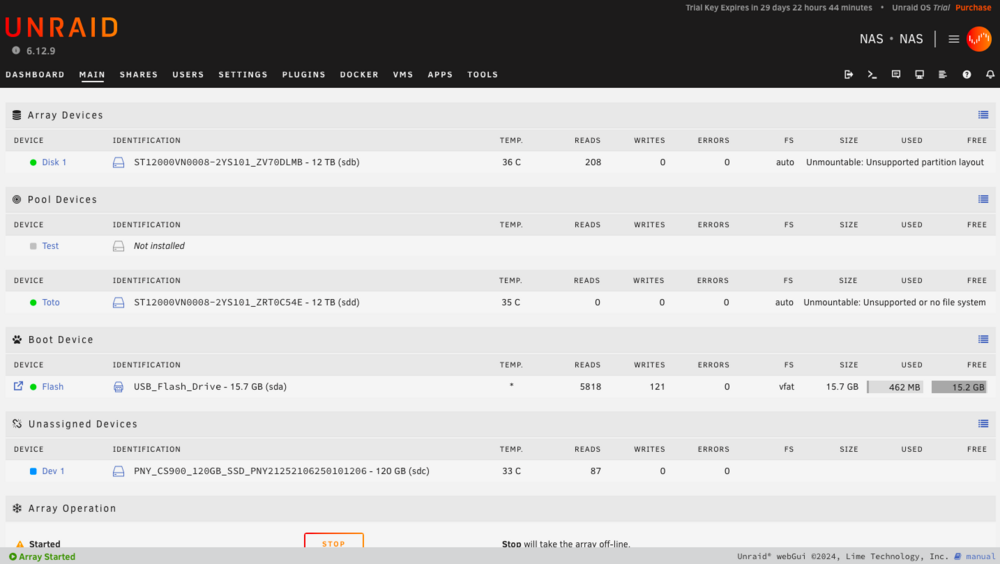
The only last problem is that the array device (the other disk) says it is unmountable : unsupported partition layout. Should I format the unmountable disk?
-
Ok it is loading, I think it is doing the job. Yes, it worked perfectly. Thank you!!!
-
I delete partition number one right? Don't want to loose on such mistake...
-
Yes.
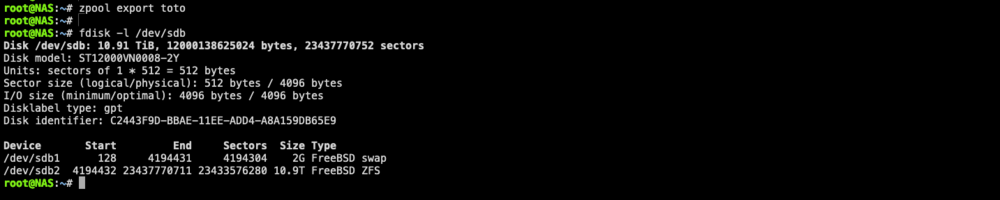
-
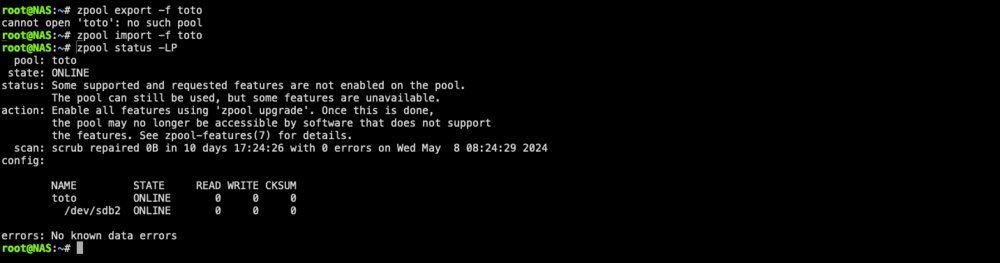
Ok I did a mistake with the name of the pool, which I changed earlier in the day. With "toto" :
-
in Unraid right? ^^ I just did : That's where I don't know what to do. Put the disks into array? Or it doesn't matter now?

-
root@NAS:~# zpool status -LP no pools available
-
I just did zpool import Pool1 -f, not sure what to do now. Will I loose my data if I set one of my two disks on arrays and boot the array? Stuck at this point / Not sure what I do to be honest.
-
Alright so I've booted on the flash drive, then at zpool import here I have : root@NAS:~# zpool status no pools available root@NAS:~# zpool import pool: boot-pool id: 11697965585323355504 state: ONLINE status: Some supported features are not enabled on the pool. (Note that they may be intentionally disabled if the 'compatibility' property is set.) action: The pool can be imported using its name or numeric identifier, though some features will not be available without an explicit 'zpool upgrade'. config: boot-pool ONLINE ata-PNY_CS900_120GB_SSD_PNY21252106250101206 ONLINE pool: Pool1 id: 17572593702881592873 state: ONLINE status: The pool was last accessed by another system. action: The pool can be imported using its name or numeric identifier and the '-f' flag. see: https://openzfs.github.io/openzfs-docs/msg/ZFS-8000-EY config: Pool1 ONLINE c279bd8f-bbae-11ee-add4-a8a159db65e9 ONLINE root@NAS:~# What should I do now to recover my truenas pool (data)?
-
Do I need an other hard drive to install unraid? My disk drive under truenas scale contains the pool, right?
-
OK. I've created the pool under Truenas CORE, not SCALE Cobia. I wonder if I should detach the first disk drive from mirror, format it with Unraid and import the second one in Unraid.
-
Thanks for your help! TrueNAS-SCALE-23.10.2 Cobia. Had migrated from Truenas CORE last week, kept the pool. root@truenas[~]# zpool import no pools available to import root@truenas[~]#
-
Hi, i've just decided to migrate from my current Truenas SCALE to Unraid because I don't really like k3s system and find it too complex, plus I would like to have arr suite done with Unraid. I have a mirror of two 12Tb disks with Truenas with datas I don't want to loose. From there, is there a solution I can choose to do this migration? Detach one disk from the mirror, format it and install Unraid on it, and then import the other disk to keep its data intact? Regards.
-
Bonjour, je suis décidé à migrer de Truenas SCALE à Unraid notamment parce que je n'aime pas chez Truenas k3s et aimerais monter la suite arr* sur Unraid J'ai un mirroir de 2 disques de 12Tb sur Truenas avec des données que j'aimerais conserver. Y-at-il une solution permettant de faciliter la migration sans trop de souci (pas de perte de donnée sauf si c'est sur un des deux disques) ?



