



Skip to content
View in the app

A better way to browse. Learn more.

Unraid

A full-screen app on your home screen with push notifications, badges and more.

To install this app on iOS and iPadOS
  1. Tap the Share icon in Safari
  2. Scroll the menu and tap Add to Home Screen.
  3. Tap Add in the top-right corner.
To install this app on Android
  1. Tap the 3-dot menu (⋮) in the top-right corner of the browser.
  2. Tap Add to Home screen or Install app.
  3. Confirm by tapping Install.

acs123

Members
  • Joined

  • Last visited

  1. Server time matches my PC time which is synced to the Windows NTP server. Same error though.
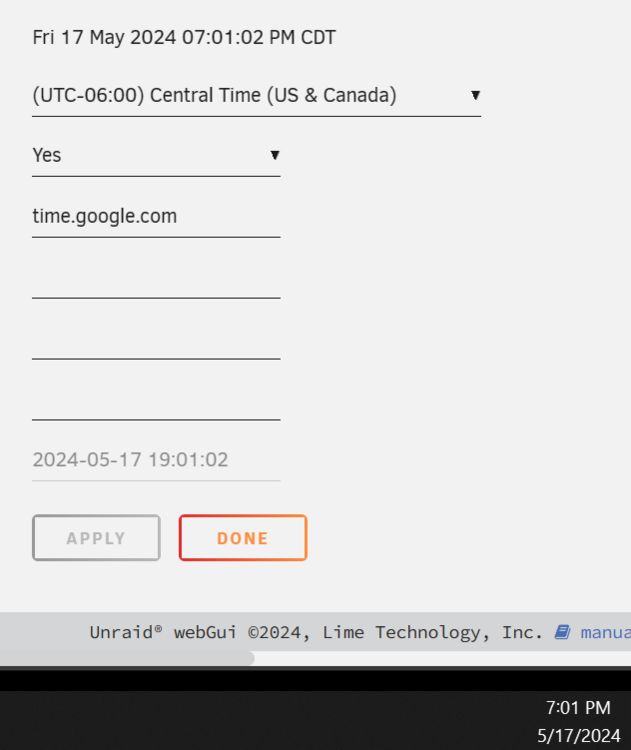
  2. Yes, it has internet access. Confirmed by pinging google.com from the console. I had fat-fingered the system time so it was two days off. But now that I've corrected the time (and triple-checked), I'm still getting the same error...
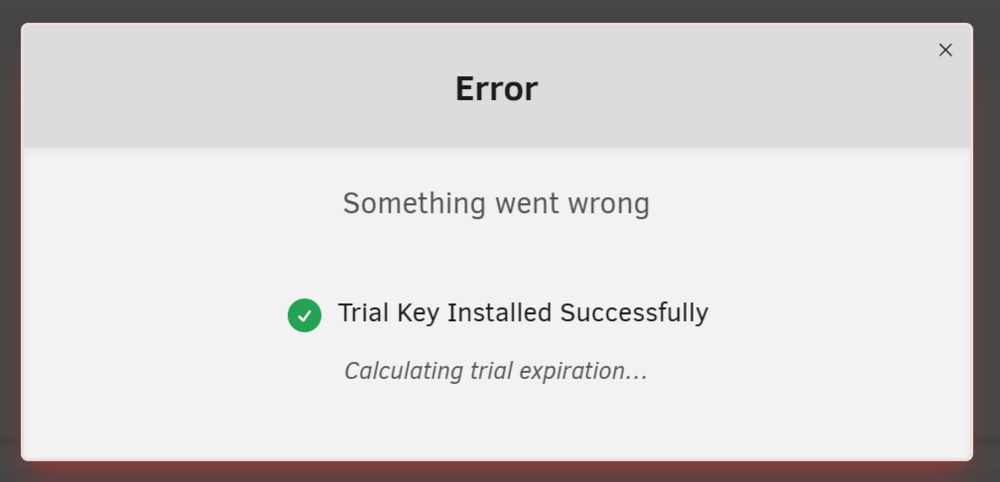
  3. Following the install guide, and all worked well until encountering this error during trial key installation. Not sure how to proceed. Anyone know what this could be or where to find a more useful error message?
Account

Navigation

Search

Search

Configure browser push notifications

Chrome (Android)
  1. Tap the lock icon next to the address bar.
  2. Tap Permissions → Notifications.
  3. Adjust your preference.
Chrome (Desktop)
  1. Click the padlock icon in the address bar.
  2. Select Site settings.
  3. Find Notifications and adjust your preference.