ssassassa9
Members
-
Joined
-
Last visited
Everything posted by ssassassa9
-
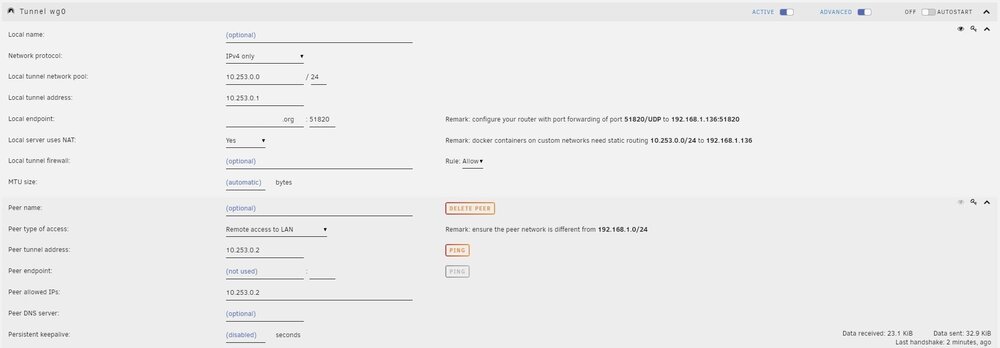
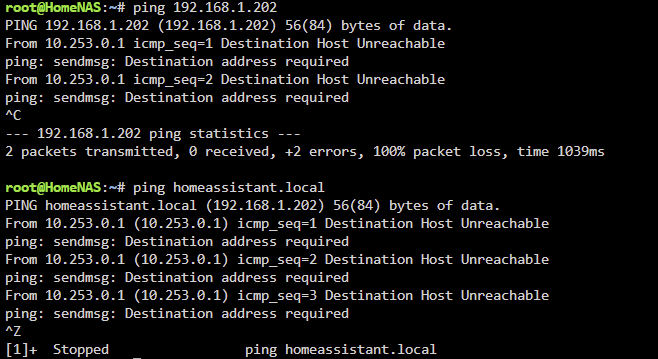
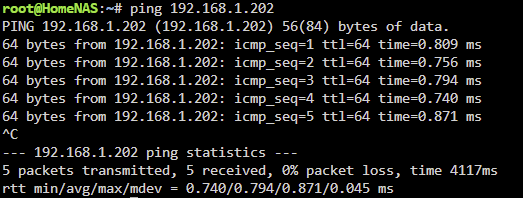
I currently have Unraid running on a computer and homeassistant (HAOS) running on a separate raspberry pi. When away from home, I was previously connecting to both machines via a wireguard tunnel setup on HAOS which worked perfect. I decided to setup wireguard to tunnel through Unraid instead to offload services from HAOS. The tunnel worked and I am able to connect to Unraid server with no issues but unable to connect to the HAOS server. I then realised that this is because whenever wireguard is active on Unraid, the Unraid server and HAOS server can not connect to each other. With wireguard disabled on Unraid, I am able to ping HAOS from unraid but when wireguard is turned on unraid, i am unable to ping HAOS. When I was running wireguard on HAOS I did not have this problem. Wireguard settings: With wireguard on (192.168.1.202 is the local IP of HAOS): With wireguard off: Things that I've tried: - confirmed wireguard is not runnning on HAOS - deleted wireguard addon from HAOS - ensured "Use NAT" = Yes and "Host access to custom network" = No - made sure that the network pool on wireguard is different from my router's network pool - able to access my router's default gateway through Unraid wireguard tunnel Does anyone have any idea what else can i try? EDIT: Apologies, I just realised in one of my peers, I put in HAOS IP in allowed_ip which is causing the issue, all good now.