





potter_2024
Members
-
Joined
-
Last visited
-
@JorgeB thank you for your reply, this has been an issue for a really long time and has been a problem on multiple machines. Is there any more info I could give on my system so we could narrow down if it is a config thing?
-
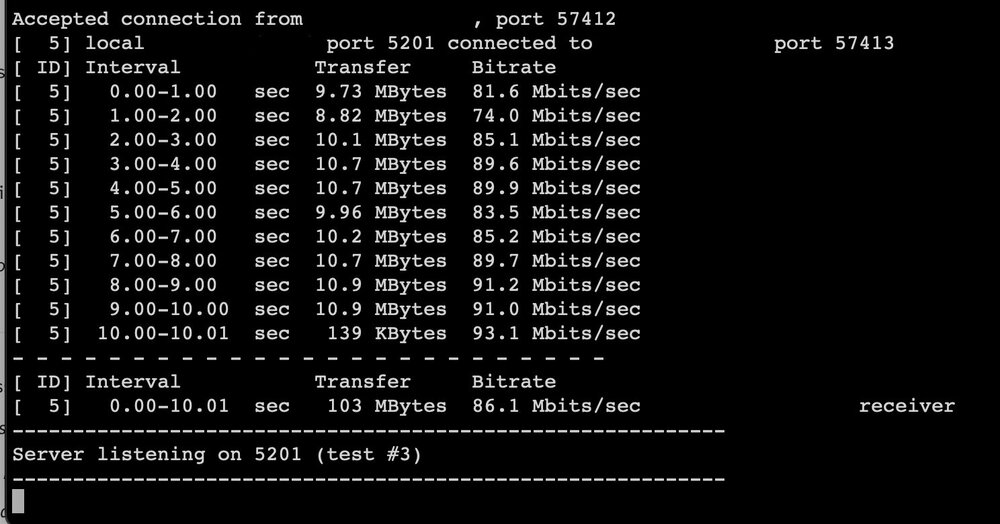
I have been having issues with my unraid server for quite a while. When I am transferring files they are capping out at 10MB/s. I have checked that my network is not at 10/100 and I'm just at a loss. I have attached my diagnostics. I have also attached my iperf3 results. unraid-diagnostics-20250127-1551.zip
-
I managed to get this fixed. My MacBook ip was wrong and was connecting to the internet but not talking to the network. Not sure what caused it but it is fixed now.
-
Just had a power outage the other day, turned the server back on and I cannot ping it from my Mac, access the WebUI or connect via Finder. On my iPhone I can access the WebUI but when I try to use Plex sometimes it will connect and other times it will not. I have attached my diagnostics file. Thank you. plex-diagnostics-20240615-2108.zip
