hamptonict
Members
-
Joined
-
Last visited
-
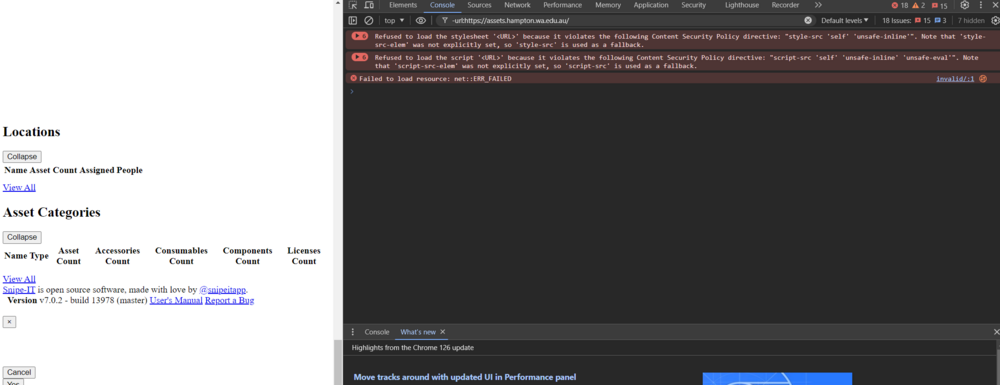
I have lost css after an update. The site loads and logs in, but no styles or formatting making it unusable. It is using nginxproxymanager to load the certificate direct https://assets.mysite.com to the unraid ip and docker port. Browser console errors: Refused to load the stylesheet '<URL>' because it violates the following Content Security Policy directive: "style-src 'self' 'unsafe-inline'". Note that 'style-src-elem' was not explicitly set, so 'style-src' is used as a fallback. Refused to load the script 'http://assets.mysite.com/js/html5shiv.js' because it violates the following Content Security Policy directive: "script-src 'self' 'unsafe-inline' 'unsafe-eval'". Note that 'script-src-elem' was not explicitly set, so 'script-src' is used as a fallback. Failed to load resource: net::ERR_FAILED Mixed Content: The page at 'https://assets.hampton.wa.edu.au/components' was loaded over a secure connection, but contains a form that targets an insecure endpoint 'http://assets.mysite.com//hardware/bytag'. This endpoint should be made available over a secure connection.