Emperor Demos
Members
-
Joined
-
Last visited
Everything posted by Emperor Demos
-
Just adding my gratitude for this solution. Thank you!!!
-
Hi everyone, I wanted to reply to this and let anyone know that I solved this issue. I went into the virtual disk configuration on my server (Dell PowerEdge R620) and created a virtual disk for each of my four drives. Here is the basic process I followed: Enter System Setup by pressing F2 during system start Click Device Settings Click the appropriate RAID controller device Click Main Menu Click Configuration Management Click Create Virtual Disk Apply Changes Reboot to unRAID Now all my drives are showing and I have my array running! Yay!!!
-
Update: I can see all four drives in BIOS. I was able to create one virtual disk from the four separate drives I have and unRAID recognizes that disk but I want to be able to create four disks (two parity & two for storage) to use with unRAID. I saw some posts online about IT crossflashing (?) but not sure if that is the correct thing to do or not; or if it will even work. I have attached the diagnostics to this reply. rack-one-diagnostics-20240622-0914.zip
-
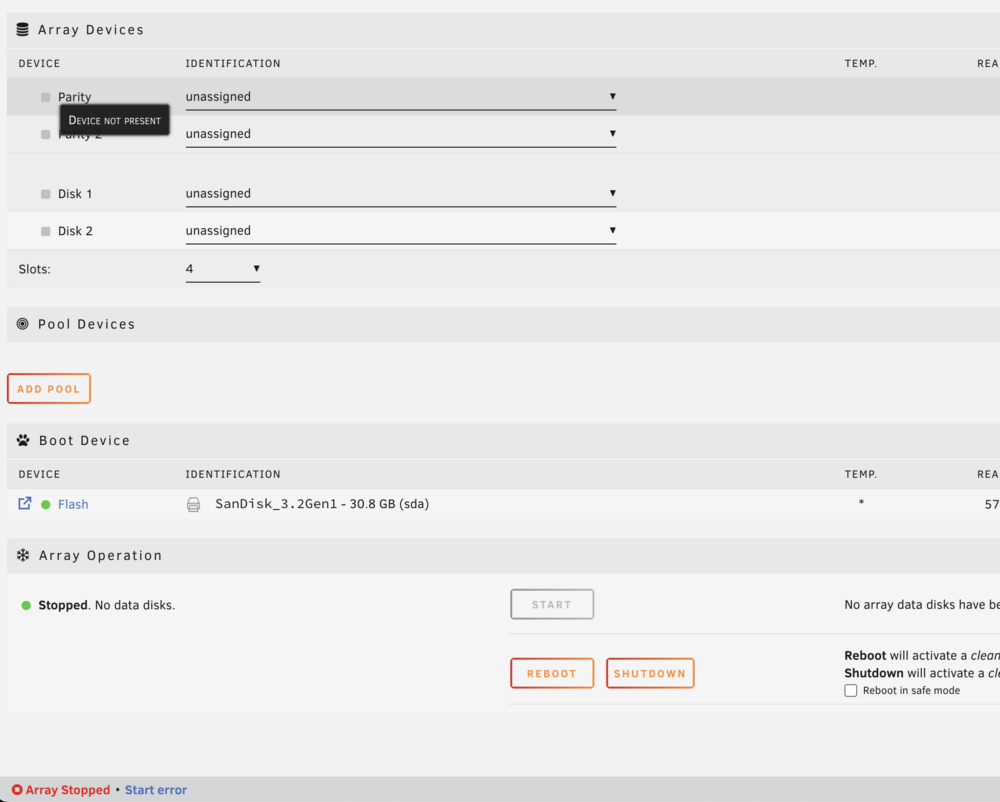
Hi folks, I have a Dell R620 and just started the unraid free trial. I was able to boot to the unraid OS through a USB but when I go to the dashboard, there are no disks available with which to start an array. I am attaching a screenshot of the error logs from the unraid syslogs as well as one of the MAIN tab in the unraid dashboard. Please let me know if there is any other information you might need to be able to help me with this. Thank you unraid community.