vatxag8
Members
-
Joined
-
Last visited
Everything posted by vatxag8
-
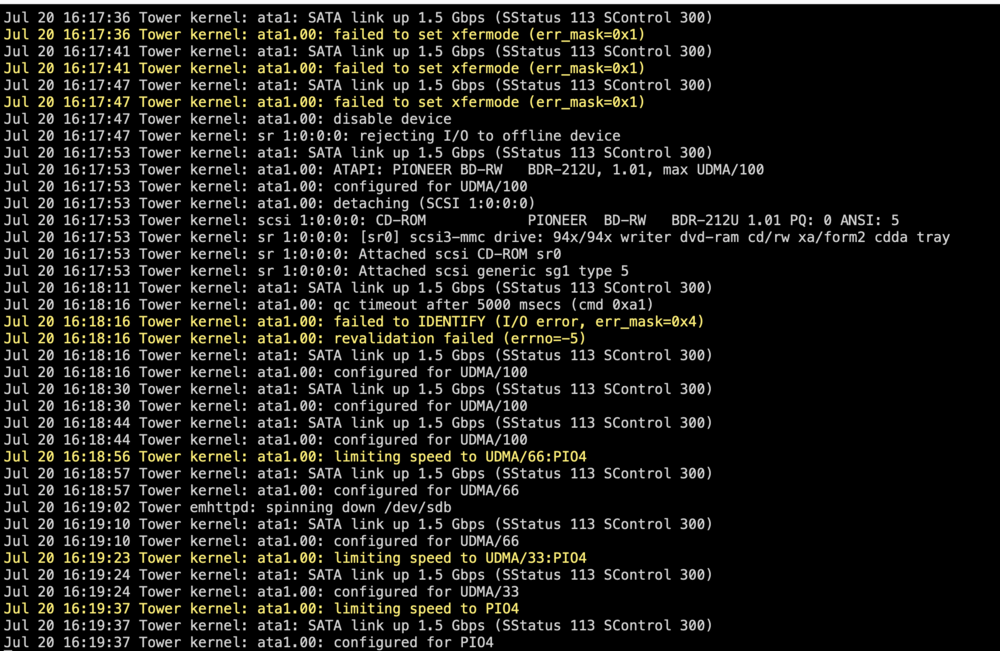
I think the ASmedia sata controller is the problem with these drives, as instead of the hard drive errors I see this with the dvd rom connected to the sata controller. I'm going to replace that. But I still don't understand why I was seeing these errors when I added the new formatted drive to the array and started it. Jul 20 15:46:13 Tower emhttpd: error: get_fs_sizes, 7823: No such file or directory (2): statfs: /mnt/user/Docker Jul 20 15:46:13 Tower emhttpd: error: get_fs_sizes, 7823: No such file or directory (2): statfs: /mnt/user/appdata Jul 20 15:46:13 Tower emhttpd: error: get_fs_sizes, 7823: No such file or directory (2): statfs: /mnt/user/backups Jul 20 15:46:13 Tower emhttpd: error: get_fs_sizes, 7823: No such file or directory (2): statfs: /mnt/user/clips tower-diagnostics-20240720-1615.zip
-
So I shutdown and I moved the DVDrom to the sata port on the ASMedia sata controller and I moved the hard drive to the sata port on the motherboard and voila, hard drive no longer throwing that error. However now if I assign the disk and start the array and it starts the disk clear, I'm getting this nonstop error in the syslog. Jul 20 15:46:13 Tower emhttpd: error: get_fs_sizes, 7823: No such file or directory (2): statfs: /mnt/user/Docker Jul 20 15:46:13 Tower emhttpd: error: get_fs_sizes, 7823: No such file or directory (2): statfs: /mnt/user/appdata Jul 20 15:46:13 Tower emhttpd: error: get_fs_sizes, 7823: No such file or directory (2): statfs: /mnt/user/backups Jul 20 15:46:13 Tower emhttpd: error: get_fs_sizes, 7823: No such file or directory (2): statfs: /mnt/user/clips Also my Unraid GUI keeps timing out so I have no idea if the system has crashed or if the GUI is just hung and the system seems unresponsive through ssh and through command line on the box itself. I didn't get a chance to pull a diagnostic before it seems the system crashed. I ended up having to shut it down manually via power button. EDIT: I then restarted and unassigned the drive and started the array and no such errors. I don't understand why those errors only start if I add that blank formatted drive to the array. Now have to wait for parity-check to finish.
-
I'll try moving my DVDrom SATA cable to the SATA controller and plugging the hard drive into the motherboard sata port and see if anything changes. Thanks
-
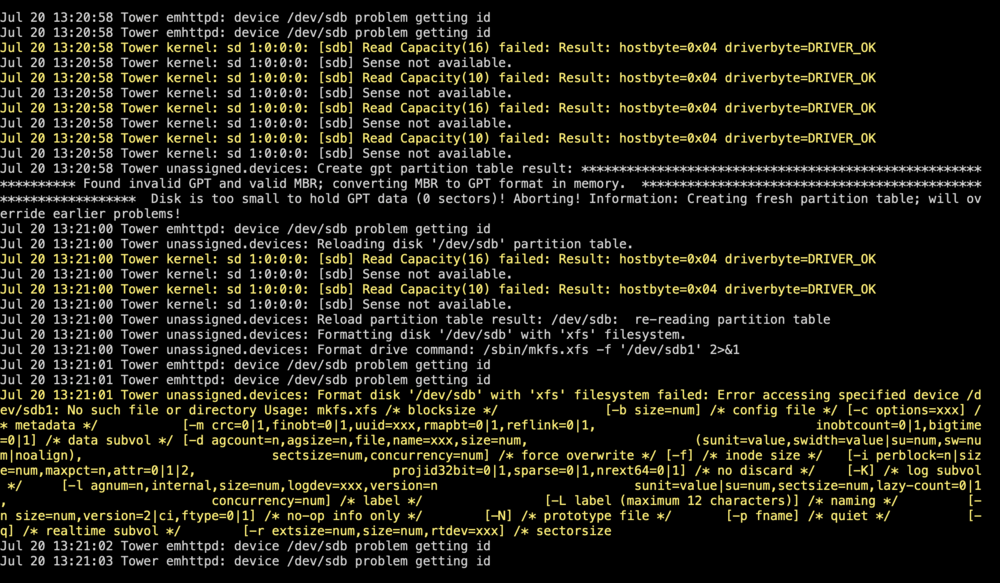
I'm having an issue with a replacement hard drive and I can't tell if it's an issue with the hard drive, with the data cable, the power cable, the controller, or what. This unraid system is mostly for fun so I decided to give unraid 7 beta a go and when I shutdown my system to reboot for the unraid 7 beta, one of the hard drives didn't come back online and was throwing errors but unraid was emulating it with parity. Once I got the replacement hard drive, I tried doing a pre-clear but keep getting errors and I couldn't get the array to start properly with emulation with the new hard drive. Since the hard drive that "failed" had almost no data on it (I use high water for the array and it's not near 50% full so only 1 disk was really being used out of 3) so I decided to just build a new config. With the new config the array came back online and did a new parity sync. The new replacement hard drive is seen by unraid under unassigned devices but I can't format it or add it to the array as it keeps throwing these errors. My hunch is it might be the controller as it's a "cheap" PCIe sata controller whereas my other drives and DVD rom are plugged directly into the motherboard (only 4 ports and I need 5), but googling this issue brought up it could be an issue with the 3.3v pin on a WD drive. This is a white label data center refurb 12GB HGST HUH721212ALE601 Any help is appreciated. For now I have given up on being able to add the drive to the array but I would like to figure out if the drive is still usable and I need to replace some other system component or if the drive is a dud. tower-diagnostics-20240720-1321.zip