fakebizprez
Members
-
Joined
-
Last visited
Everything posted by fakebizprez
-
My original USB was rendered inoperable after being put through a cycle in the wash. I followed the documentation and put the KEY file in the /config folder of the new USB. Everything seems to boot fine on the server. I am able to access the home page (although very long loading time). It asked me to create a new password, which I did. Then it times out on the next screen (black screen). I close the tab, open a new one instance, I'm prompted to log in, it accepts my password, and I'm brought to the next black screen to timeout. http://192.168.128.178/main is what It's timing out on. I'm sure it's an easy fix. Your help is appreciated.
-
Not worth a patch?
-
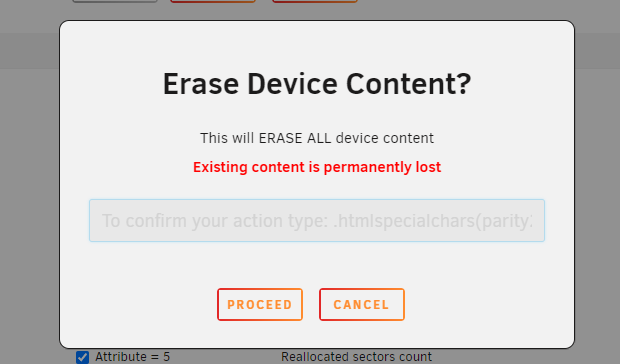
For the love of christ, what do I type in this text field to erase the drive? Nothing but errors trying to get going on this OS, after paying, and somehow this is the recommended distro version.