





steelsoap
Members
-
Joined
-
Last visited
Everything posted by steelsoap
-
I went with Ubuntu, but you're right, one has to keep graphics card on "Virtual" for the default VNC config to activate (it disappears otherwise, didn't event notice therefore). Hm. Could you point me to a guide that would allow me to have my VGA forwarded and at the same time set up some VNC or SSH at the start?
-
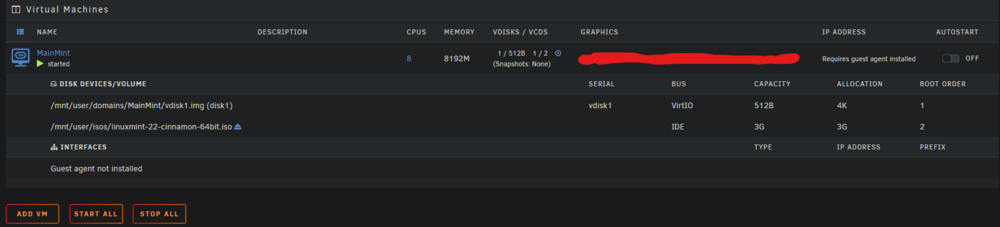
I am using unRAID OS v7-beta3. If that could be the reason for anything I can downgrade/reset promptly. It seems to me there's no way via the GUI to get to talk to a VM. The picture portrays Mint here but I tried the same with Ubuntu Server using this iso: https://releases.ubuntu.com/24.04.1/ubuntu-24.04.1-live-server-amd64.iso. I don't get any window popping up either with noVNC client, as portrayed in this video for example: This guide (https://docs.okd.io/4.9/virt/virtual_machines/virt-installing-qemu-guest-agent.html#virt-installing-qemu-guest-agent-on-linux-vm_virt-installing-qemu-guest-agent) speaks of setting up guest agent, starting out with this line "Access the virtual machine command line through one of the consoles or by SSH.". But typing in "virsh console <my domain>" into the console presents an unresponsive void. Also, btw, I cannot "Stop" a VM once started, it will flip back to "Started" state.
-
Yeah I see the iso selection field, I do see it with Ubuntu too now Alright, thanks. That doc page is still as wrong as it can be though.
-
Alright, thanks, will do that. At first I skipped it as I didn't want stock sleep mechanics changed but whatever.
-
Okay, so let's try the Ubuntu template. Issue is I don't see a way to specify a particular iso. And you don't explain the inconsistency between reality and the docs. I am supposed to encounter GUI after selecting the Custom template not an XML text edit.
-
Checked out some topics, I wanted to add a user script for this but echoing /proc/acpi/sleep does not work anymore. Why isn't there a button for this in the first place near Reboot and Shutdown at Array Operation (There should probably be a System Operation field actually)?
-
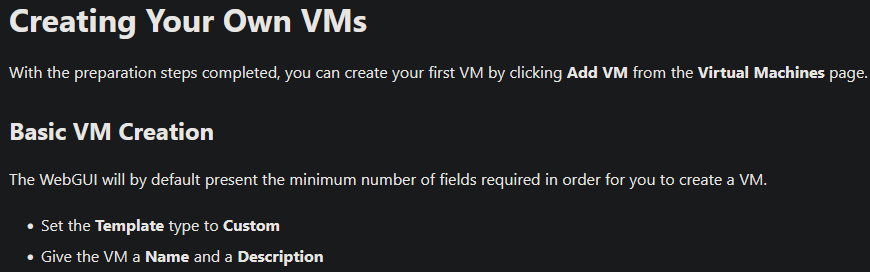
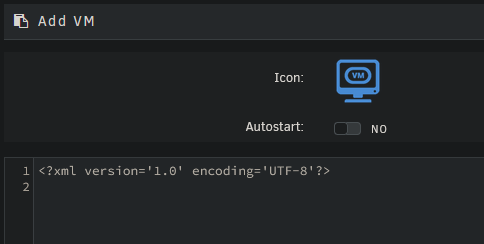
So I am reading the docs: Lost already, I can't give a name and description. All I get, aside a "start vm after creation" checkbox, is a quasi empty XML: Web searches are all concered with VM icons as opposed to actual VM configurations... I want to install Mint btw.
-
Alright, thanks. Sounds like a no go.
-
I used default options with cryptsetup and mkfs.btrfs. However with cryptsetup also: "luksFormat", "--type luks2" and "--sector-size 4092", appiled to the whole device not a partition. About 2 years ago on a relatively fresh system. Can supply more info if needed. I know master key needs to be the same on all devices, let's put that aside for now. Question is, is it feasible or is it advised to do something like this or not really?

