zoe08
Members
-
Joined
-
Last visited
-
Awesome! Switching to a different subnet did the trick — I can now see both interfaces working simultaneously! Thanks so much for the suggestion🙏🙇♂️
-
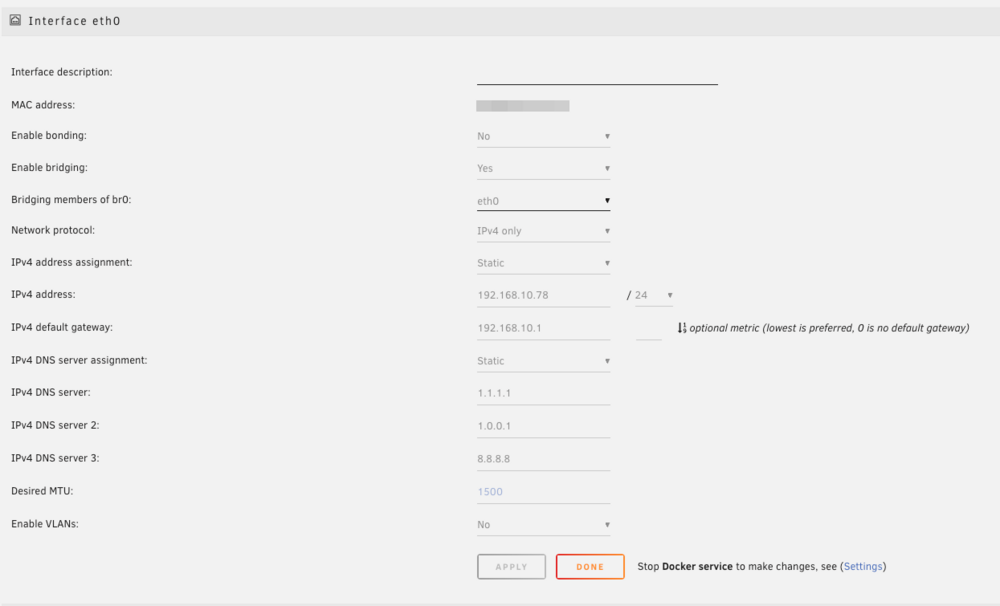
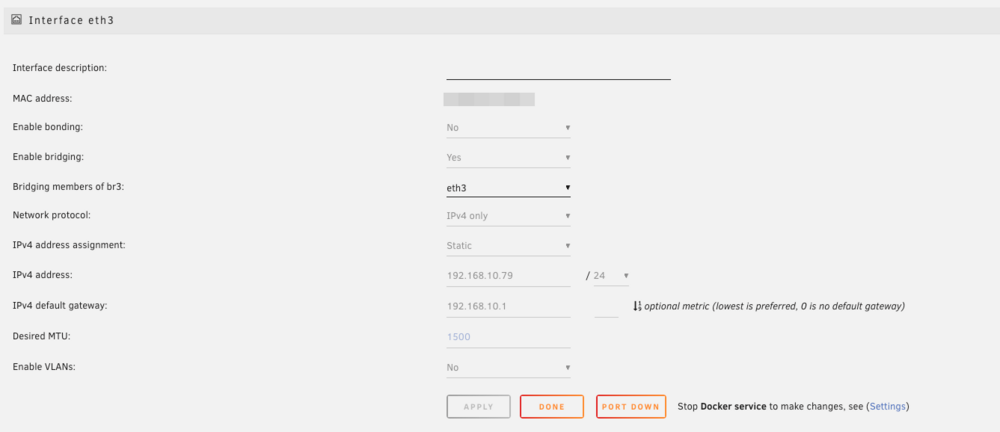
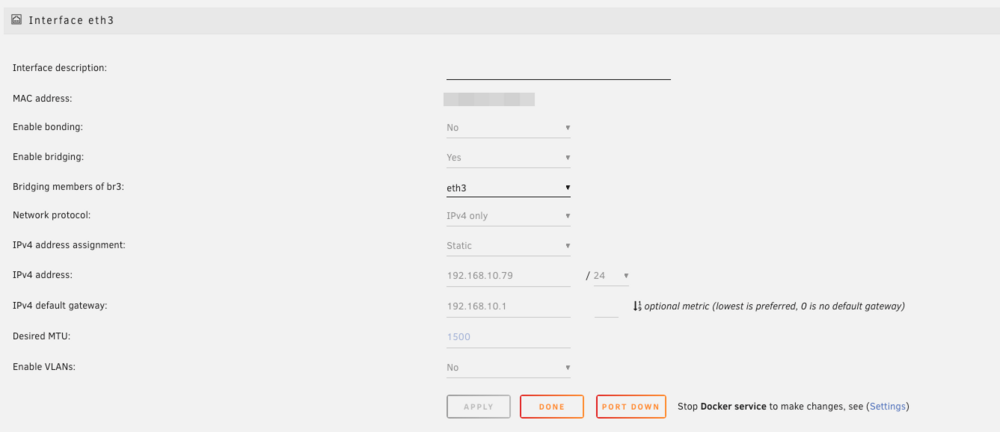
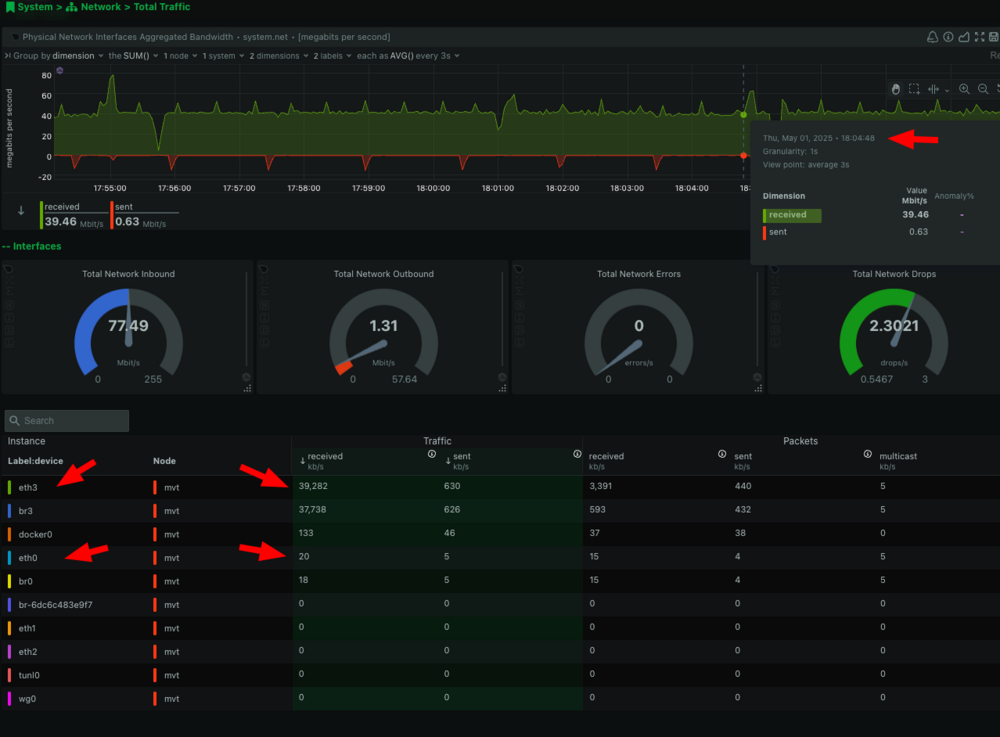
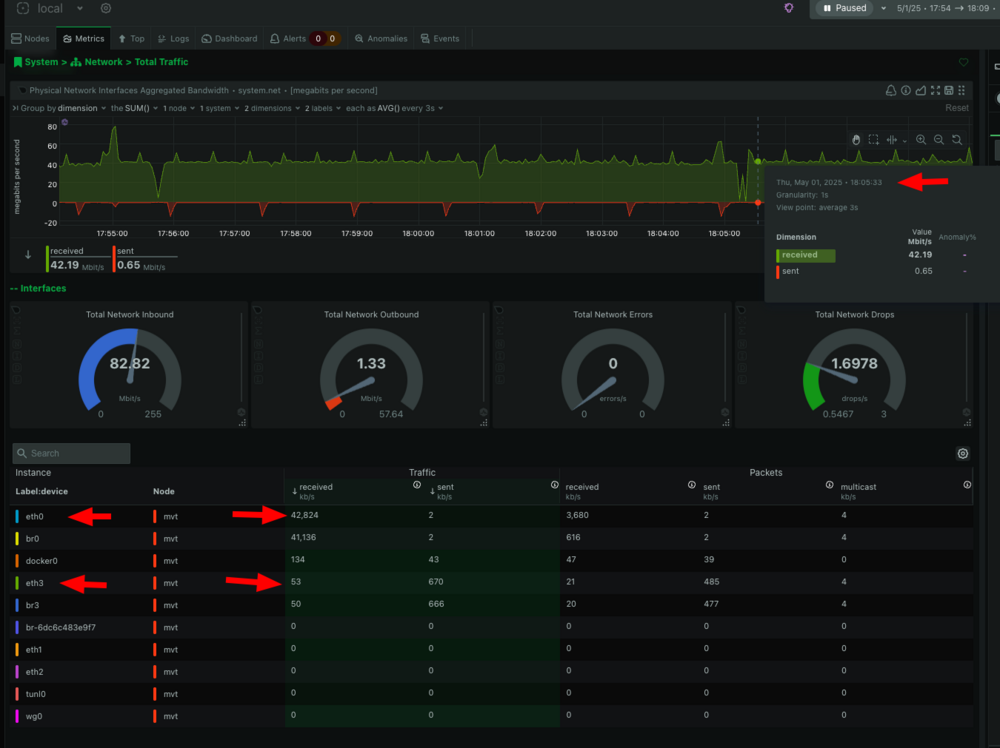
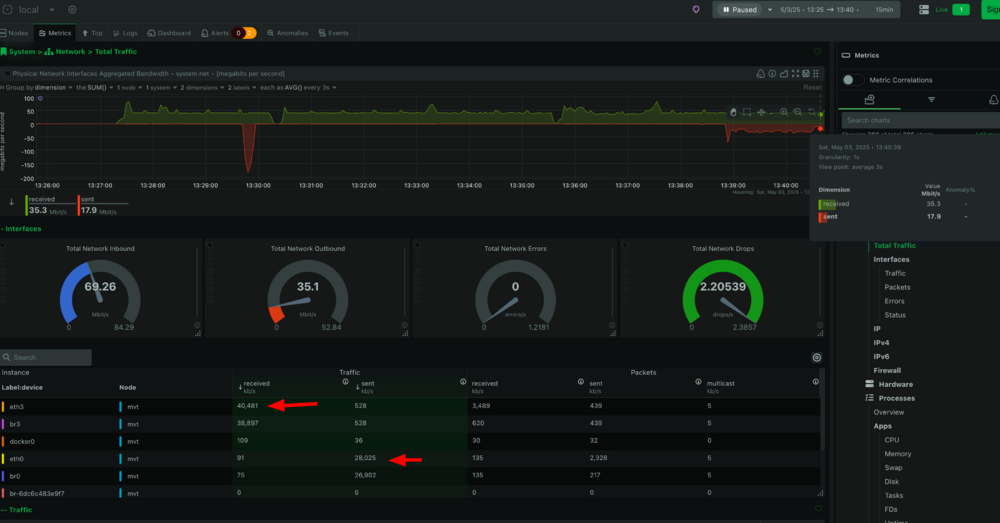
Hi everyone, I’m running Unraid on a motherboard that has 4 x Intel i226-V 2.5GbE NICs, and I’m trying to set up dedicated traffic paths for different services. Here’s what I’m aiming for: ⸻ My Goal • eth0 (192.168.10.78): Used exclusively for all Docker containers, VMs, and general system traffic. • eth3 (192.168.10.79): Dedicated only to receive security footage coming from my ZoneMinder server running on 192.168.10.242. • In the future, I plan to use a third NIC (e.g. eth1 or eth2) exclusively for Plex streaming traffic. ⸻ 🖥️ Current Setup • eth0 has bridging enabled and is bound to br0. It handles all Docker and system services. • eth3 has bridging enabled and is bound to br3. It is statically assigned 192.168.10.79 and is intended for ZoneMinder writes only. Both interfaces have static IPs and the same gateway: 192.168.10.1. No bonding is enabled on either NIC. ⸻ ⚠️ The Issue Despite trying: • Policy-based routing (ip rule, custom rt_tables, etc.) • Adding sourceaddr=192.168.10.242 to the CIFS mount options on the ZoneMinder server • Disabling bonding, verifying that both interfaces are always up …I still observe traffic failing back to eth0, as shown in Netdata charts (screenshots attached). It’s like Unraid ignores eth3 for a while, then uses it briefly, and then goes back to eth0 without me making any changes. eth3: eth0: ⸻ 🔎 What I’ve Confirmed • ZoneMinder client is definitely targeting 192.168.10.79 in the mount (confirmed in /etc/fstab) • The mount is valid and works. • Both NICs remain up during this entire time. • I don’t want to block eth0 using iptables because Docker and other services use it. • All NICs have independent MACs and are not bonded. • I want to avoid interfering with Docker networking or breaking access to the NAS. ⸻ 🧩 Questions for the Community 1. Is there something in Unraid that prevents simultaneous use of multiple interfaces on the same subnet? 2. Does having bridging enabled on both interfaces cause the kernel or Docker networking to override the routing behavior? 3. Would creating separate subnets for each NIC solve this? Or would VLANs be better? 4. Is there a preferred method in Unraid to dedicate interfaces to specific traffic (e.g. via Docker custom networks or Unraid-level routing)? Attached are screenshots showing how Netdata reflects the unexpected traffic switch between eth0 and eth3, and the interface configuration screens. Thanks in advance for your help! Let me know if you need more diagnostics or configs.