





kurt.ram
Members
-
Joined
-
Last visited
-
Reboot in safe mode Start Array in safe mode (this worked) Reboot in normal mode Array started successfully upon reboot. So, the issue is resolved for me. But leaves me a bad impression of quality of unraid. The server was down for several days until I found out there was an issue because one of the self hosted app was unreachable. I was considering sharing the server with family and friends. But now, I now have my doubts. Unraid has been quite solid for me in the last 9 months when I first installed it. Maybe I should stop installing updates. Or consider other alternatives.
-
Yup, that is correct. Since my last message, I have restarted unraid in safe mode which brought back the "start array" button. I clicked on "start array" button and it appears unraid was able to successfully start the array. I'm now doing a normal reboot to see if the issue is resolved.
-
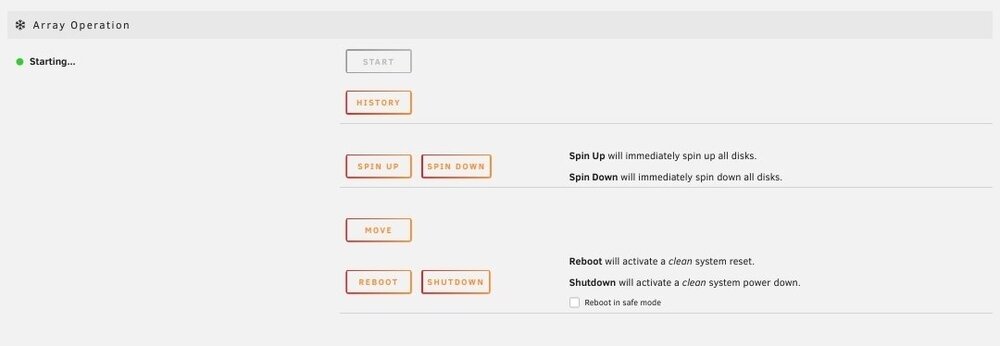
This is what I see. The button to start the array is disabled. And the status says "Array is starting" and is stuck there for ever. Is this regression in one of the latest releases? There has been power loss several times before and there were never any issues.
-
Yesterday, I noticed that my unraid install is stuck starting array. There was a momentary power loss over thr weekend. I suspect that could have been when the issue started. I did a force restart hoping that would fix the issue but no luck. Please help me get my server back online. nas-diagnostics-20250610-0525.zip
