JelloJell0
Members
-
Joined
-
Last visited
-
Okay I've added and rebooted. Will report back if it happens again.
-
Hello, I'm about 6 months into my Unraid experience, and I cannot for the life of me figure out what my issue is. My NVME cache drives continue to drop out. I can do a full shut down, and power cycle the server, however within a days to a week, the drives will show an asterisk for the temperature, and none of the dockers will work. I could really use some advice here. beast-diagnostics-20250113-2103.zip

-
I'm shocked - but this worked. I ended up unplugging the whole server, and it was back to normal. Thank you!
-
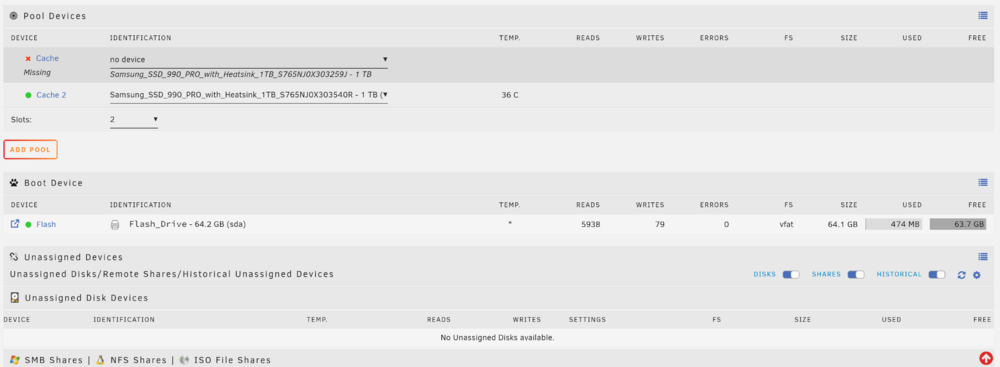
Good evening, I'm very new to Unraid and after one week i rebooted in an attempt to troubleshoot sonarr, and upon reboot one of my NVME cache drives is not found and I'm met with the following. I've also attached the diagnostics, but i'm a little bit lost on this one and am afraid of screwing something up. Any help is very appreciated. beast-diagnostics-20240820-1931.zip