PropanePaul
Members
-
Joined
-
Last visited
-
To be honest no, I still need to blow it up and do it all over again just been very busy. Sorry for the delayed response.
-
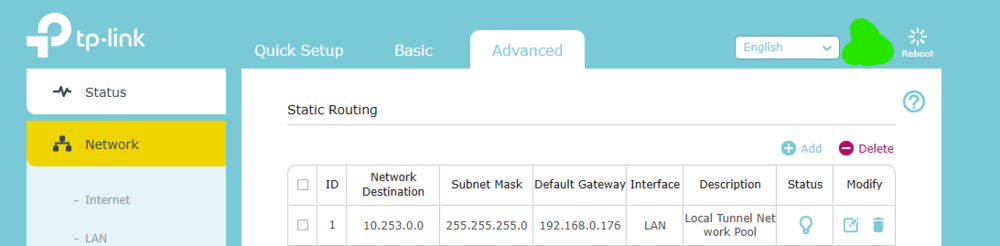
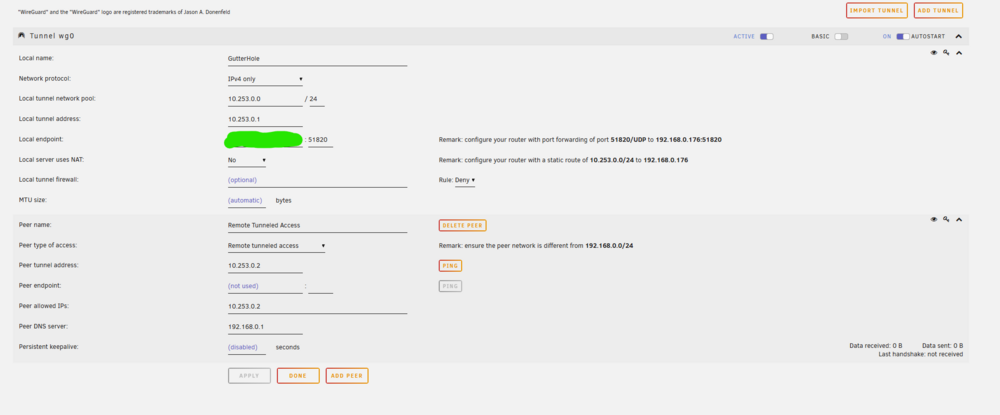
Hey Gragorg! Appreciate the other suggestion. I deleted the static route and it seemed also to not make a difference as if it was doing nothing. Can still hit LAN UnRaid server and my docker container but not internet... I tried your initial suggestion as well, with the static route gone I flipped NAT to "YES" and again, same thing no difference on functionality. Almost wondering if I just nuke everything related to the VPN configuration in my router and UnRaid and start over? Thank You!
-
Hey Gragorg, Thank you for the input! Unfortunately, that did not change anything. With NAT set to "Yes" I can still hit my docker container and the unraid server via IP but no internet access
-
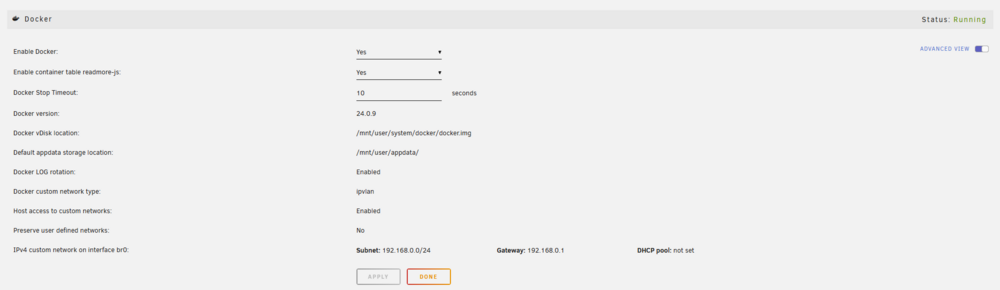
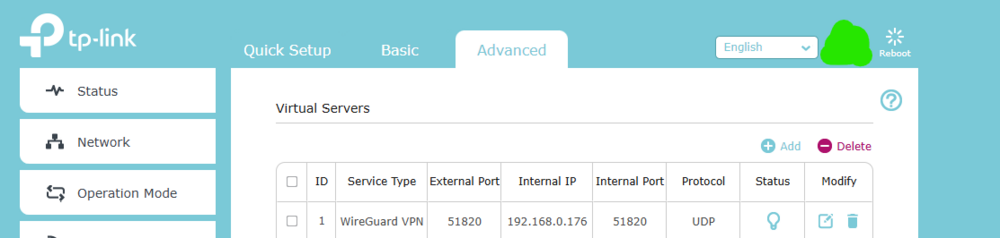
Hey Everyone! I have looked high and low in forums for a solution to my problem but have been unable to find anything thus far. I feel it is something real dumb I am missing but here we go... I setup the built-in VPN (WireGuard) on my UnRaid server just a couple days ago and still trying to get it to work %100 to my liking. I simply have three things I want it to do: - Internet Access - Access to UnRaid Server - Access to one Docker Container that has a static IP The only thing I cannot do at this point is connect to the internet while on the VPN (maybe DNS?). Attempting to get the "Remote Tunneled Access" option working. I followed the WireGuard guide for UnRaid and also the forum post, explicitly paying attention to the section for "Complex Networks" while my network is not all that complex I do have NAT disabled and Host Access to Custom Networks enabled (This is what made hitting my docker container work and possibly the actual UnRaid server itself). DuckDNS also seems to be working as it should. The way I have been testing is via the WireGuard app on my Android phone. I ensure I am not connected to WiFi and on my actual cell provider network. Each time I have made changes to troubleshoot this I delete the peer details out of the app and try again by scanning the QR Code. Let me know what other information I can provide, see attachments for screenshots of details.