




Skip to content
View in the app

A better way to browse. Learn more.

Unraid

A full-screen app on your home screen with push notifications, badges and more.

To install this app on iOS and iPadOS
  1. Tap the Share icon in Safari
  2. Scroll the menu and tap Add to Home Screen.
  3. Tap Add in the top-right corner.
To install this app on Android
  1. Tap the 3-dot menu (⋮) in the top-right corner of the browser.
  2. Tap Add to Home screen or Install app.
  3. Confirm by tapping Install.

ProtoE04

Members
  • Joined

  • Last visited

  1. Upgrading to Unraid 7 solved the issue. Thanks!
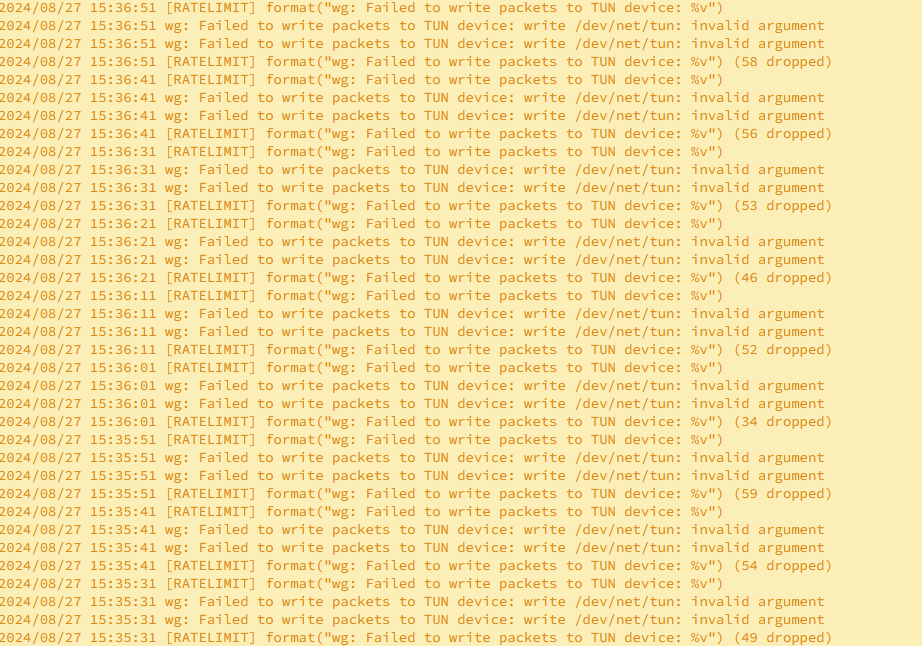
  2. I have installed tailscale based on SpaceInvaderOne's video and it is working for the most part, I am able to access my server remotely. However, when I try to transfer files to my shares via SMB (windows), only small files seem to be transferable. Larger files always fail. Log errors seem to indicate something about a TUN device but I am new to unraid and linux so I have no clue what any of this even means. I tried to google it and found https://github.com/tailscale/tailscale/issues/13041 but I have no clue if this applies in my case... my knowledge is lacking Any help would be appreciated tailscale-diag-20240827-160149.zip
Account

Navigation

Search

Search

Configure browser push notifications

Chrome (Android)
  1. Tap the lock icon next to the address bar.
  2. Tap Permissions → Notifications.
  3. Adjust your preference.
Chrome (Desktop)
  1. Click the padlock icon in the address bar.
  2. Select Site settings.
  3. Find Notifications and adjust your preference.