larkhillv
Members
-
Joined
-
What would be the best way to figure out where bottleneck is happening? I haven't changed anything before this issue cropped up. I already tried changing ethernet cables which did nothing so it seems that would not be the issue. My client PC isn't having any other sort of connectivity issues and upload speeds seem fine other than when writing to my Unraid server. I am not using a network switch--my server is wired directly into my router, and my client PC is wired into my mesh wifi node which is wired into my router. Not familiar with NIC and how to test if that is the issue?
-
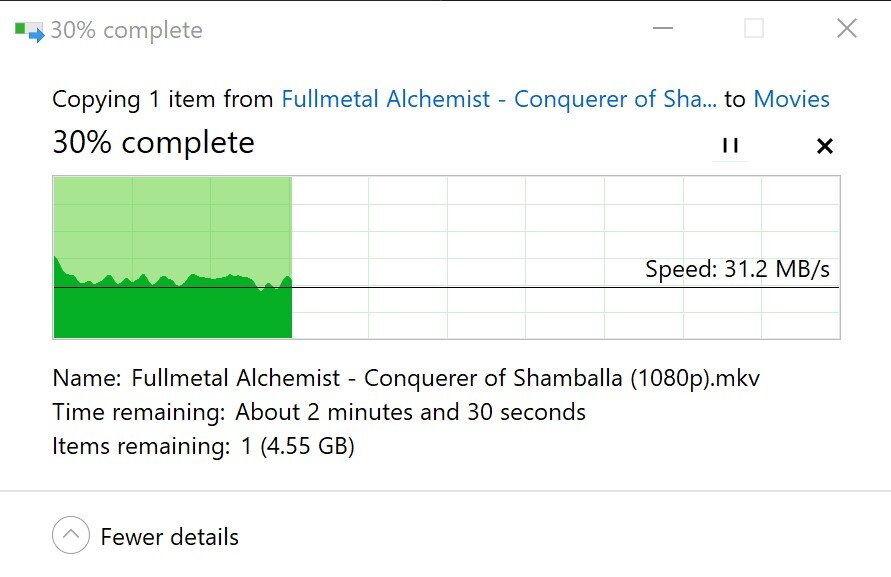
Hello, I tried browsing the forums and reddit for solutions but can't seem to find anything to fix a sudden slow down of write speeds to Unraid. The issue started yesterday and transfer speeds between my Windows PC and Unraid server have dropped dramatically. I am only slightly tech savvy and networking is something that goes right over my head, so sorry if I am missing something very obvious. I attached two diagnostics here because I saw in another thread someone suggested including the diagnostics while a file transfer is active, so the one ending in 1507 is just a regular diagnostic, and the one ending in 1509 was compiled during a file transfer. Also, included a screenshot of the transfer speed. As you can see, the speed is pretty painfully slow around 31 MB/s. I don't recall exactly what my write speeds were before this issue popped up, but I am pretty sure it was closer to 90 MB/s. At first I thought it might be because it stopped writing to my NVME cache drive for reason, but from what I can tell in my settings it still should be write to Cache then transfer to Array. So I don't think that is the issue. Also tried changing Tunable (md_write_method) to "reconstruct write" since I saw someone suggest that in another post as well, but did nothing so I changed it back to the normal "read/modify/write" setting. Tried switching ethernet cables and unplugging my router's power for 10 minutes, but neither did anything. Tried using the Fix Common Problems utility, but it does not show anything as being an issue. I also saw folks say to run iperf3, so I did that and got below results. Seem pretty slow which checks out with my slow write speeds, but like I said I am not network savvy at all so not sure what to make it this: [ ID] Interval Transfer Bitrate [ 5] 0.00-1.01 sec 3.38 MBytes 28.0 Mbits/sec [ 5] 1.01-2.01 sec 1.25 MBytes 10.5 Mbits/sec [ 5] 2.01-3.01 sec 8.12 MBytes 67.7 Mbits/sec [ 5] 3.01-4.00 sec 38.0 MBytes 322 Mbits/sec [ 5] 4.00-5.02 sec 43.5 MBytes 361 Mbits/sec [ 5] 5.02-6.01 sec 45.8 MBytes 387 Mbits/sec [ 5] 6.01-7.00 sec 43.4 MBytes 366 Mbits/sec [ 5] 7.00-8.01 sec 45.6 MBytes 380 Mbits/sec [ 5] 8.01-9.00 sec 46.2 MBytes 390 Mbits/sec [ 5] 9.00-10.01 sec 43.0 MBytes 358 Mbits/sec - - - - - - - - - - - - - - - - - - - - - - - - - [ ID] Interval Transfer Bitrate [ 5] 0.00-10.01 sec 318 MBytes 267 Mbits/sec sender [ 5] 0.00-10.01 sec 317 MBytes 266 Mbits/sec receiver Thank you! server-diagnostics-20240831-1507.zip server-diagnostics-20240831-1509.zip