dshefford
Members
-
Joined
-
Last visited
-
Hi all! I'm a newbie slowly setting up my home server and have a Wix-hosted website that I'd like to use a subdomain of to connect to my Nextcloud storage remotely (and potentially other dockers in future also). I have been following Spaceinvader One's tutorial on this, using Swag to connect things up but I cannot see an appropriate DNSPLUGIN available in the Swag docker setup, and Wix's API keys seem excessively long to type out into the docker terminal. I would greatly appreciate anyone's help either doing it through Swag or any other suggestions to connect the dots for me! Thanks
-
That's the ticket! Thank you!
-
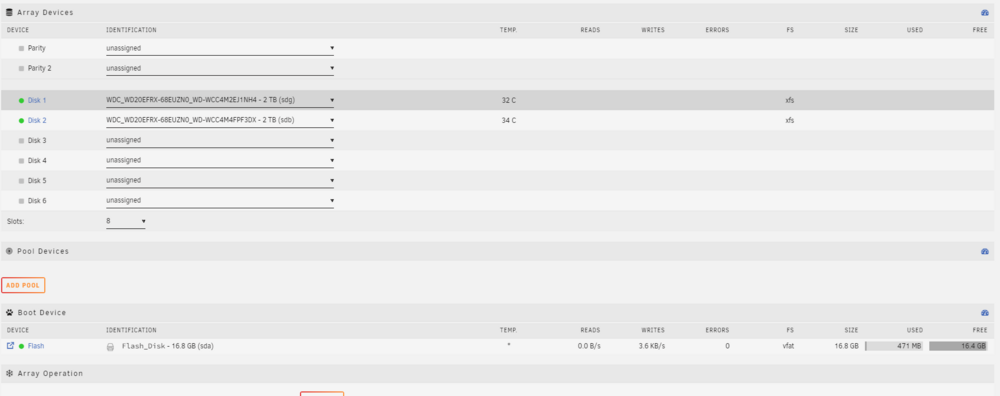
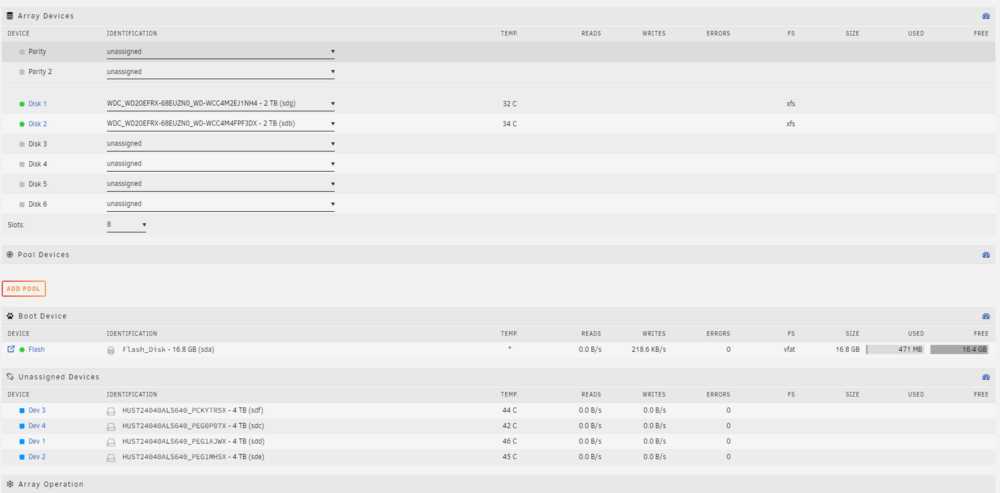
Hello! I'm trying to add some new (to me) SAS drives to my server. When I boot the system it comes up with the drives in the "unassigned" section, and show as available for assigning to array devices in the dropdown options there. When I do, however, the disk is removed from the unassigned devices section but do not appear in the array devices section. I can start the array with the two disks I am already using, and only these show up when the array is on-line. If I then stop the array, the new drives reappear in the Unassigned Devices section. Diagnostics and some screenshots attached. Any help would be greatly appreciated! labyrinth-diagnostics-20240916-1659.zip