




Skip to content
View in the app

A better way to browse. Learn more.

Unraid

A full-screen app on your home screen with push notifications, badges and more.

To install this app on iOS and iPadOS
  1. Tap the Share icon in Safari
  2. Scroll the menu and tap Add to Home Screen.
  3. Tap Add in the top-right corner.
To install this app on Android
  1. Tap the 3-dot menu (⋮) in the top-right corner of the browser.
  2. Tap Add to Home screen or Install app.
  3. Confirm by tapping Install.

Rebirth

Members
  • Joined

  • Last visited

  1. This fixed it thank you, Also the basic is the plan i actually have I never pay attention to that part and for some reason thought it kicked me back to a trial but since confirmed that is not the case LOL
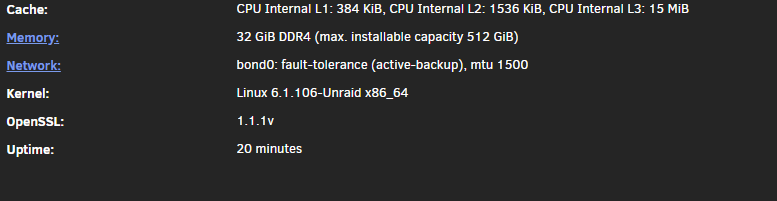
  2. Hello, After an issue with my hardware and getting my server to post again it's now showing to have a large uptime and to be a basic install but I have a key and am using the same USB as before. Yet when I go into stats I see this Any help would be much appreciated.

Account

Navigation

Search

Search

Configure browser push notifications

Chrome (Android)
  1. Tap the lock icon next to the address bar.
  2. Tap Permissions → Notifications.
  3. Adjust your preference.
Chrome (Desktop)
  1. Click the padlock icon in the address bar.
  2. Select Site settings.
  3. Find Notifications and adjust your preference.