



Skip to content
View in the app

A better way to browse. Learn more.

Unraid

A full-screen app on your home screen with push notifications, badges and more.

To install this app on iOS and iPadOS
  1. Tap the Share icon in Safari
  2. Scroll the menu and tap Add to Home Screen.
  3. Tap Add in the top-right corner.
To install this app on Android
  1. Tap the 3-dot menu (⋮) in the top-right corner of the browser.
  2. Tap Add to Home screen or Install app.
  3. Confirm by tapping Install.

Cball

Members
  • Joined

  • Last visited

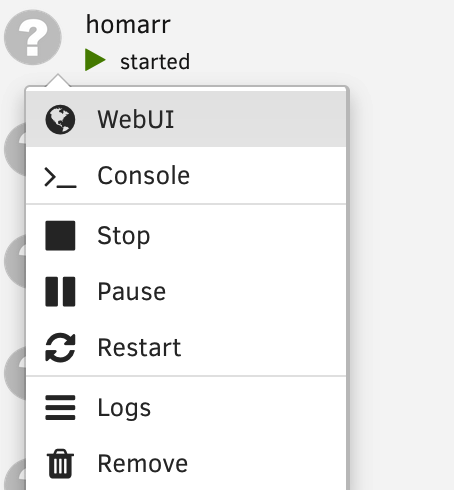
  1. Hey everyone, I have configured my docker containers using docker compose and after having recently figured out that I am able to integrate those containers into the Unraid interface using labels, I've added the following section to all my compose files: labels: net.unraid.docker.webui: 'http://[IP]:[PORT:7575]' net.unraid.docker.icon: 'https://cdn.jsdelivr.net/gh/walkxcode/dashboard-icons/png/homarr.png' With those labels, I was able to link to the Web UI, but unfortunately the icons do not appear. I would like to know if someone knows what I have to change to make those icons appear in the GUI.
Account

Navigation

Search

Search

Configure browser push notifications

Chrome (Android)
  1. Tap the lock icon next to the address bar.
  2. Tap Permissions → Notifications.
  3. Adjust your preference.
Chrome (Desktop)
  1. Click the padlock icon in the address bar.
  2. Select Site settings.
  3. Find Notifications and adjust your preference.