DuKe_Justice
Members
-
Joined
-
Last visited
-
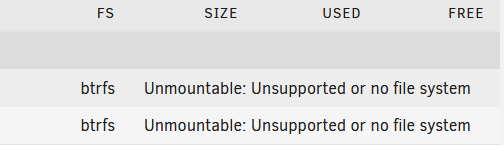
Hello. I am a linux sysadmin with "some" experience. I wanted to free my personal life of "work" and wanted to try UnRAID as I have to replace old dying hardware. After 2½ hours of trying tu use a state-o-the-art usb flash, I ended up using a very cheap USB2 flash. Now, I have setup my largest drive as parity. The added another 2 drives. Parity is taking forever : normal I own large drives. But, I am told I can format my array and will suffer a little performance drop. Which I wanted to try -> with xfs first and btrfs now. There is no way for me to format the drives : I always end up with Unmountable Unsupported or no filesystem. I am trying UnRAID as I read "I should have done that years ago" but I am feeling a little aggravated by its "too-simpleness". Can I be pointed in the right direction please ? I am more than willing to jump into CLI and do things the way my 6 figure linux sysops income tells me how to... Best regards. Marc "despair" Arbour tower-diagnostics-20241111-1509.zip