mjokc
Members
-
Joined
-
Last visited
-
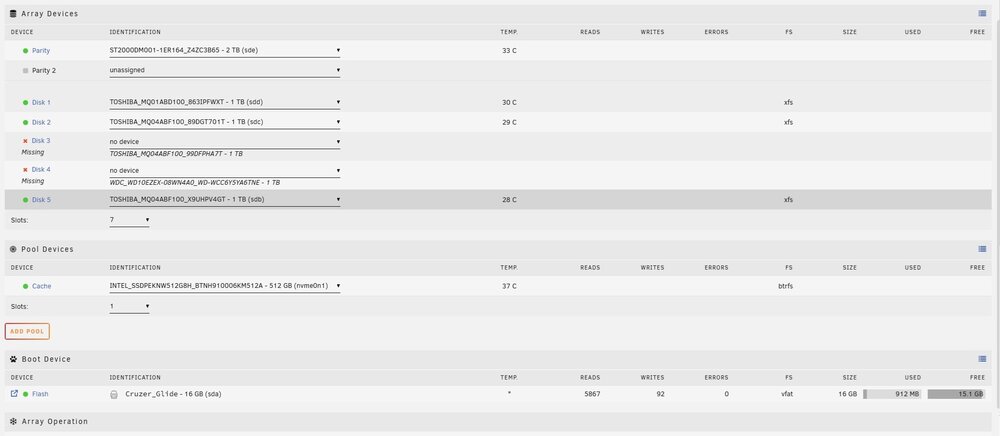
Good morning, everyone; quick update: I tested both disks 3/4, and they tested good. After placing them carefully back into the array, they are now seen, and the array is able to start. Thank you for your help trurl, I have marked this as resolved.
-
Hey trurl, thank you for your reply. Disks 3 and 4 have not been available since my PSU went down. They are still physically installed; I will test both drives tomorrow and give an update.
-
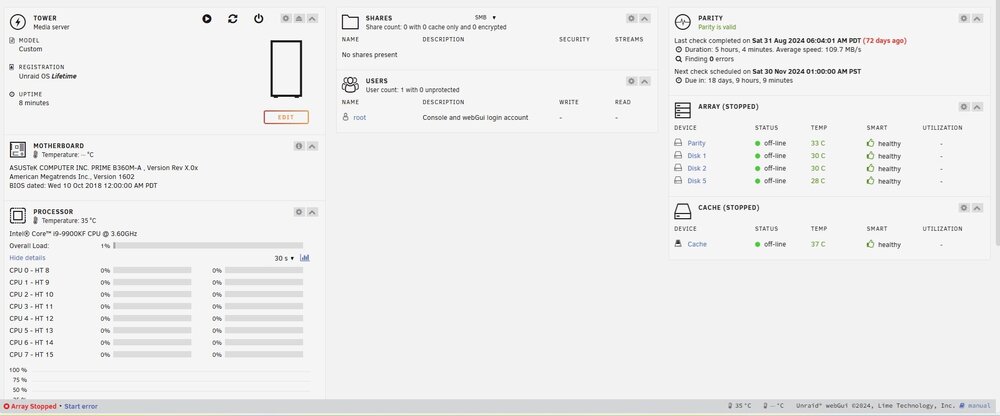
Hello everyone, I had a bad Power Supply on my NAS; after replacing the PSU, it will no longer allow me to start the array. I have attached the diagnostic files, along with screenshots of my configuration. I appreciate any information provided; please let me know if any further details are needed from me; thank you! Unraid Version: 6.12.10 tower-diagnostics-20241111-1745.zip