





CortexCannon
Members
-
Joined
-
Last visited
-
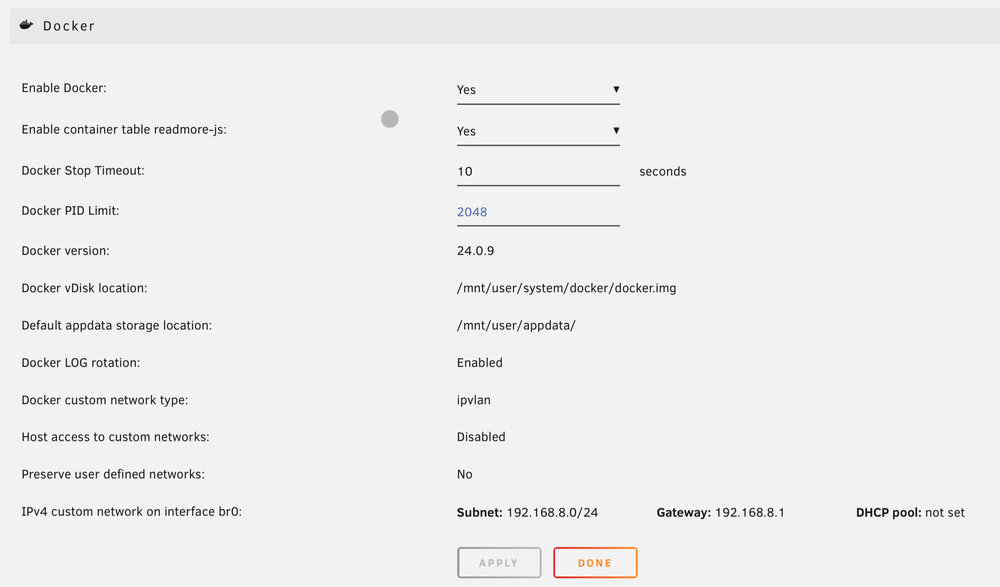
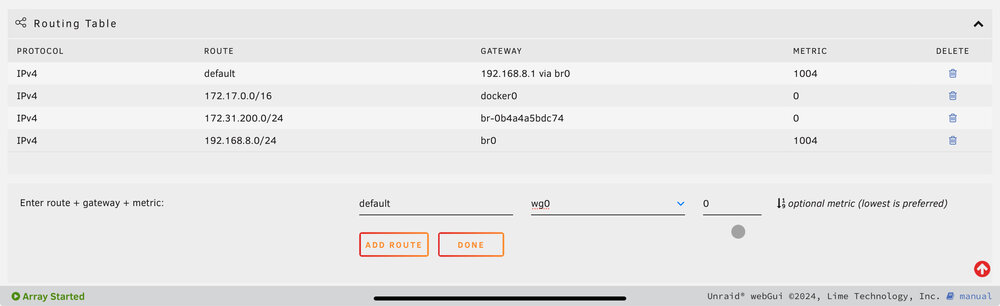
Thanks for this, I really appreciate it! So I’m working through the instructions you’ve listed and I’m trying to determine how to apply them. I’ve essentially reset everything as best as I’m able to ensure I’m not being tripped up by old mistakes. I’m trying to add the routing to the table in the network settings, but it doesn’t seem to apply properly? I’ve tried applying it via the terminal and whilst I can get it to show up, it disappeared after a reboot? I wondered if it was related to the preserve user defined networks option in the docker configuration? I tried forcing the DNS with the add additional parameters in the config of my firefox container, but it didn’t seem to work. Am I going to have to set some of this stuff up in a script which runs at boot or something to apply these configurations properly? I don’t feel confident that I know what I’m doing well enough to mess with IP tables at this point.
-
I’m trying to get a secure connection between the docker containers on my unraid server and the wider internet via Proton VPN setup. I’ve got the wireguard tunnel configured using the VPN tunnelled access for docker settings and if I connect a browser container to it, when I use the browser to check my IP, it comes up as the host city of my VPN. Yay! I then go to dnsleaktest and get DNS results in my city rather than in the host city of my VPN. I’ve set the Peer DNS server to the IP of the ProtonVPN DNS, turned off DNS over HTTPS in the firefox container and double checked I’m not passing an address like 1.1.1.1 or something and I’m not… Any help getting this configured would be really appreciated!

