roastedcoffee
Members
-
Joined
-
Last visited
Everything posted by roastedcoffee
-
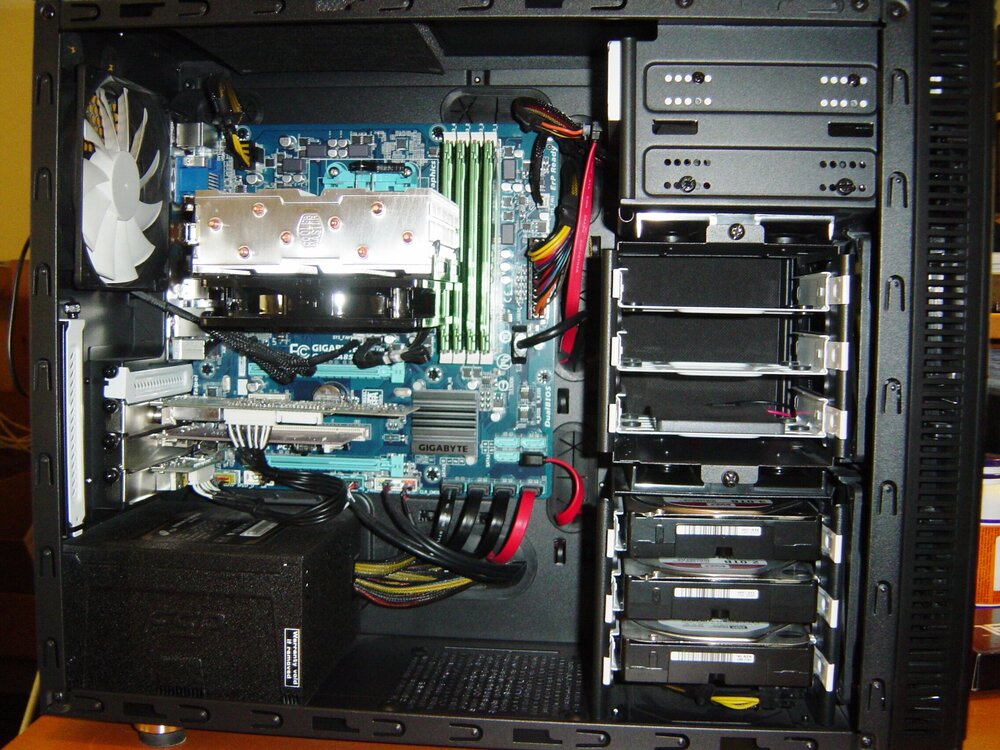
I'm looking to do the exact same thing as you, I have a new Fractal define R5 case that I just used to build an Unraid server and I want to add another hard drive cage to it. I have not attempted it yet but I am going to try to use a cage from an older Fractal Design Define Mini case that I have (see attached photo), it's the case I've been using as my server for the last 12 years. I may have to MOD it a bit to fit, not sure if I will try to put it on top of the two R5 cages where the two 5.25 drive bays currently are or relocate the R5's cages to the top of the case like you have done and put it on the bottom. Not sure how it will fit until I start taking things apart, plus I also want to try and squeeze another fan in the front of the case to cool the extra drives. If that doesn't work these are some of the other options I have found, neither are ideal and both are discontinued so it's hard to find them in stock online: https://www.amazon.com/EverCool-Dual-Drive-Triple-Cooling/dp/B0032UUGF4 https://www.newegg.com/icy-dock-mb830sp-b/p/N82E16817994238 I've also read comments that a few people have been successful contacting Fractal Design support and buying a spare cage from them directly, but I didn't get the sense it was always possible.