





aloub
Members
-
Joined
-
Last visited
Everything posted by aloub
-
BIOS is up to date. I have replaced this CPU under warranty last year
-
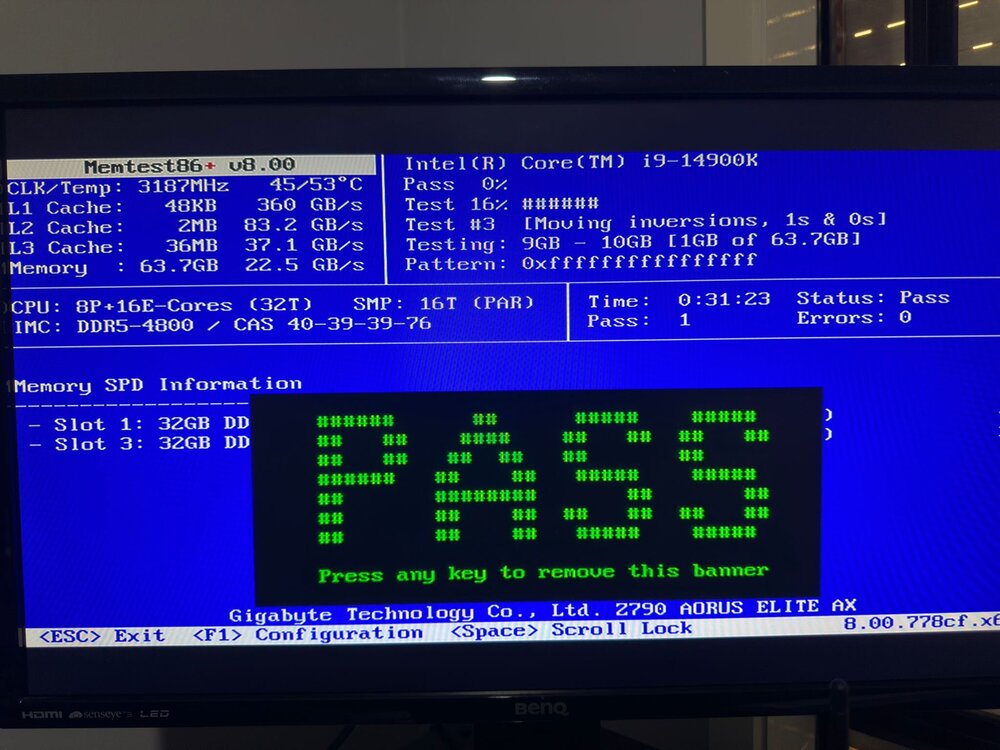
memtest86+ v8 passed as well; should I leave it running until it finishes? I know it will take a long time to complete the full test, as I have 64GB of RAM. I left this one running for 4 hours. I did not show any errors.
-
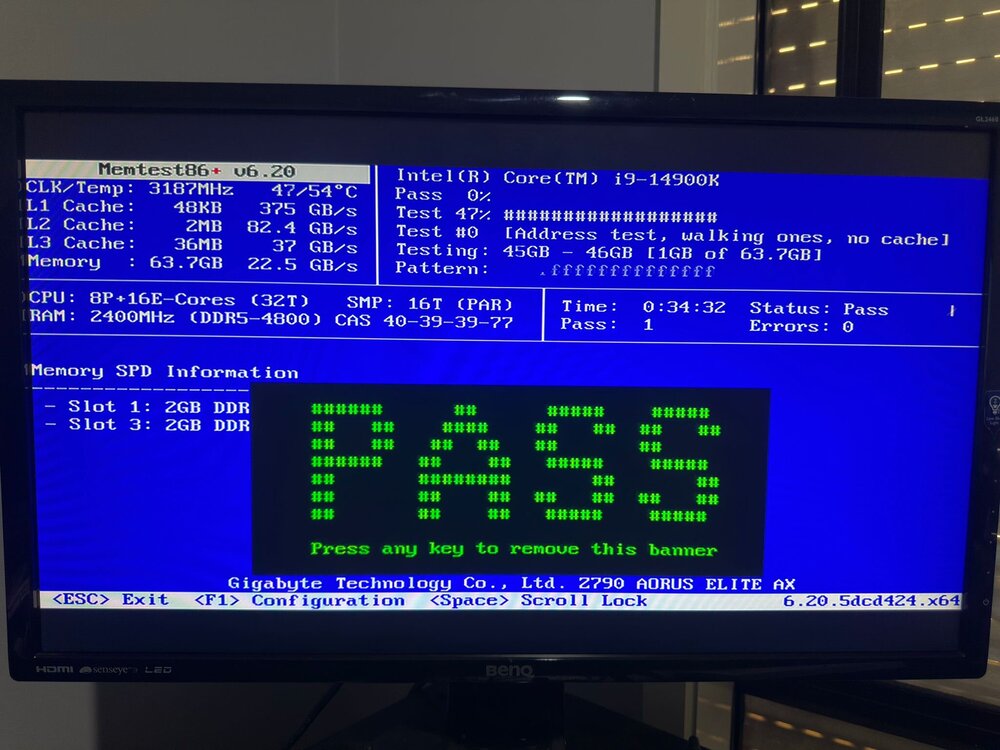
I ran the one supplied with unrid ver 6.2, and it passed. Now I am running the latest version 8. So far, it pass 41% without errors
-
Thanks for pointing this out to me. I fixed it. I ran the memtest, and it passed without any errors
-
I have attached the log file. I believe this one will contain multiple crashes syslog-192.168.0.10.log
-
Hi everyone, After a few hours of running, my server crashes. It stops working, and I have to turn it off and on again for it to work. It will operate for a few hours and then crash again. I checked the logs but couldn't identify the problem. Can someone please help? homeserver-diagnostics-20260120-2041.zip
-
Thank you for explaining this to me. I changed one of the containers' Network Types from bridge to custom:br0. The WebUI is working now. I am not sure what stopped all the containers from working, as I did not change anything; I just replaced the CPU. Should I change all the container network types from bridge to custom: br0?
-
suddenly, all my Docker web interfaces are not working. This issue is with Docker using the bridge interface. The Docker local IP is showing as 172.17.x.x, while the routing table entry for the Docker bridge interface is displaying as 172.18.x.x. Do you have any suggestions on how to fix this?
-
I replaced the CPU under an Intel warranty, which has been running for two days. I hope this resolves the crash problem. However, suddenly, all my Docker web interfaces are not working. This issue is with Docker using the bridge interface. The Docker local IP is showing as 172.17.x.x, while the routing table entry for the Docker bridge interface is displaying as 172.18.x.x. Do you have any suggestions on how to fix this?
-
homeserver-diagnostics-20250217-1910.zip
-
Which driver? I removed the nivida card and uninstalled it is driver
-
I uninstalled nivida driver
-
I tried each stick by itself. the server runs for 2 days and then crashes. I removed the VGA card—updated BOIS and still crashing. any other tips might help me
-
What do you recommend to check? How can i identify it?
-
So, I updated the server to 7 RC1. It worked fine for two days, then crashed again. The only way to access it is by hard rest. syslog-10.10.0.160.log
-
I run it. it is passed successfully without any errors. I have the following driver installed 1- Intel-GPU-TOP 2- Nvidia-Driver 3- RTL8125(B) PCI Drivers
-
Is this the right one syslog-10.10.0.160.log
-
I enbaled the syslog. These are the new logs. any help is really appreciated homeserver-syslog-20241209-0951.zip
-
I will try it and post the result
-
Yes. It is passed successfully
-
My unraid server crashes after 30~45 minutes. It is a new build. I removed the USB from my old server and plugged it into the new one. I do not think this will cause any problems. I disabled the docker and VM but it still crashes. Any help is appreciated as I am still newbie My server is intel i9-14900K Gigabyte AORUS ELITE AX MB 64GB nvme+4 HDD homeserver-diagnostics-20241028-1408.zip homeserver-diagnostics-20241129-2304.zip

