raadomega
Members
-
Joined
-
Last visited
-
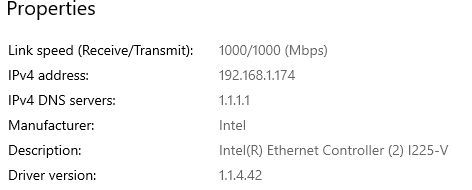
Thanks for the response. Yes it's a cable all the away from the PC to the server. But I also tried to connect from Linux on the same pc machine and a mac, and the copy speed was hovering between 80 to 100 MB/s. So the issue is from my PC. I will try to figure out what is the problem. Thank you for the help
-
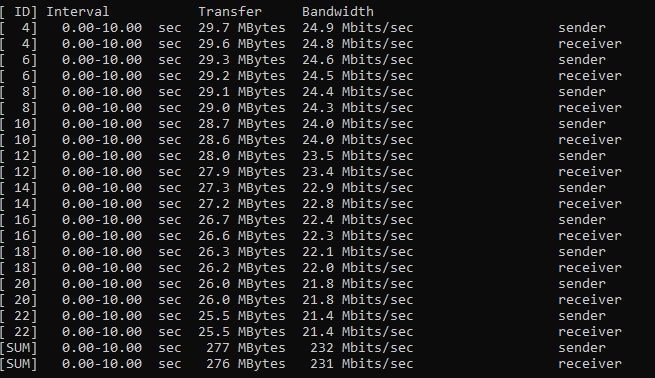
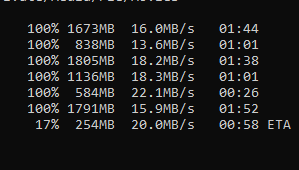
Unraid newibe here. I download unraid to try it out. The installation is straight forward and easy. Now I setup an array of one driver and a nvme as a cache. When I try to copy files which are large so maybe 2 files each is 1GB my copy speed is 25MB/s. I have been searching and reading all the old threads, so I also setup iPerf3 and tested the connection between the server and the pc. I attached a screenshot of the result. I thought because the share was to the array might be the reason for that, so I set a new cache with the cache pool as the primary storage and then the array as the secondary storage. But the result is still the same. I also ssh to the server directly and copied files over but got the same result. My server connection is set to eth0 and appear to be 1000 Mbps. Can someone help me navigate the issue?