Everything posted by chodeus
-
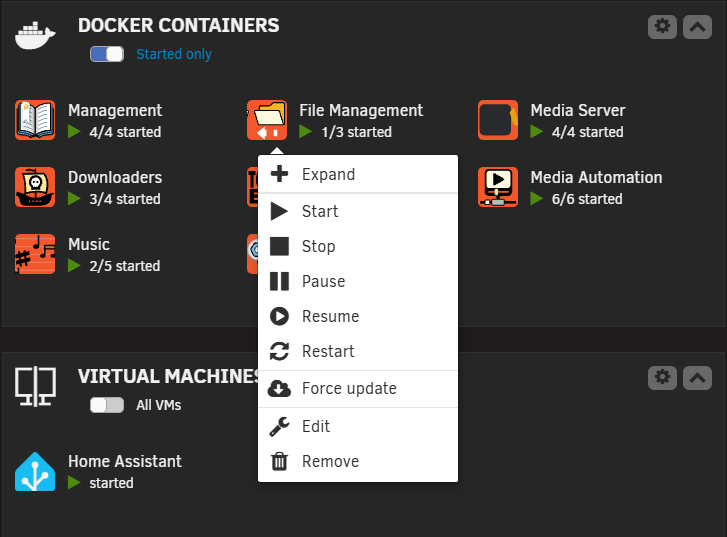
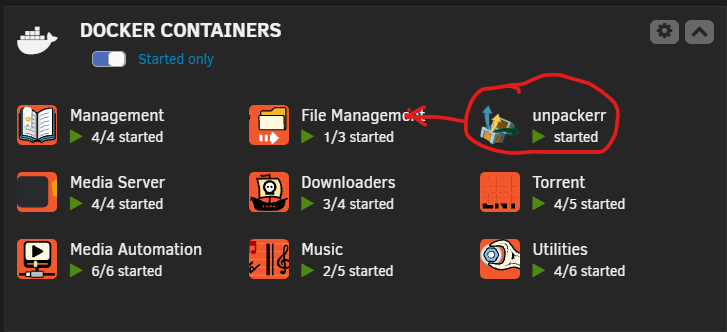
Awesome screenshot, I think I have an idea which is a partially what @Joly0 suggested. If you run my fork, you might see a changelog in the next stable relating to this. I try to thoroughly check and test everything in beta before I push to stable.
-
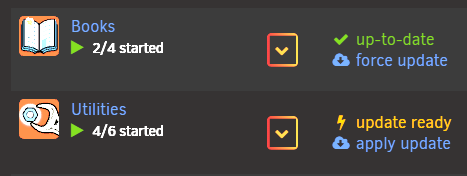
Yeah okay, I'm unsure if this is a compose manager plugin bug or a folderview plugin bug as I don't know why Unraid is seeing the compose container needing an update if it is in fact up-to-date but I'll take this onboard and do some research. Joly0's PR replaces the apply update/up-to-date wording with "Compose" for folders that only have compose containers in them. Would this cause issues if you want to know when there's a valid update or do you not use the "apply update" button in the version column for updating compose containers?
-
Is there any benefit or is there anyone that would find a benefit with having the "orange text on update" on compose containers? Or is it pointless for compose containers and just a hangover as this was intended for dockerman containers? For clarity, I don't "run" compose, I have a test stack for this plugin.
-
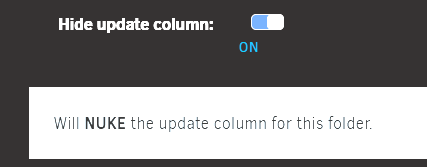
I've got 2 questions for you too. Why did you not ask VladoPortos of FolderView2 the same thing, it seems you are perfectly happy running FolderView2? The only difference between what he had done and what I have done is I disclosed the tool I used to help achieve a working plugin. Is there any reason you prefer the approach of your PR instead of using the "hide update column" toggle? Afaik most compose users toggle this as it is irrelevant information to them. I'm happy to entertain feature requests once the bugs are ironed out (which they should almost be) but I'm not too keen on blending plugins for individual users. The compose side of things I'll look at because scolcipitato has it somewhat built in already but I would like to know why hiding the update column doesn't resolve your issue. Also the reason for so many commits is because of everything that needed fixing and yes I made a few visual improvements too https://github.com/chodeus/folder.view3/blob/main/CHANGELOG-fixes.md

-
This was simple, it will be in the next stable release. Unsorted containers will appear in alphabetical order on the folder settings page. Thankyou for the suggestion!
-
Oh I see! I’ve never thought to query the order of that list because it’s just how it always was with the original FolderView and then FolderView2. I’ll have a look into it and see what the impact is of making the list of “unsorted” containers appear in alphabetical order, I can’t see an issue though. Thankyou for the fresh eyes and the suggestion!
-
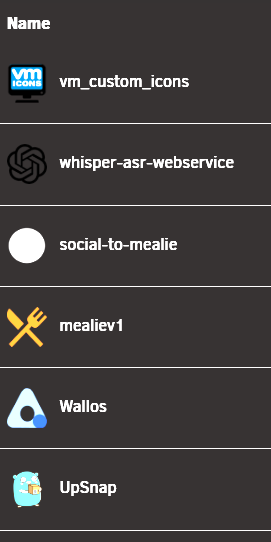
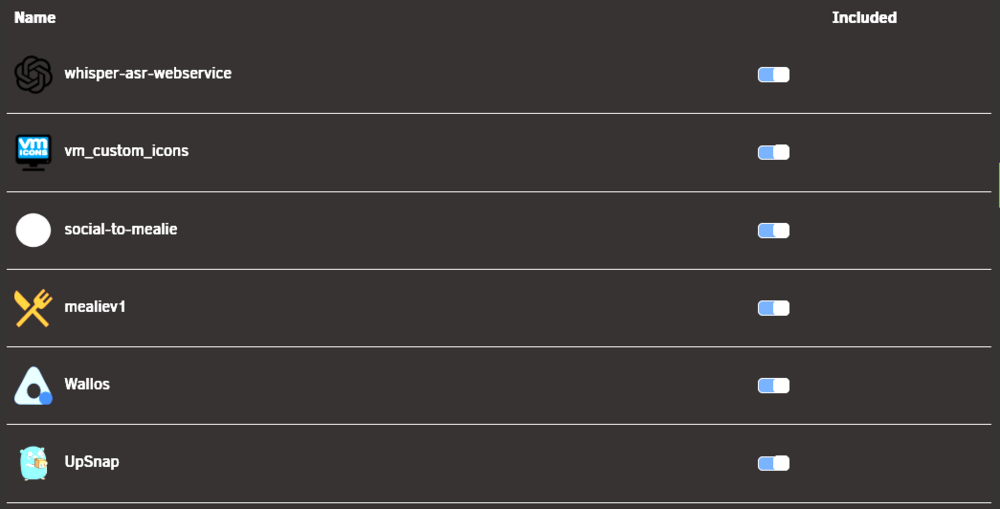
Are you happy to share screenshots so I can see what you are seeing? If I move whisper to under VM custom icons, it moves.

-
On this screen you can drag and drop these containers to any order you wish. Just note that this is also your container start order if you have autostart toggled on. Just hover over the title and click and drag.
-
Quick update, on Monday I sorted out everything that I believe is required to have this added to the CA + submitted the form requesting this/my repository to be added so people can install via the Community Applications and we can close down FolderView2. I anppreciate everything Vlado did to migrate FolderView to Unraid7 and keep it going.
-
Awesome reporting thankyou, was an easy problem to troubleshoot and fix. Please update.

-
Standard webUI settings in the template is all you need. I don’t use this unraid feature but I’ll have a look today, thankyou for letting me know!

-
I know if I'm using chrome sometimes I need to prevent the downloaded file from being deleted by clicking "keep" on the download attempt top right corner of my window. Glad you got it up and running! Please report here or on my github if you do notice any bugs. Enjoy!!
-
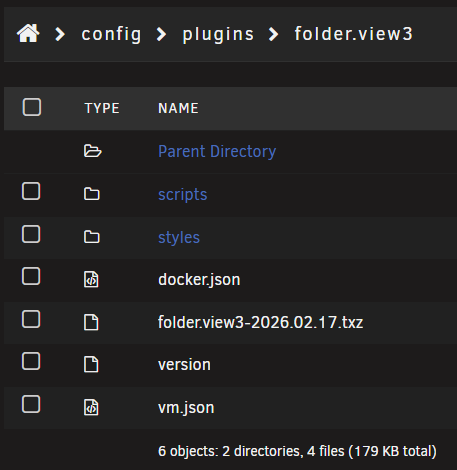
That is not something I have experienced. It is safe to export all, you need your vm and docker.json files so you dont have to recreate your folders. But if you're not comfortable with accepting this security warning you can manually download your docker.json and vm.json in your flash drive to another location and then remove the old folderview and then copy them back into the newly created files once you have installed folder.view3. I need to figure out if it's as simple as clearing my cache for me to reattempt this Unraid security warning and then I can look at options to not trigger that security warning. Edit: resolved the issue, there won't be any uneccessary security warnings when exporting your folders. BUT you will need to update FolderView3 for that to be resolved. 2026.02.17.1Fix folder export triggering Unraid external link warning
-
That could be to do with another plugin you have installed. Just follow my migration instructions on the thread I have created and do a manual install using the link https://raw.githubusercontent.com/chodeus/folder.view3/main/folder.view3.plg It's important to backup your docker.json and vm.json files and anything else you have modified. You can import these files once you install FolderView3.
-
https://forums.unraid.net/topic/197223-plugin-folderview3/ I migrated to FolderView3 today - hoping to go through the process to get it added to CA.
-
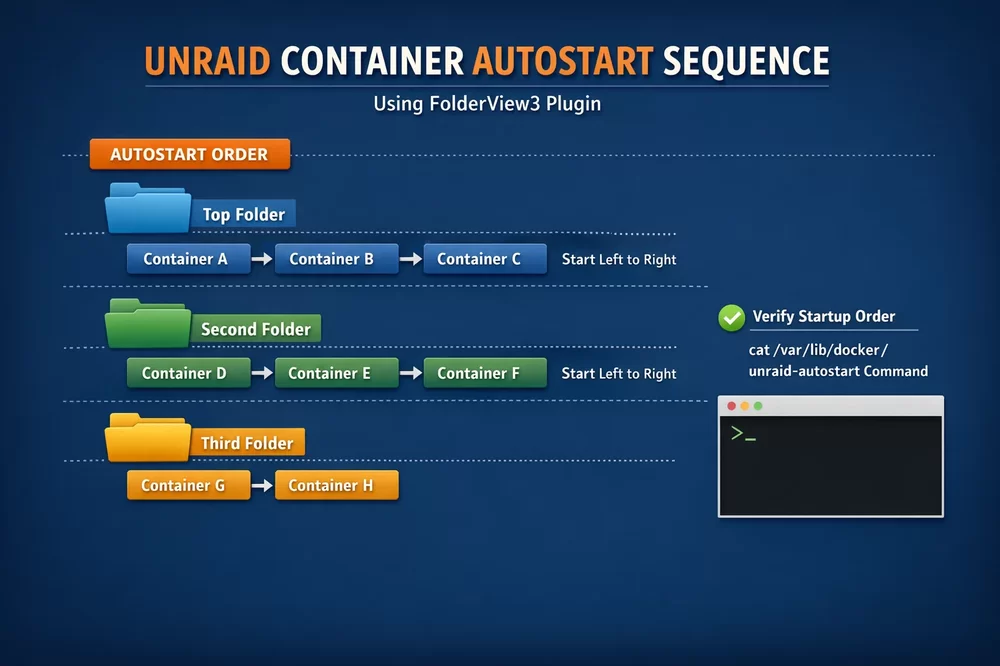
FolderView3 is to continue support for FolderView2 by @VladoPortos in an effort to keep the original plugin FolderView by @scolcipitato, alive. FolderView3 lets you create folders for grouping Dockers and VMs together to help with organization. Getting Started: A new button named "Add Folder" will appear at the bottom of the docker and VM tab(s) next to "Add Container". LINKS GitHub - folder.view3 XML Screenshots COMPATIBILITY Compatible with Unraid 7.0+. On Unraid 7.2+, the plugin automatically uses the GraphQL API and WebSocket stats for lower latency — no configuration needed. All features fall back gracefully on older versions. AUTOSTART This has been improved upon from the previous versions. Containers marked for autostart will now autostart as they appear on the Docker page You can confirm this with cat /var/lib/docker/unraid-autostart in the Unraid console VM SUPPORT FolderView3 supports folder organisation for VMs, allowing you to group and manage your virtual machines the same way as Docker containers. DASHBOARD OPTIONS FolderView3 allows you to customise how containers and VM's appear on your dashboard, see the styling options here. MIGRATING FROM FolderView OR FolderView2 In your old plugin, go to Plugins → FolderView and click Export All for both Docker and VM folders Backup your custom CSS if you're using them in the styles folder config\plugins\folder.view\styles Uninstall the old plugin Install FolderView3 using the URL below Go to Plugins → FolderView3 and Import your exported files Copy your custom CSS files back into the styles folder If there are visual errors on the docker, VM or dashboard pages please try deleting your cache/browser history before reporting a bug. BUG/ISSUE REPORTS Please if you notice a bug there’s a few things you can do to help me provide a quick fix. Open dev console (F12) on the page where you notice the bug and check for any errors and note them. Open your syslog and check for errors and note them. Attempt a hard refresh and cache clear and see if this resolves your issue, if this doesn’t resolve your issue and the errors in your logs and console persist please submit a BUG/ISSUE report here or on GitHub with the following information. Note any other plugin and plugin version that also modifies the page you are viewing. Mention your Unraid version and FolderView3 version in your bug report. Capture debug information mentioned below or as per the github issues report. DEBUG MODE To enable debug mode, type fv3debug on any FolderView3 page (Docker, VM, or Dashboard). You should see a console message confirming it's enabled. Debug output appears in the browser console (F12) with a [FV3] prefix. State persists across page loads — type fv3debug again to disable. For PHP server-side debug: run touch /tmp/fv3_debug_enabled on the Unraid console. Logs write to /tmp/folder_view3_php_debug.log. If you have a problem you will likely be asked to share the console output. CUSTOM CSS/SCRIPT Using custom CSS/scripts is easy, just download the files and import it with the button in the settings. COMMUNITY CSS hernandito — Compact and Midsize designs masterwishx — urblack with CSS variables Mattaton — urblack, urgray, urwhite themes All three can be imported directly from the CSS Tool on the settings page. FolderView3 has a built-in CSS Tool on the settings page (Settings → FolderView3) with four tabs: Themes — import community CSS directly from GitHub by pasting a repo URL. Themes show update status with one-click updates. Variables — edit 27+ CSS variables with color pickers and sliders Presets — one-click theme presets Advanced CSS — free-form CSS editor You can still manually place CSS/JS files in the config/plugins/folder.view3/styles/ and scripts/ folders if you prefer. For the ones brave enough to make custom CSS or scripts, on GitHub you will find a README with all the instructions. Please note that if you are coming from earlier installations of FolderView your custom CSS may not be directly compatible. Please review the above readme before migrating. TRANSLATIONS If you want to translate this plugin, you can find the files here, but before read below. The "locale" field and the name of the file should be an ISO 639-1 language code. If you translate, don't edit any HTML tags you see, only edit text. In the translation file, you might encounter the symbol $ followed by a number, you can't remove them, but you can move them around as much as you want. DOCKER LABELS Add the label folder.view3 with the folder name as the value to any container or Docker Compose service: Create the folder first and then add the label to your compose. services: myapp: labels: folder.view3: "MyFolder" FAQ BEFORE asking, please search if any other user asked the same thing, you might find your solution. Q: How can I sort the content of a folder? A: In the edit folder page, you can drag and drop the containers/VM just like the normal docker page. Q: How can I sort the folder themselves? A: In the docker page since 6.12 there is a padlock green icon in the toolbar, click that, and you can just drag and drop the folder like normal containers/VM. Q: Where can I report a bug? A: Either here or on my GitHub issues, please check and make sure it hasn’t already been reported. But if you have further information on an existing bug report please feel free to comment. Q: I updated and my docker or VM page don’t look right, what do I do? A: Press F12 and check the developer console for errors, check unraid syslog for errors as well. If neither of those show anything obvious follow the debug instructions above and report them here so I can identify the issue and resolve it. FolderView3 Plugin Update History Disclaimer: This has been forked and fixed/updated with claude code - originally for personal use but it seemed like there was a need to share the fork as FolderView2 was no longer maintained. I have kept a detailed changelog of everything that has been modified when compared with the upstream repository. This can be found on my repository.
-
I understand squid is a busy person and I need to call this folderview3 or come up with a new name before it’ll get considered for the CA page. But yes, if you manually install my fork you’ll have to ignore that warning for the time being.
-
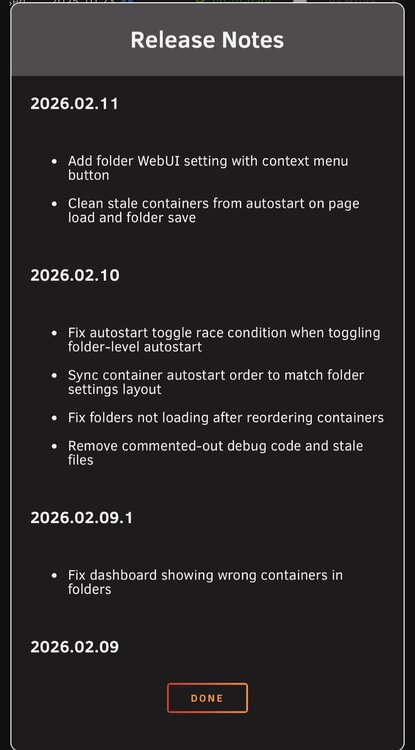
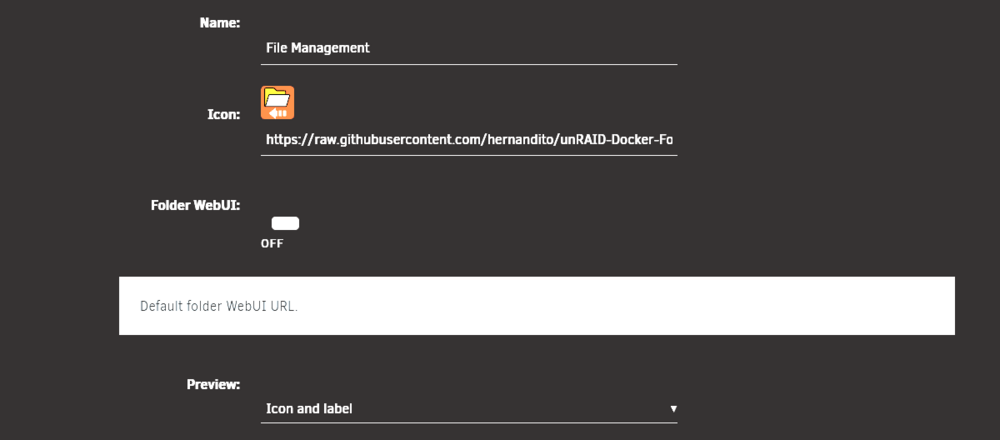
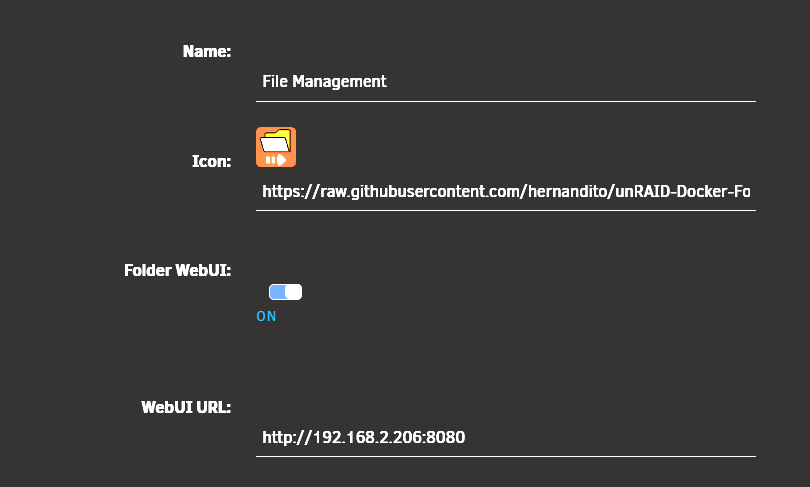
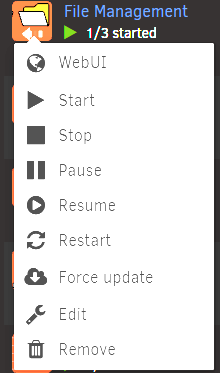
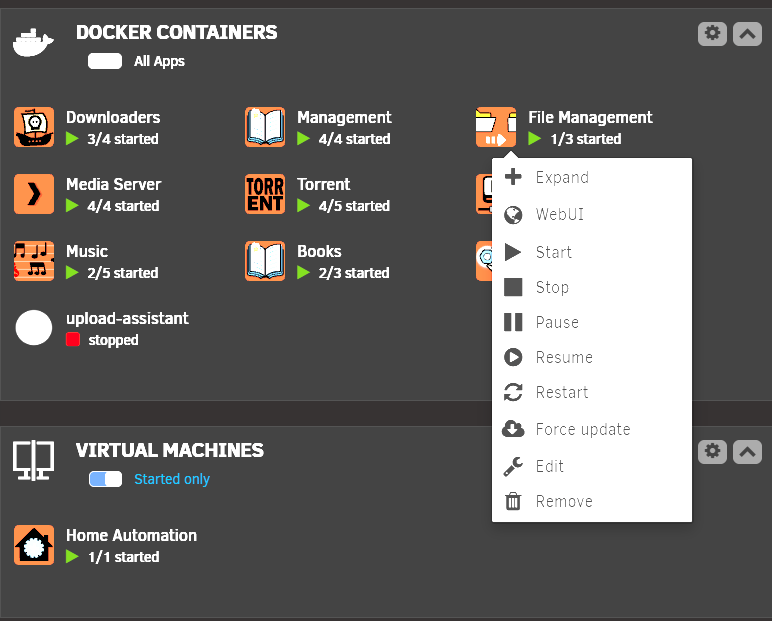
Update to main branch, this should be automatically available for you. If you notice any bugs let me know and I can take a look at them after the weekend. I added a custom URL option for the folder, mainly for the compose users. Compose containers can be added if the user manually creates the folder first as per the upstream version. I trialled automatic folder creation but it’s messy and didn’t work the best. Thankyou @bmartino1 for helping me test this. There’s one small bug I’ve noticed when deleting containers and I need to update the readme to provide a summary and instructions of what my fork does but as always, each commit is clearly detailed in the changelog on my repository so feel free to browse that. I’m away until after the weekend so there won’t be any updates until I get back and I’ll be slow to respond here.
-
Auto update will work perfectly fine. Once I finalise the compose compatibility, I’ll need to look at a plugin name change/update and then get it added to the Community Apps
-
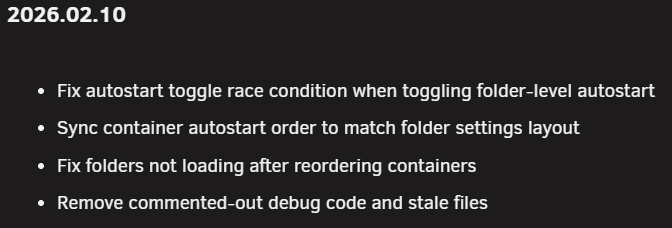
Probably the biggest improvement from today is now the container auto start order now updates when you move them in the folder settings page and click "submit." If you want more detail in what was changed you can browse the changelog on my github. Until now folderview didn't actually change the container start order, only the folder start order. It didn't matter where those containers were in the folder, it started as per Unraids predefined start order. Now I've got this sorted I will look at the dockers compose side of things and having this order ignored.
-
@Masterwishx and @UnKwicks want to test this version I've just pushed before you remove the plugin for a fresh install? If this doesn't resolve your issue - I'll strongly suggest backing up your vm.json and docker.json and removing the plugin entirely and installing my version fresh. This has been difficult for me to test because mine has worked fine this whole time. The only thing it seems I did different was, I removed Vlado's folderview2 before installing mine. 2026.02.09.1Fix dashboard showing wrong containers in folders
-
Yeah that’s the process. I’d recommend backing up docker.json and vm.json and saving them somewhere else, manually removing the plugin, then install the beta files like he suggests in the first post. Or… you can try my forked of Vlados plugin which fixes these https://github.com/chodeus/folder.view2 It’s not 100% problem free though.
-
It’s a common fault with that stable version. There’s a beta linked in the first post where this is fixed (I think).
-
Masterwish is having same issue as you and I’m currently investigating it. It’s hard for me though because I don’t have this issue. However, I did backup my vm.json and docker.json like Vlado recommended and uninstalled his version and installed my version, copied/imported my vm and docker.json back in and as you can see in my screenshot above, everything appears to work like normal. Would you like to try uninstalling the plugin and installing my version from fresh? Just backup anything you’ve modified including your docker.json and vm.json.
-
Just to be clear, you're on the main/stable branch? Have you got this toggled on in folder settings? I believe the dashboard behavior may have been changed previously so that ALL containers appear on the dashboard, I think previously only Folders + containers in folders when expanded appeared on the dashboard.