Cynamiter
Members
-
Joined
-
Last visited
Everything posted by Cynamiter
-
This seems to be the key: Since my server and Mac are air gapped right now anyway, I just enabled the integrated FTP server and used FileZilla to connect: Is there any downside to using this aside from the reduced security for things like parity and integrity? If not this would resolve my issue and this thread would be safe to close.

-
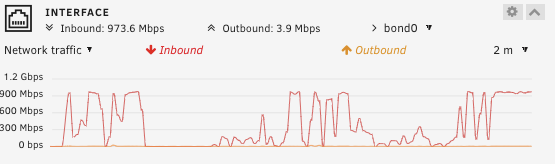
Performance is definitely improved, but still slow compared to Windows. Copying a large amount of files (around 1TB) still takes 10 minutes to start: There also appears to be a big delay between files, around 30 seconds: Is this to be expected without using exclusive access or directly mounting a drive?


-
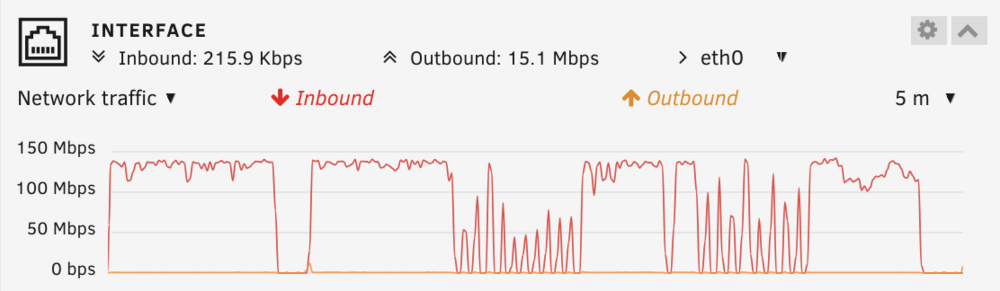
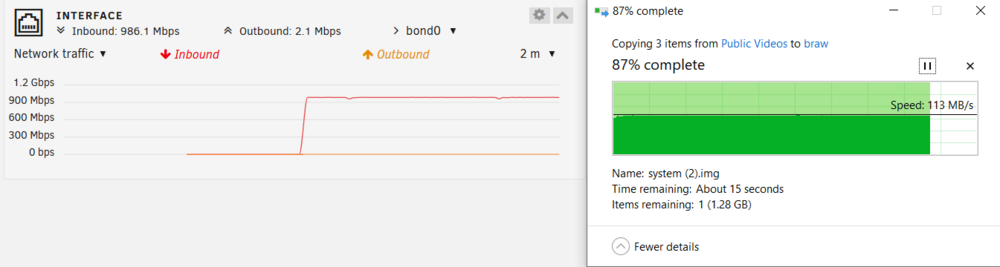
Good idea. Anything around 100MB/s would be my goal, as I'm limited to Gigabit Eithernet anyway. Wired up my Windows machine directly to the server (skipping my router, using a static IP) and speed was consistent in a perfectly acceptable range: I've tried the same thing using my Mac using the NIC built into my Belkin F4UO95 docking station and the Pluggable USBC-E2500 I used in my original post using the same cable. Still ran into the same (if not worse) issues using a direct connection: Trying to copy 618 files (around 1GB each), results in over 10 minutes of "Preparing to copy", while Unraid and the Mac Activity Monitor report periodic 1 Mbps spikes. Disc activity of the server is at 0 the whole time, so nothing persisted during that process. I've stopped the copy operation after around 15 minutes. Attached a set of diagnostics 2 minutes into the copy operation, `unraid-diagnostics-600filetransfer-20250111-1527.zip`. Trying to copy just 2 files (also around 1GB each) from that 618 file batch, the transfer does start after around 3 minutes of waiting for the "Preparing to copy" step to complete, but I never get more than 4-5 spikes of full Gigabit for 1-2 seconds per minute: After around 5 minutes the 2GB transfer is complete. I've attached another set of diagnostics 2 minutes into that copy operation as well, `unraid-diagnostics-2filetransfer-20250111-1532.zip`. I'm mostly dealing with video footage on storage devices formatted to HFS+, so while using Windows to troubleshoot was a great suggestion, I can't fully shift to Windows as none of the storage devices I'm importing data from would be compatible. To be clear: All the tests above have been done directly from my M1 Mac's SSD running APFS; I'm not attempting to copy directly from an external storage device to the server just yet. Only mentioning this, to make clear that squeezing as much speed as possible out of the Gigabit connection from my Mac is my main priority. unraid-diagnostics-600filetransfer-20250111-1527.zip unraid-diagnostics-2filetransfer-20250111-1532.zip


-
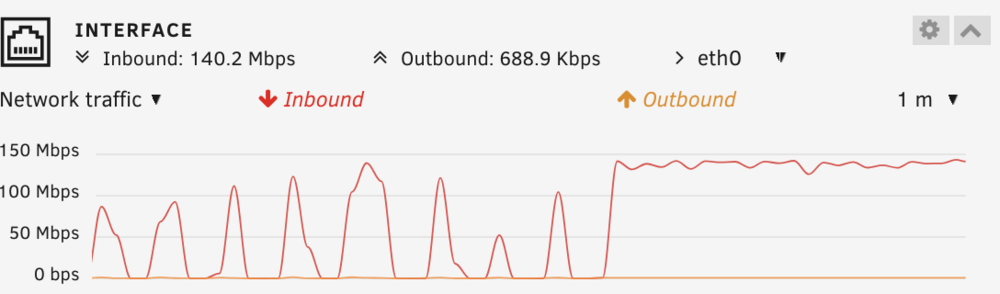
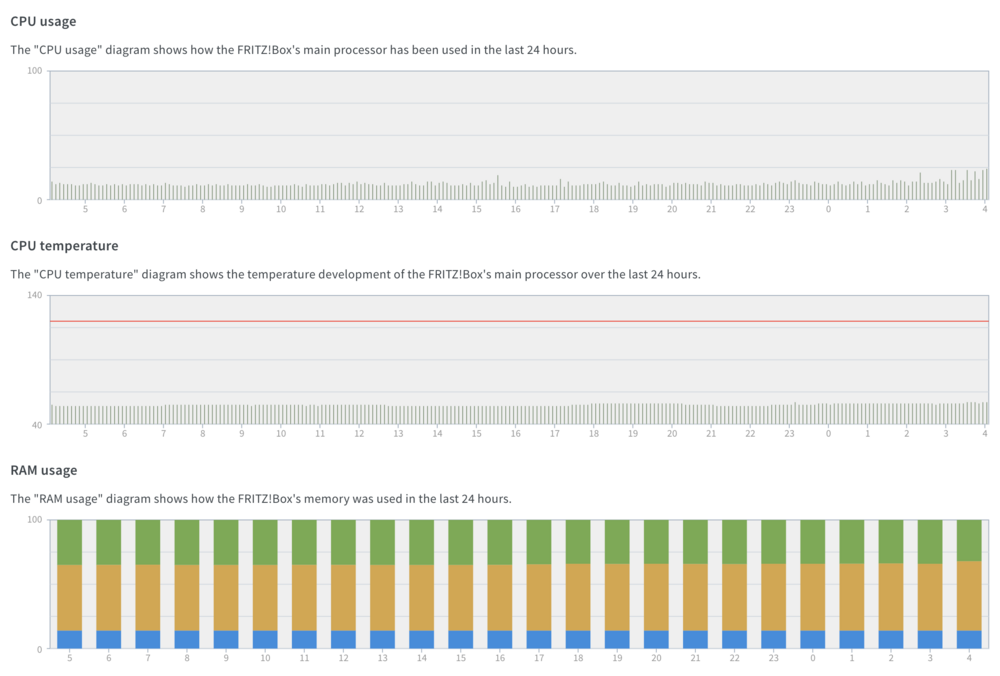
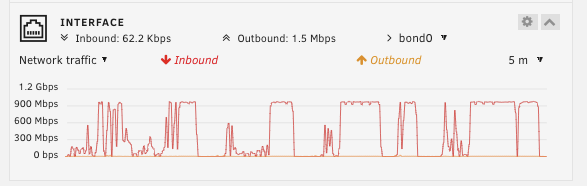
I've recently set up an Unraid server and transfers dip down to 0bps every few seconds: As this rig is built to try out Unraid, I'm using a spare Samsung 840 PRO as Cache, with shucked WD HDDs for parity and data. Based on other posts, I expected speeds to be slow (given this hardware configuration), but at least consistent during file transfers. I'm transferring around 500 files via SMB, each >1GB (some up to >5GB), to a share with mover actions set to Cache->Array, so these dips occur during single file transfers, not between files on the Cache drive. I'm using an M1 Mac, directly wired to the same router (a FRITZ!Box 6591) as the Unraid server, both using CAT 6 Gigabit. Router usage stats: A quick speed test (ran via the web terminal) on the Cache drive: for ((i=0;i<3;i++)) do hdparm -tT /dev/sdd; done /dev/sdd: Timing cached reads: 22248 MB in 1.99 seconds = 11180.42 MB/sec Timing buffered disk reads: 650 MB in 3.01 seconds = 216.15 MB/sec /dev/sdd: Timing cached reads: 23606 MB in 1.99 seconds = 11867.49 MB/sec Timing buffered disk reads: 654 MB in 3.00 seconds = 217.88 MB/sec /dev/sdd: Timing cached reads: 23660 MB in 1.99 seconds = 11893.81 MB/sec Timing buffered disk reads: 608 MB in 3.01 seconds = 202.24 MB/sec I've attached diagnostics, created, while transfers were running for around 15 minutes. Is there any way to increase the consistency of the throughput without upgrading hardware? And are these speeds within expected limits? unraid-diagnostics-20250111-0350.zip