albatraus
Members
-
Joined
-
Last visited
-
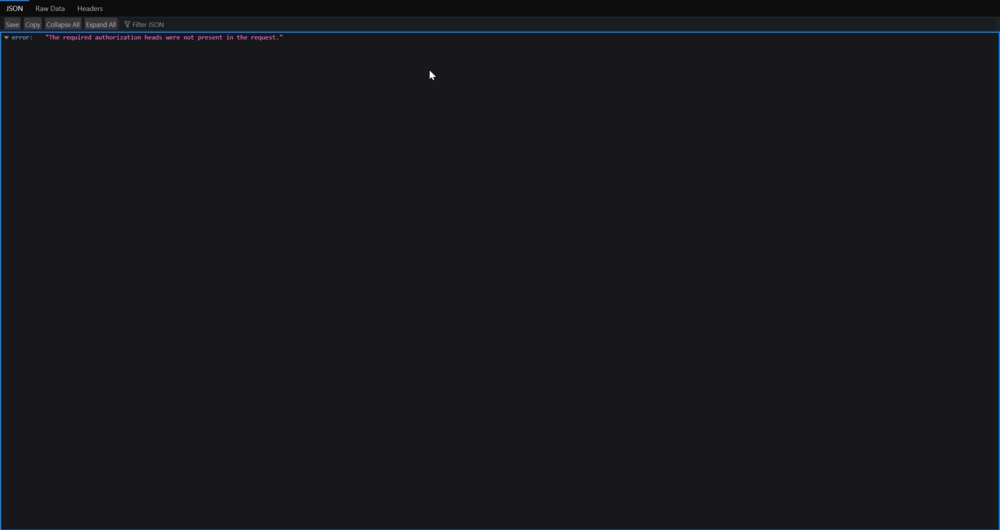
I had to delete it because servers suddenly stopped working. And now I reinstalled it. Changing owner didn't helped:( Wing works well when i visit the address.
-
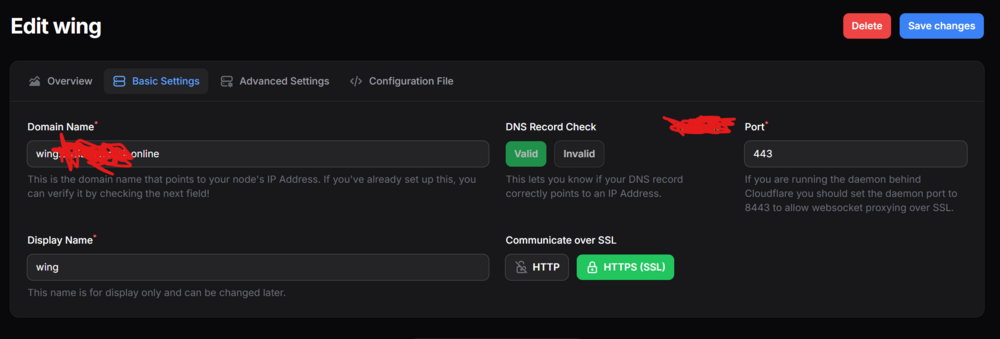
Hello again! I have problem with websocket connection. Can you pls help me. my node settings

-
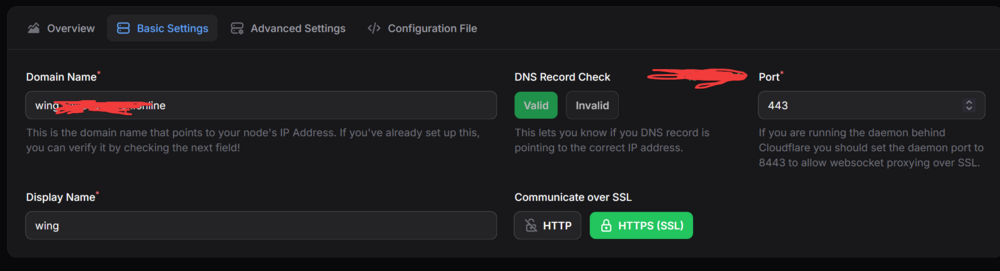
I just needed to change the container port to get it to work. I guess i had same issue with pterodactyl set up. Because before this i tried to get it work. Thank you so much!
-
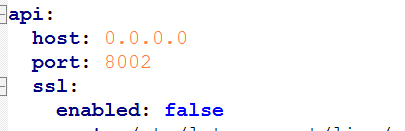
Hello. I have a problem. The wing and panel are not communicating, but the wing and panel are working. Here is a wing log: INFO: [Jan 11 13:47:04.316] writing log files to disk path=/var/log/pelican/wings.log INFO: [Jan 11 13:47:04.317] loading configuration from file config_file=/etc/pelican/config.yml INFO: [Jan 11 13:47:04.322] configured wings with system timezone timezone=Europe/Athens INFO: [Jan 11 13:47:04.322] configured system user successfully gid=100 uid=99 username=nobody INFO: [Jan 11 13:47:04.323] fetching list of servers from API INFO: [Jan 11 13:47:04.442] processing servers returned by the API total_configs=0 INFO: [Jan 11 13:47:04.442] finished processing server configurations duration=57.574µs INFO: [Jan 11 13:47:04.443] configuring system crons interval=1m0s subsystem=cron INFO: [Jan 11 13:47:04.443] starting cron processes subsystem=cron INFO: [Jan 11 13:47:04.443] updating server states on Panel: marking installing/restoring servers as normal INFO: [Jan 11 13:47:04.443] configuring internal webserver host_address=0.0.0.0 host_port=8002 use_auto_tls=false use_ssl=false INFO: [Jan 11 13:47:04.444] sftp server listening for connections listen=0.0.0.0:2022 public_key=XXXXXX INFO: [Jan 11 14:02:45.081] writing log files to disk path=/var/log/pelican/wings.log INFO: [Jan 11 14:02:45.081] loading configuration from file config_file=/etc/pelican/config.yml INFO: [Jan 11 14:02:45.086] configured wings with system timezone timezone=Europe/Athens INFO: [Jan 11 14:02:45.087] configured system user successfully gid=100 uid=99 username=nobody INFO: [Jan 11 14:02:45.088] fetching list of servers from API INFO: [Jan 11 14:02:47.597] processing servers returned by the API total_configs=0 INFO: [Jan 11 14:02:47.598] finished processing server configurations duration=65.81µs INFO: [Jan 11 14:02:47.599] configuring system crons interval=1m0s subsystem=cron INFO: [Jan 11 14:02:47.599] starting cron processes subsystem=cron INFO: [Jan 11 14:02:47.599] updating server states on Panel: marking installing/restoring servers as normal INFO: [Jan 11 14:02:47.600] configuring internal webserver host_address=0.0.0.0 host_port=8002 use_auto_tls=false use_ssl=false INFO: [Jan 11 14:02:47.601] sftp server listening for connections listen=0.0.0.0:2022 public_key=XXXXXX Here is my wing setup Config: I have no idea why it's not working