deedaleet
Members
-
Joined
-
Last visited
-
Sorry, it was mostly random. I was just trying to make sure a config file somewhere was being written to when I applied the changes. Simply a troubleshooting step, not changing anything specific.
-
Apparent fix! In case this is relevant to someone: I re-installed the mover tuner plugin, changed a few settings, then uninstalled the plugin. Then I restarted the array. Clicked move...and data is writing to the array! No idea if that was the actual fix, but my mover is now moving again.
-
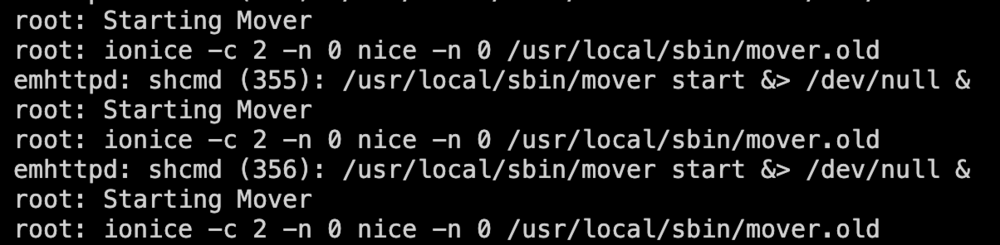
Noticed that my cache is growing out of control after updating. Captured a screenshot of the log after clicking "move" button a few times. The button comes back instantly, but does nothing. Have restarted array and restarted server with no change at all. Notes: Not using mover tuner plugin (though it has been installed in the past, but uninstalled some time before unraid 7 update). I have let it set for hours after it "starts", but no writes are happening to the array, and log never shows anything after "ionice -c 2 -n 0 nice -n 0 /usr/local/sbin/mover.old" Found this topic with similar title, but it was marked as solved and was a naming scheme problem with shares, which is not my issue here.
-
It seems we were all replying at about the same time! I realized my mistake and edited my post above in case someone else stumbles here. Removing variable "TAILSCALE_FALLBACK_DIR" did indeed solve the issue. Thanks ich777 and supercore23
-
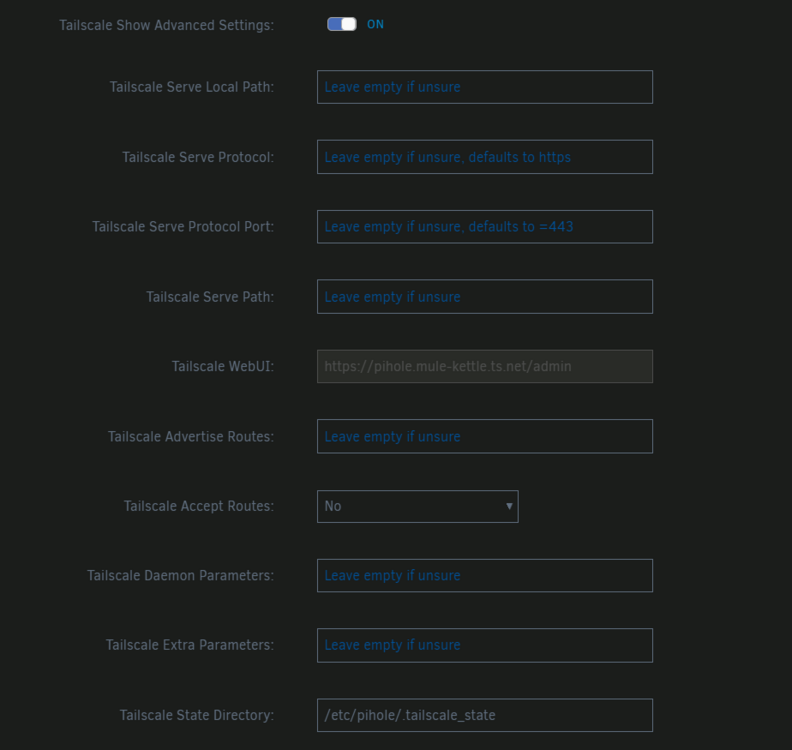
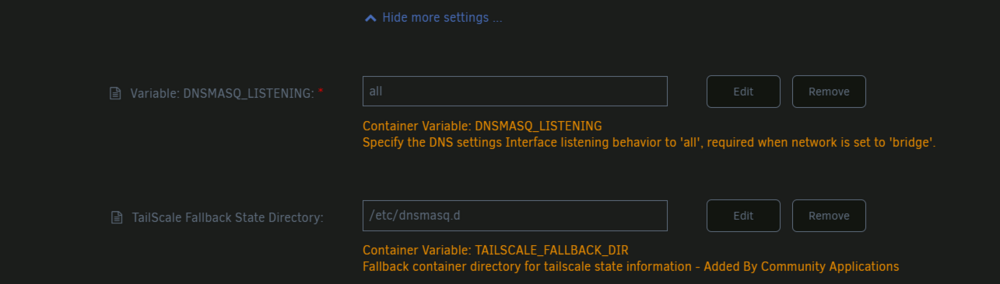
Thanks for the reply. A quick ctrl+f search on the the container config page (with all options expanded) shows no variables starting with "TAILSCALE_". Attached are the Tailscale advanced settings, with only the necessary "Tailscale State Directory" changes (error was present before state directory was even created). Also attached are the unchanged entries and "show more settings". EDIT: I realized my mistake that clearly shows "TAILSCALE_FALLBACK_DIR" as a variable.
-
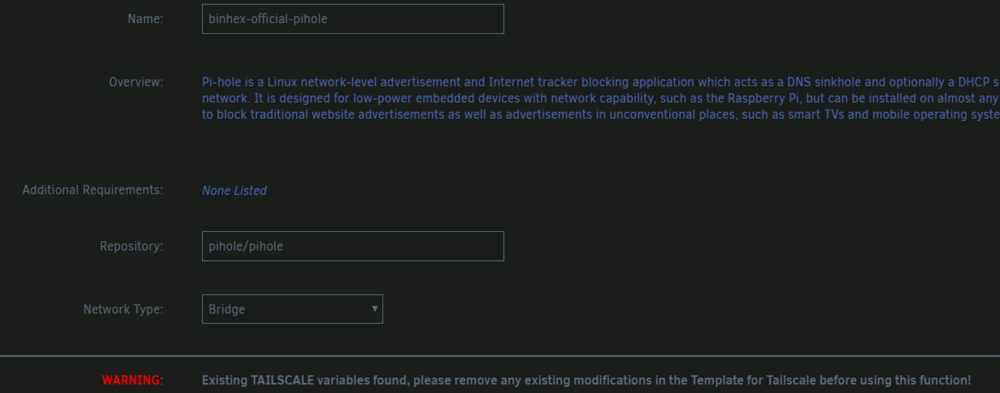
I have as a similar issue. Except it is showing up in the UI itself. See screenshot. In my case I had an existing pihole container set up. I deleted it from unraid UI, deleted from "previous apps", and deleted from appadata. Oddly, when ignoring error and continuing setup there seems to be no problems. Still, I would like to know how to get rid of the error.