Skip to content
View in the app

A better way to browse. Learn more.

Unraid

A full-screen app on your home screen with push notifications, badges and more.

To install this app on iOS and iPadOS
  1. Tap the Share icon in Safari
  2. Scroll the menu and tap Add to Home Screen.
  3. Tap Add in the top-right corner.
To install this app on Android
  1. Tap the 3-dot menu (⋮) in the top-right corner of the browser.
  2. Tap Add to Home screen or Install app.
  3. Confirm by tapping Install.

unraid01jimsgear

Members
  • Joined

  • Last visited

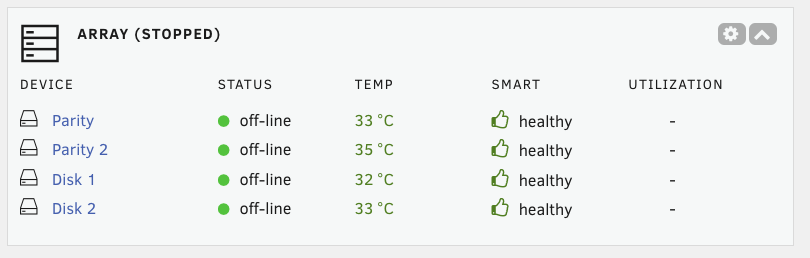
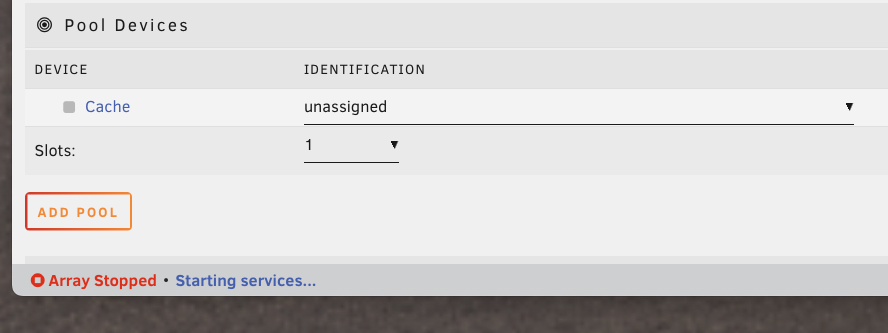
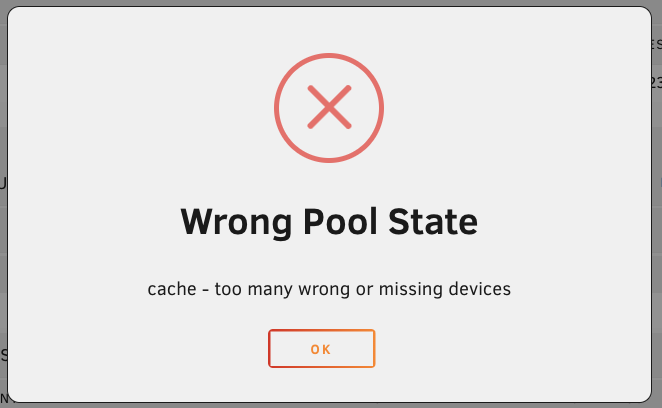
  1. My UnRaid server was working great for a long time, so I upgraded today from the trial version to the "Unraid Unleashed License". Upon installing the key with the prompts, my array is not starting! The "START" array button shows "Configuration valid" next to it. When I click the "START" button, I get this pop-up: Also at the bottom left corner of the web GUI, I see this "Array Stopped - Starting services" but I waited a long time for this to finish and nothing ever happened. My drives show as being off-line: How do I fix this? Thank you!!!
Account

Navigation

Search

Search

Configure browser push notifications

Chrome (Android)
  1. Tap the lock icon next to the address bar.
  2. Tap Permissions → Notifications.
  3. Adjust your preference.
Chrome (Desktop)
  1. Click the padlock icon in the address bar.
  2. Select Site settings.
  3. Find Notifications and adjust your preference.