





Pat_J
Members
-
Joined
-
Last visited
-
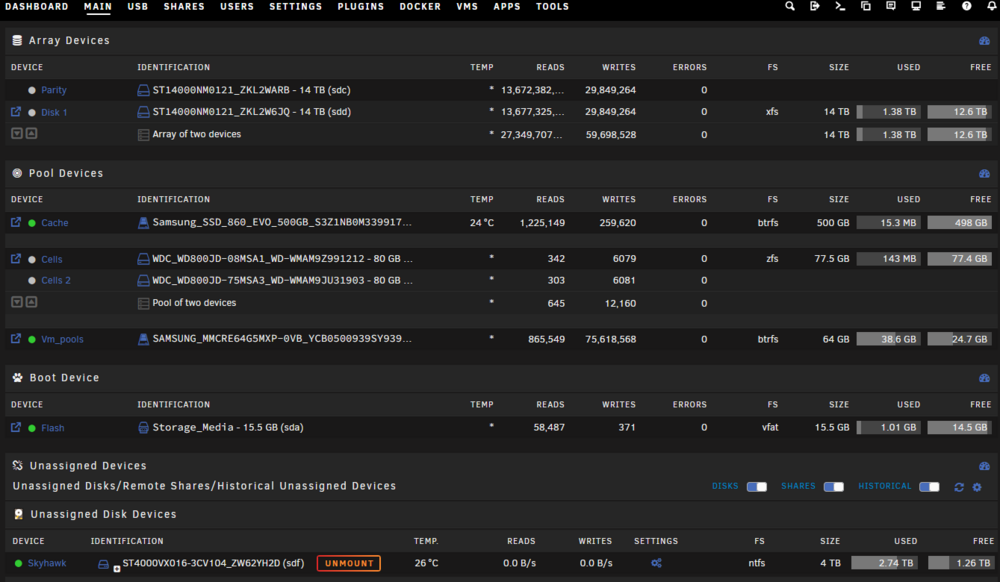
Thank you @trurl and @MowMdown for the explanation that i am sure you have to repeat many time to novice like me 😅 . I am sorry if i repeat myself or repeat what you just said, english is not my forte. So ... 1. adding another ssd to the vm_pools will take care of the yellow triangle (to make it a mirror). I will do that. Yeah i understand, has i will probably expand what the unraid server host, like planning to get jellyfin for movie/music and more..., upgrading to bigger ssd would be better knowing that i need to buy one for vm_pools redundancy. Thank you again, i really appreciate the help and time you took for helping me !
-
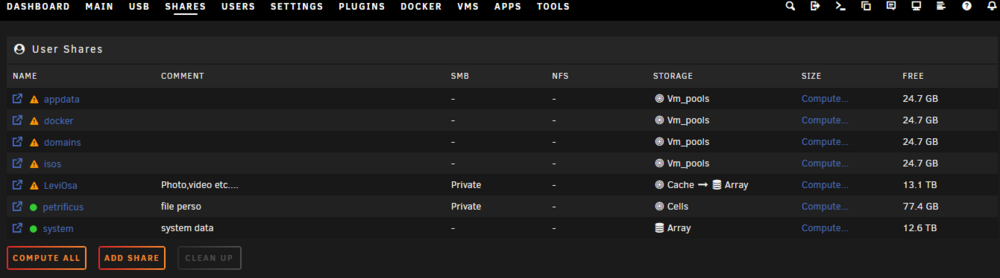
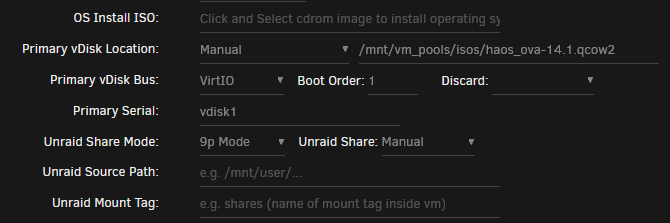
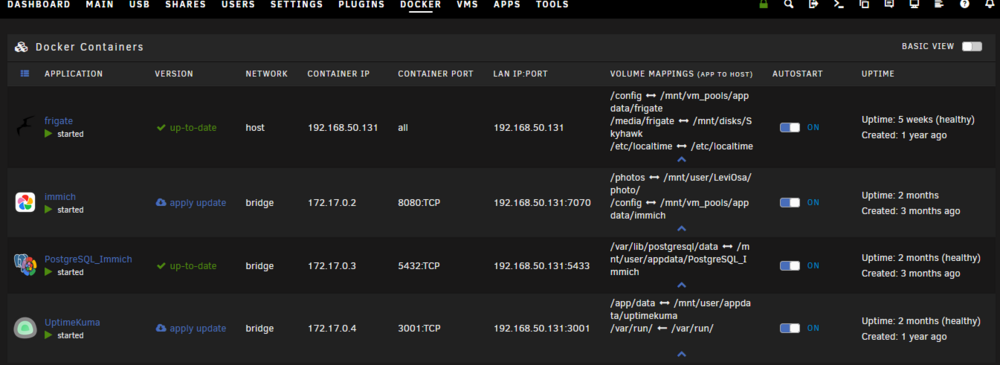
Hi, i am a novice with unraid and i recently notice that i have many shares unprotected. My docker/VM i have home assistant vm with this config for disk/share: and here my diagnostic azkabanserver-diagnostics-20260203-2036.zip I manually ran the mover but it did not change the status of the shares, i do not know which other step to take. I appreciate all the effort/time you will put to help me ! Thank you! Edit: I found a photo on the cache, i stopped all my docker/vm and then ran the mover. My LeviOsa share is now green but all the shares on Vm_pools are still showing a triangle.
-
Wow, there is a lot of information on Spaceinvader one channel! Thank you. Thank you for the information, this will give me a starting point ! With JorgeB information and Veah youtube channel recommendation I should be ok to attain my goals! Thanks again!
-
Hi! I just installed unraid for first time using the trial. I am a bit lost about how to setup my hdd. If someone could give me direction it would great! 1. I have 2 14Tb, I will use them for movie, photo, media in general. I wanted to use 1 and the other one as a fail safe. So if one die I will not lose my data. 2. I have 2 small 80Gb hdd that I want to use for storing personal files. Again I'd like one of the drive to be a fail safe, a copy of the other. Plus, all the files on the 2 80Gb would need to be encrypted. 3. I have a 500Gb ssd to use as a cache I would like to use for the media drive (14Tb). 4. I plan to setup a VM to run my already bare metal HAOS. My HAOS is installed on a small laptop hdd. Can I plug the hdd and use it for loading (booting) HAOS in the VM ? 5. I also have a 4Tb drive for my frigate integration in HAOS. Can I plug it too and make it available to the VM so frigate write to it ? 6. There is too many file systems I do not know what to pick too! All my hdds passed hddsentinel surface test. I hope I made my post as clear as possible, English is not my primary language sorry. Thank you all!


