adrian.mace.au
Members
-
Joined
-
Last visited
-
To "circle back", this issue is still happening with 7.1.0-rc1 and Fedora Server 41 updated to 13 Apr 2025.
-
Do you have a reason to believe this issue being caused by the virtualisation of Unraid?
-
I’m letting them mount via fstab on boot / with mount command. The line is shared above. Yes that’s a key detail too. Unraid is running on Proxmox with the CPU’s SATA controller being passed through.
-
Alright, another one. Getting show-stopping stale file handles. Situation: As soon as the mover activates, I am no longer able to browse to the mount point in my shell, nor access any files within. Facts: Server is Unraid v7.0.1. Also experience the same behaviour on v7.0.0. Client is Fedora Linux 41 (Server Edition) fully up to date as of 26 Feb 2025. I have followed @dlandon's best practices for NFS in Unraid and continue to experience the issue. SMB is disabled entirely within Unraid Storage is: 1x Cache SSD (4TB) in a pool of 1 disk formatted as btrfs 1x Parity 18TB HDD 3x Data HDDs (various sizes) Mover is configured to move from Cache to Array Hard Links are essential to my workflow. SSD cache is very strongly preferred for my workflow. I have tried adjusting the fuse_remember tunable to be either 330, 0, or -1 all with no impact. Output & Diagnostics: The following output comes from the client after the issue begins occurring: $ ls /mnt/array ls: cannot open directory '/mnt/array': Stale file handle $ cat /etc/fstab | grep /mnt/array 192.168.31.3:/mnt/user/array /mnt/array nfs _netdev,hard,relatime,rsize=1048576,wsize=1048576 0 0 $ mount -v | grep /mnt/array 192.168.31.3:/mnt/user/array on /mnt/array type nfs4 (rw,relatime,vers=4.2,rsize=1048576,wsize=1048576,namlen=255,hard,proto=tcp,timeo=600,retrans=2,sec=sys,clientaddr=192.168.31.4,local_lock=none,addr=192.168.31.3,_netdev) $ journalctl -xe Feb 26 18:23:02 host.exmaple.com kernel: NFS: server 192.168.31.3 error: fileid changed fsid 0:40: expected fileid 0x901000000000085, got 0x28000000000101 Call for help: Is there any way to actually make this set up work? Thank you all for your help unraid-diagnostics-20250226-1834.zip
-
Thank you @Mainfrezzer, that's done it! I skipped over this because the configuration option I needed to set is "Local TLD". I would have personally called it "Domain suffix" or "FQDN" or some other more common keyword. Thanks again for pointing me in the right direction.
-
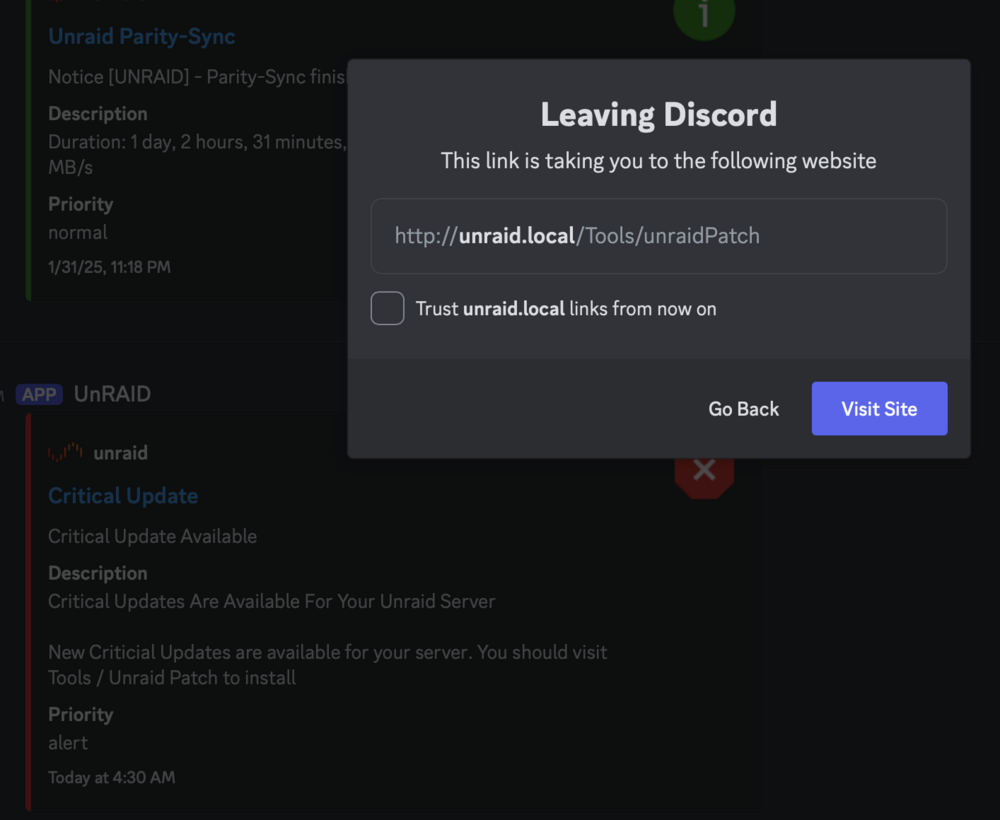
Hey all, I have Discord notifications configured, which provide rich information including a link to the UNRAID console. Unfortunately it appears that this is hard-coded to unraid.local. I wasn't able to find any way to customise this so that I can point it to my FDQN / reverse proxy with HTTPS. Can someone assist here? Thanks