fbrites
Members
-
Joined
-
Last visited
-
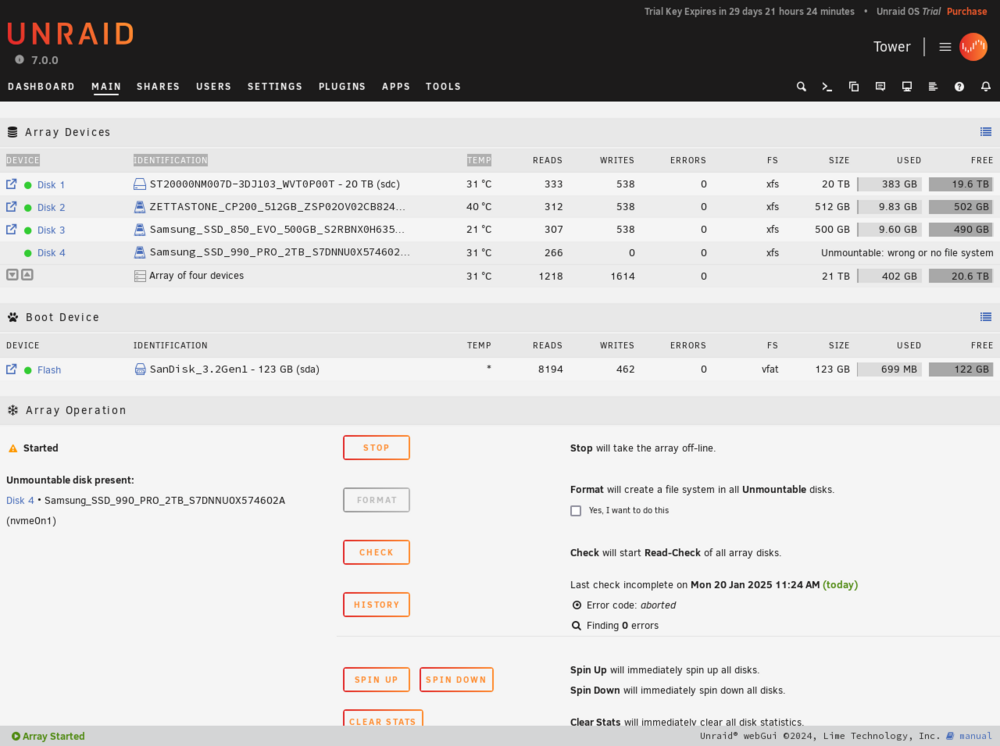
Hi guys, I acquired today a test license for 30 days. I have an NvMe Samsung 990 Pro who refuses to be mounted, after starting the array i always get the message: Unmountable: Wrong or no filesystem Checking on the log appears this: Jan 20 04:31:52 Tower emhttpd: mounting /mnt/disk4 Jan 20 04:31:52 Tower emhttpd: shcmd (667): mkdir -m 0666 -p /mnt/disk4 Jan 20 04:31:52 Tower emhttpd: /sbin/blkid /dev/md4p1 2>&1 Jan 20 04:31:52 Tower emhttpd: shcmd (668): mount -t xfs -o noatime,nouuid /dev/md4p1 /mnt/disk4 Jan 20 04:31:52 Tower kernel: XFS (md4p1): Invalid superblock magic number Jan 20 04:31:52 Tower root: mount: /mnt/disk4: wrong fs type, bad option, bad superblock on /dev/md4p1, missing codepage or helper program, or other error. Jan 20 04:31:52 Tower root: dmesg(1) may have more information after failed mount system call. Jan 20 04:31:52 Tower emhttpd: shcmd (668): exit status: 32 Jan 20 04:31:52 Tower emhttpd: shcmd (669): rmdir /mnt/disk4 Jan 20 04:31:52 Tower emhttpd: disk4: mount error: wrong or no file system